Are you searching for a way to remove a payment method on the Google Play Store on your phone? If so, then I shall explain to you how to remove a payment method on the Google Play Store in simple steps.
How To Remove Payment Method On Google Play Store
On the Android phone, you have the Google Play Store, through which you can install different types of applications, of which some are free and others are paid.
If you want to remove a payment method,then here are the steps on how to remove a payment method on the Google Play Store.
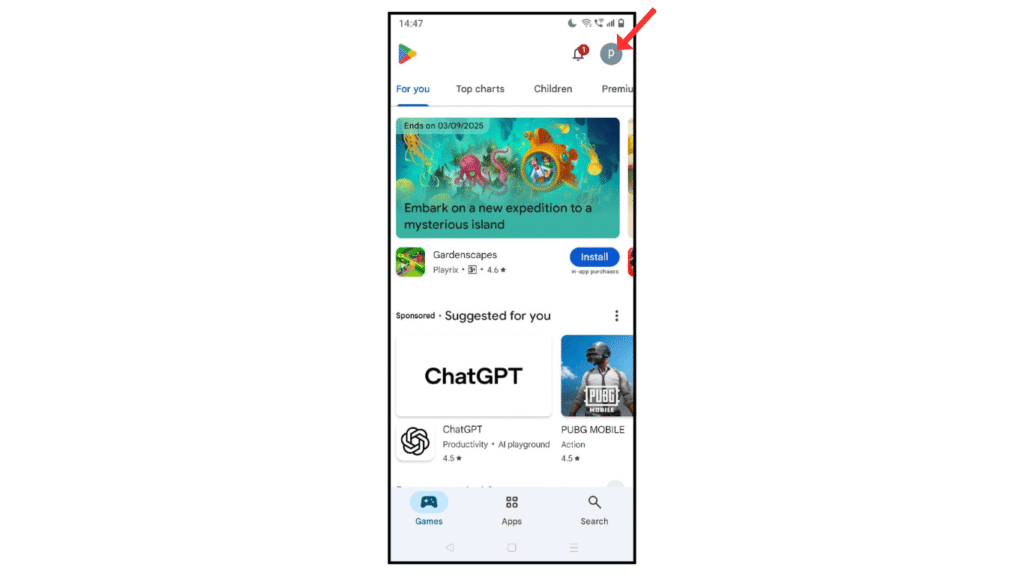
- Open the Play Store and click on profile.
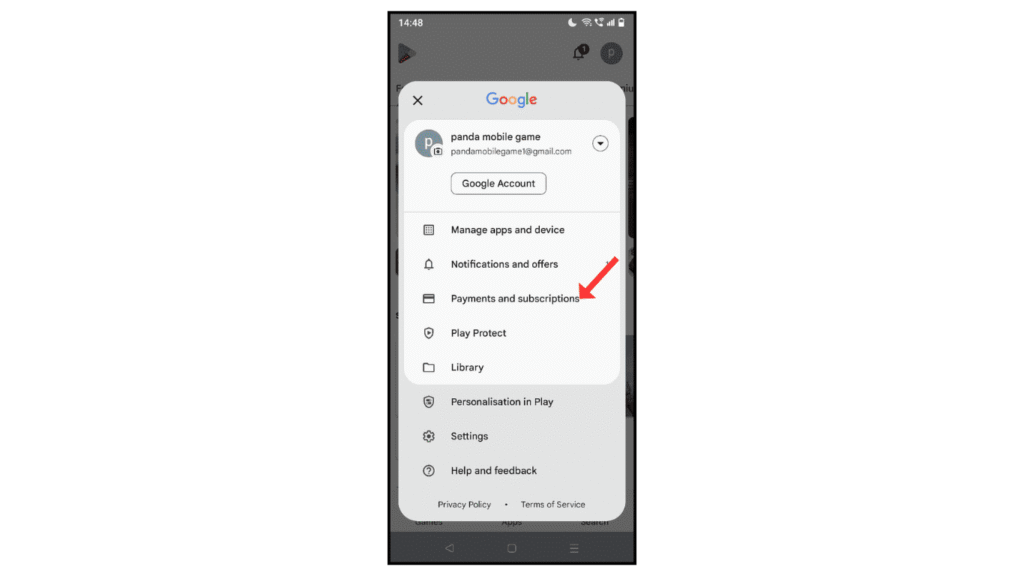
- Now, click on payments and subscriptions.
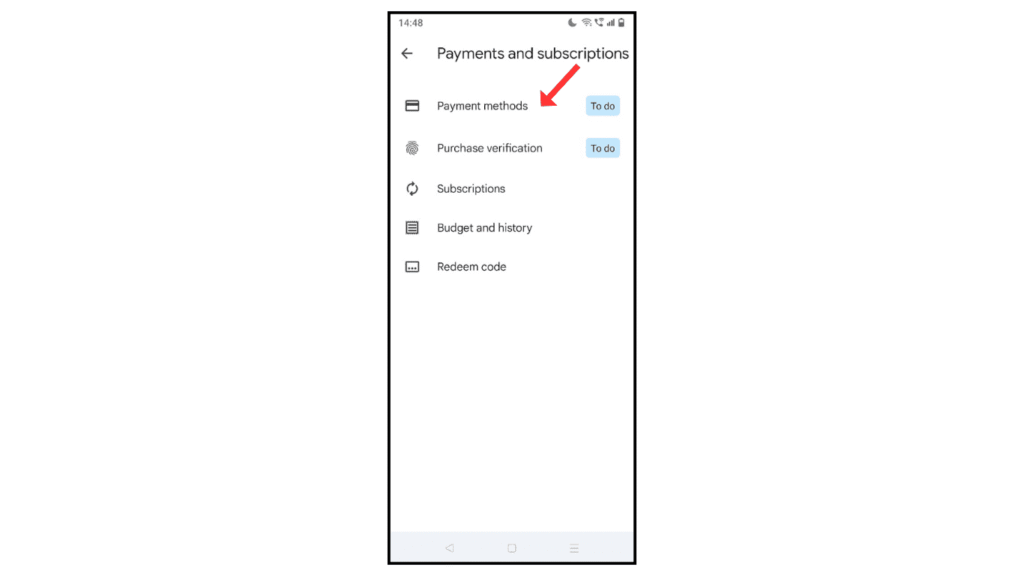
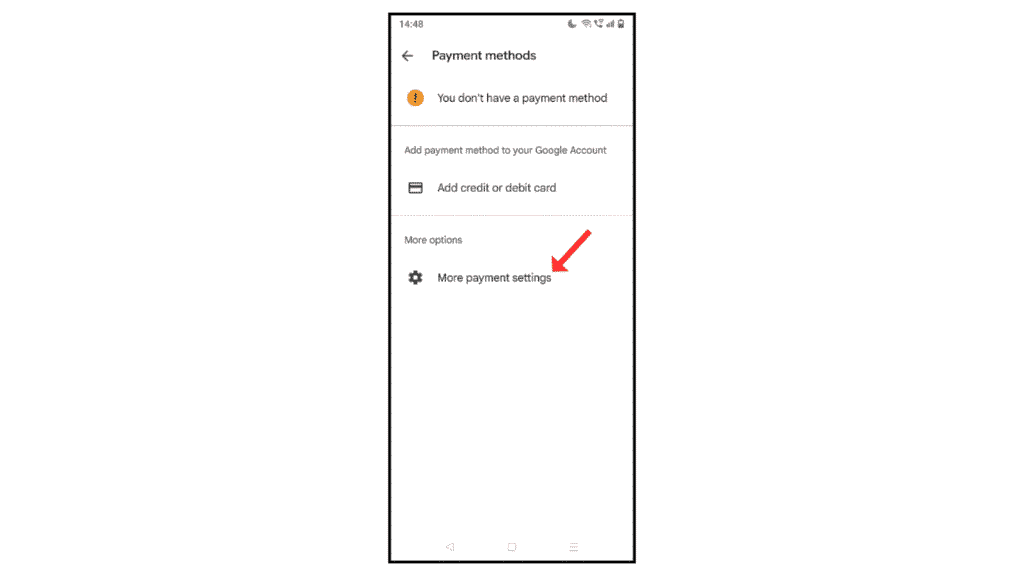
- After that, click on payment methods.
- Go to the more payment settings.
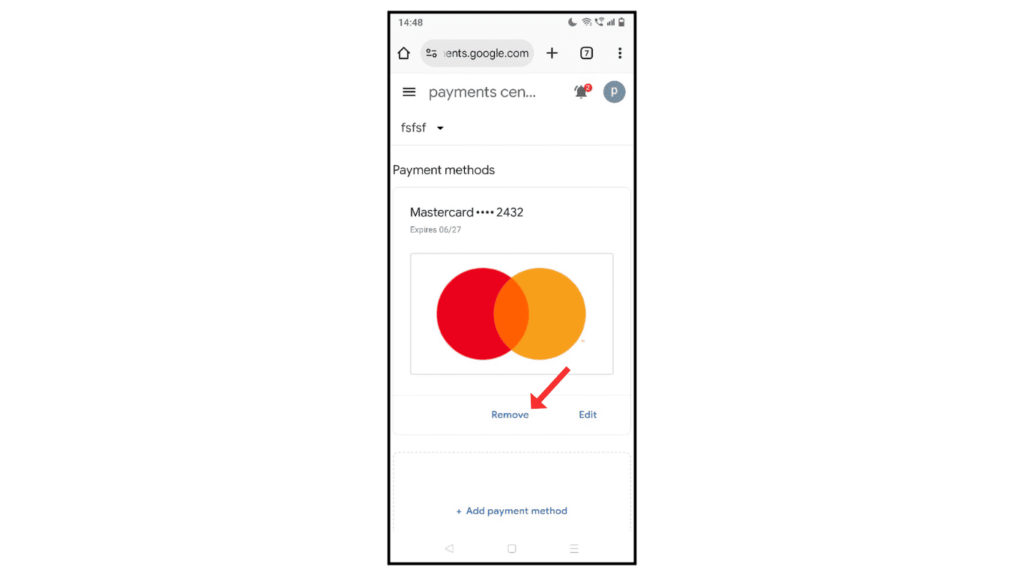
- Lastly, click on “Remove Payment Method.”
Also Read: How to Install the Threads App on Android
Conclusion:
Removing the payment method from the Google Play Store on an Android phone is a simple method.
If you have any questions about removing a payment method from the Google Play Store, then you can contact me by email.
