Are you searching for solution to upload photos in DeepSeek on your phone? If so, then I shall explain to you how to upload photos in DeepSeek in simple steps.
How To Upload Photos in DeepSeek
DeepSeek is an AI model technology that works like ChatGPT, made by a Chinese company with a low budget and workers.
In DeepSeek, you can get answers to your questions, create the best photos, and also edit images and also write article for your website.
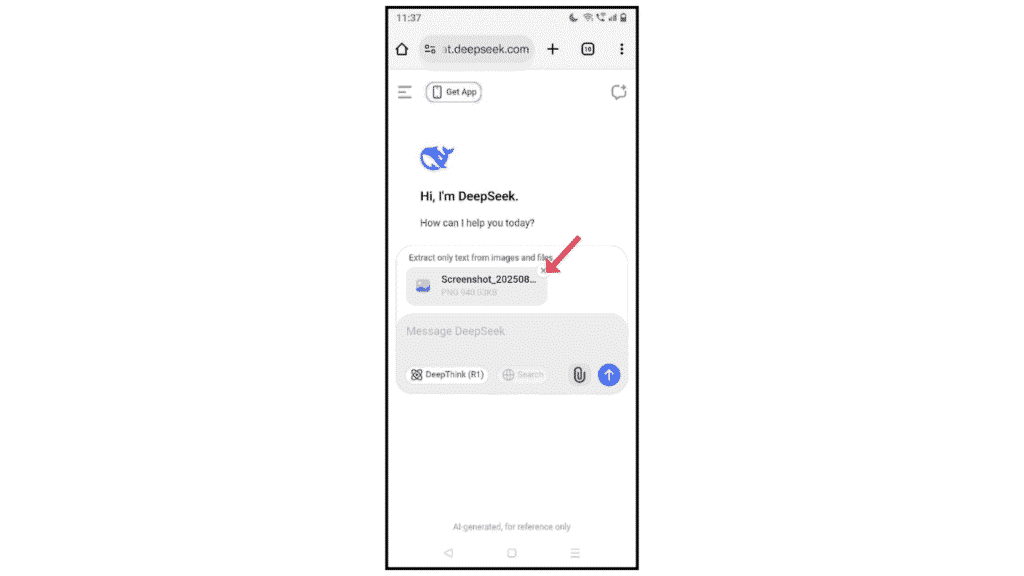
If you want to upload photos in DeepSeek for editing purposes and don’t know how to do it, then here are the steps on how to upload photos in DeepSeek.
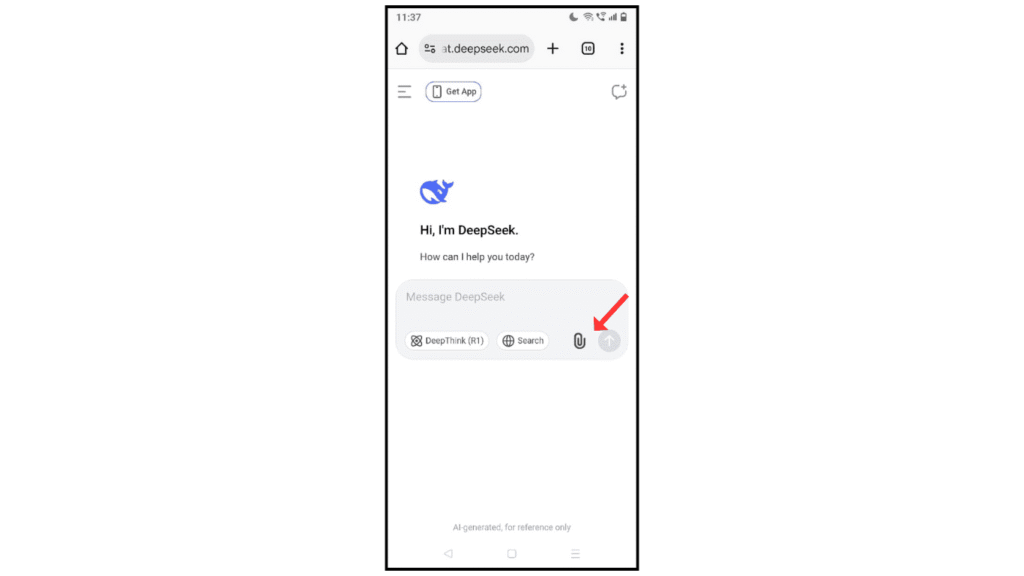
- Go to DeepSeek, and tap on the file icon.
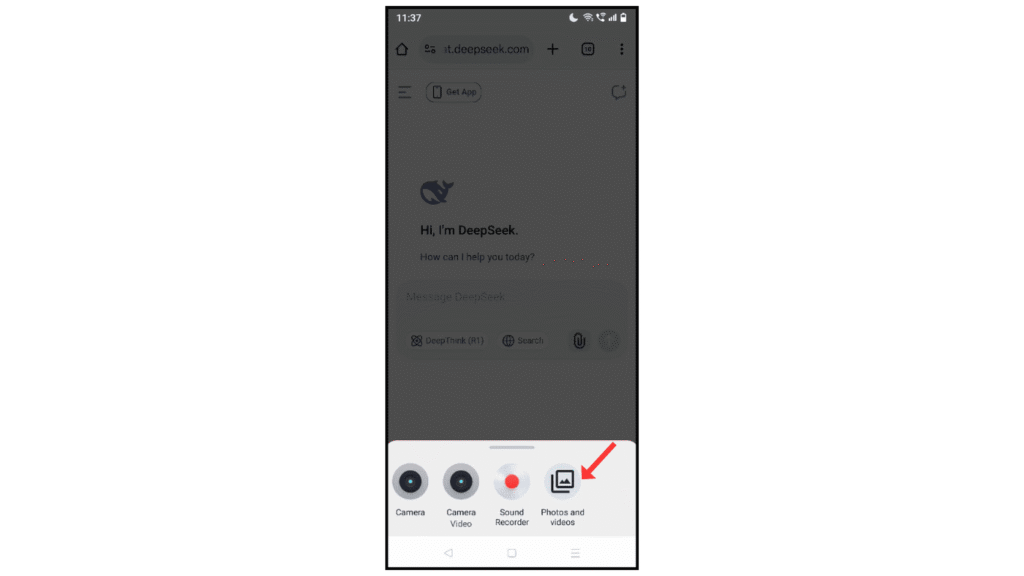
- After that, click on photos and videos.
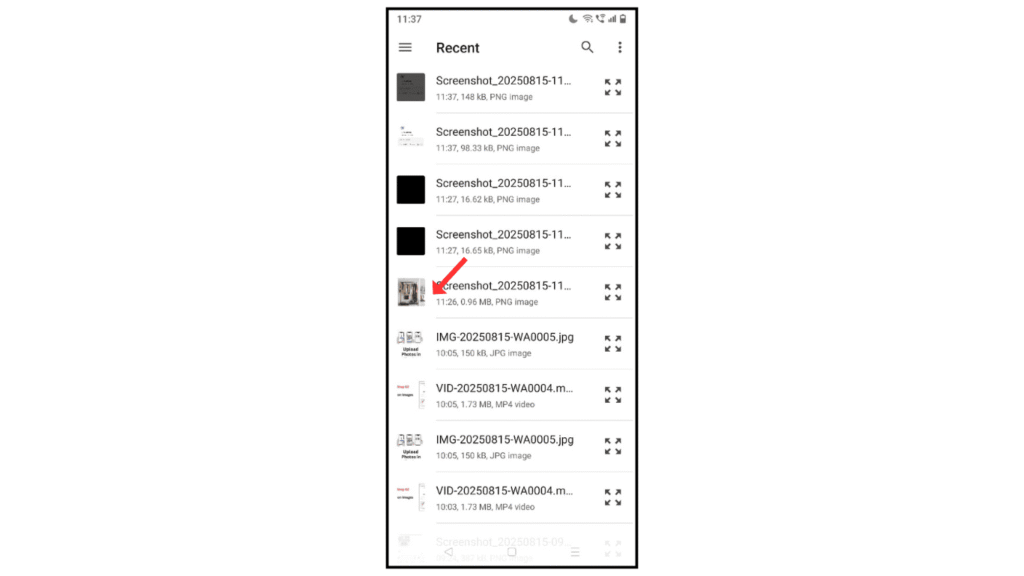
- Choose photos from the phone gallery.
- Uploaded photos successfully on DeepSeek
Also Read: How to Upload Photos in ChatGPT on Phone
Conclusion:
uploading photos in DeepSeek on your phone is an easy way; if you have any doubt about uploading images to a DeepSeek account, then you can contact me by email.
