
Are you looking for a solution on how to change Spotify profile picture on your phone? If so, then I shall guide you on how to change your Spotify profile picture in simple steps.
How To Change Spotify Profile Picture
If you are using the Spotify music app and want to change your profile picture, then here are the steps on how to change your Spotify profile picture on your phone.
- Log in to the Spotify account and Tap on the profile.

- Click on the profile picture.
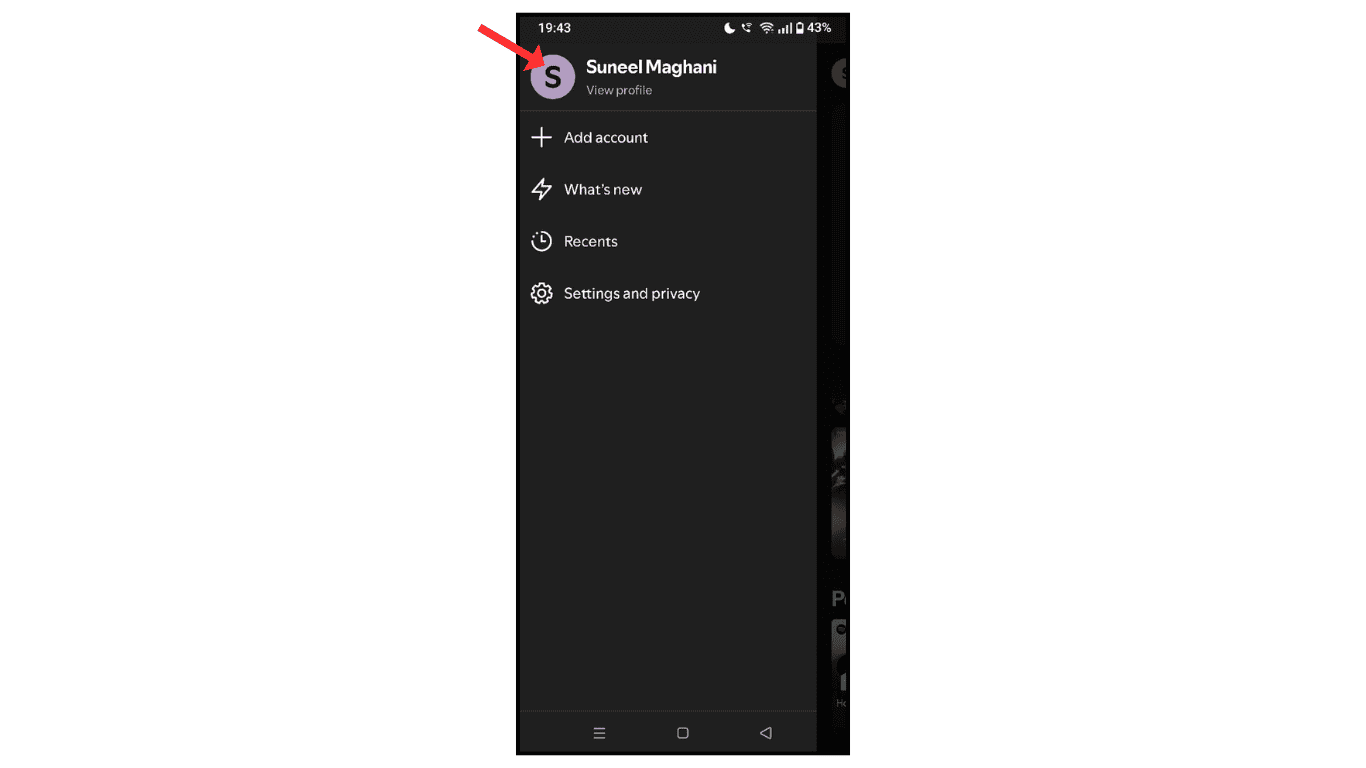
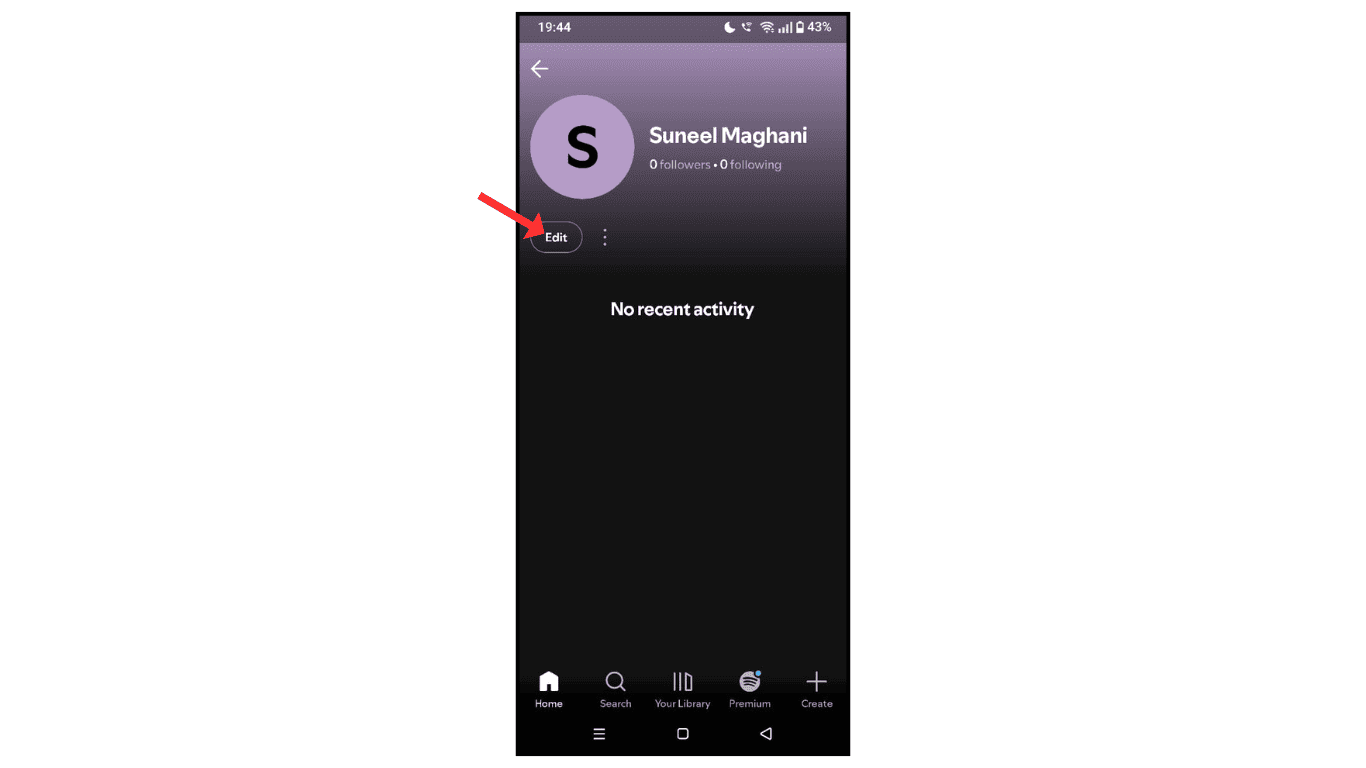
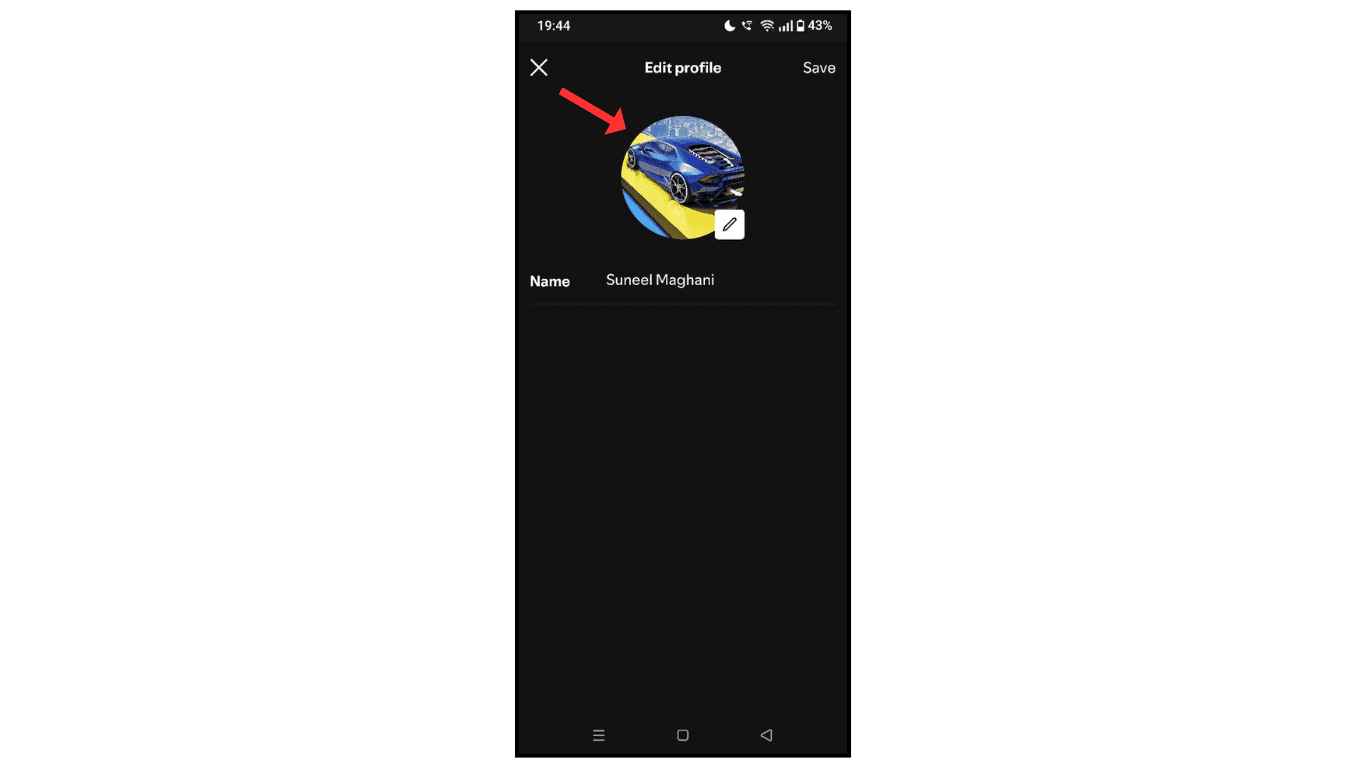
- After that, click on the edit menu.
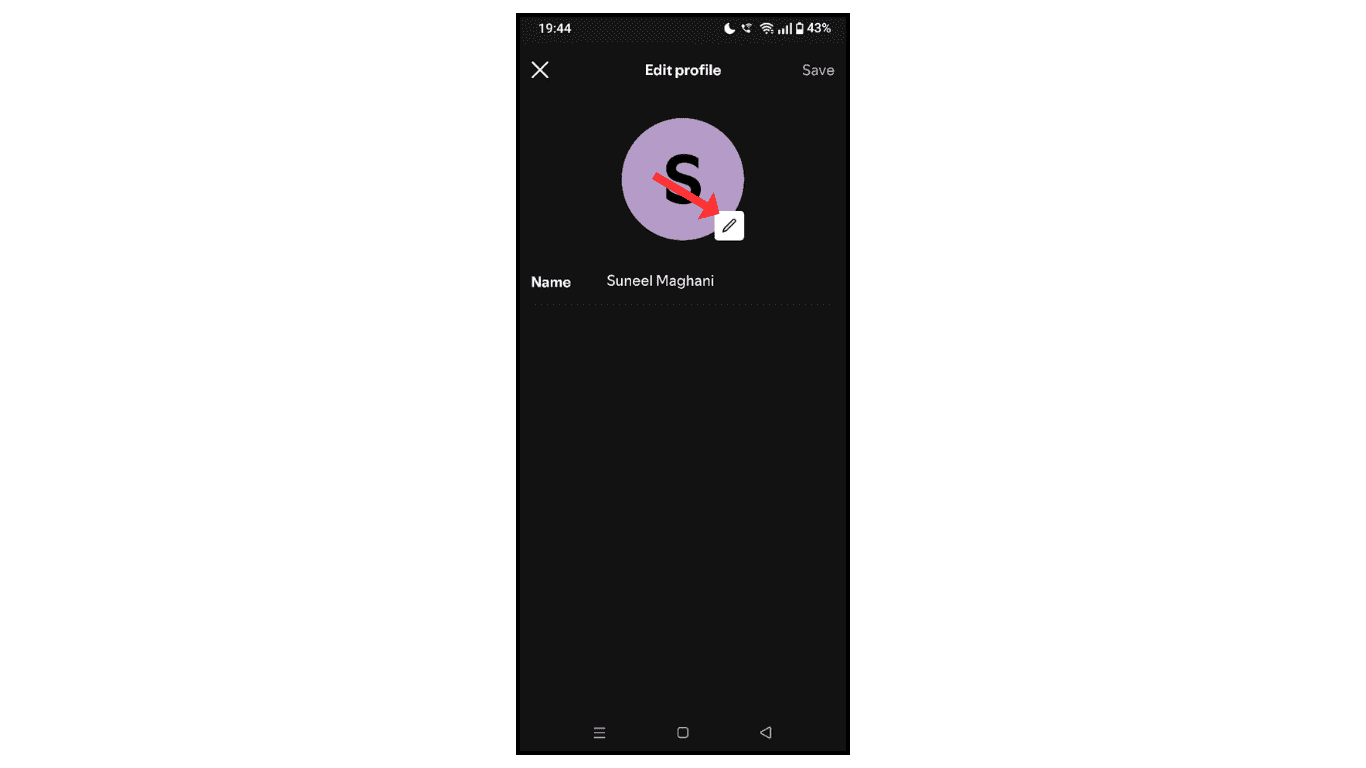
- Now, click on the pencil icon.
- Click on the “Upload Your Photo”
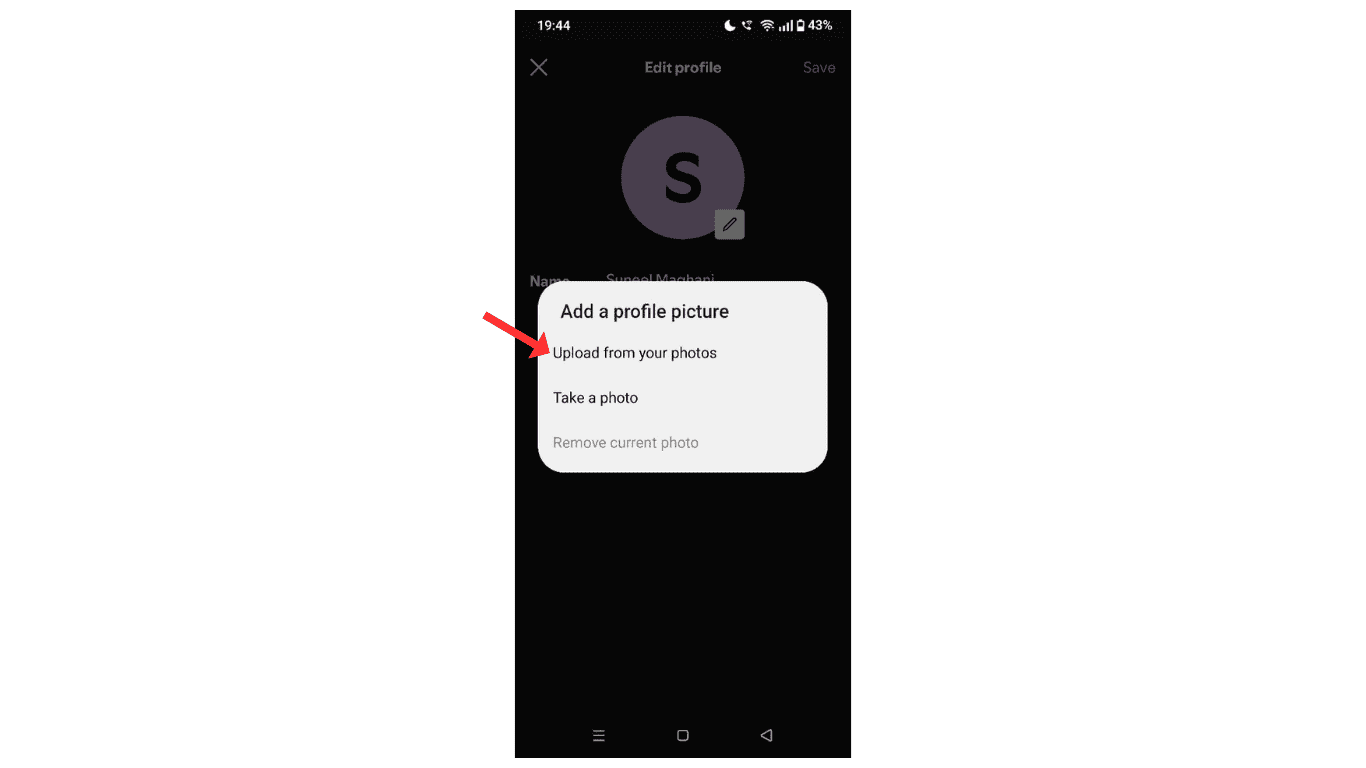
- in the last, change the profile picture and click on save
Also Read: How To Change Spotify Username
Conclusion:
I hope you learned how to change your Spotify profile picture on your phone. If you have any issues while changing your profile picture, then you can contact me by email.
