
Are you searching for a way on how to add category to a TikTok account on your mobile phone? If so, then I shall guide you on how to add a category to a TikTok account in simple steps.
How To Add Category On TikTok Account
TikTok has the best setting in which you can add your category, so TikTok can easily understand your account and only share your content with the same niche-related viewers.
If you want to change or add a category on your TikTok account, then here are the steps on how to add a category on your TikTok account.
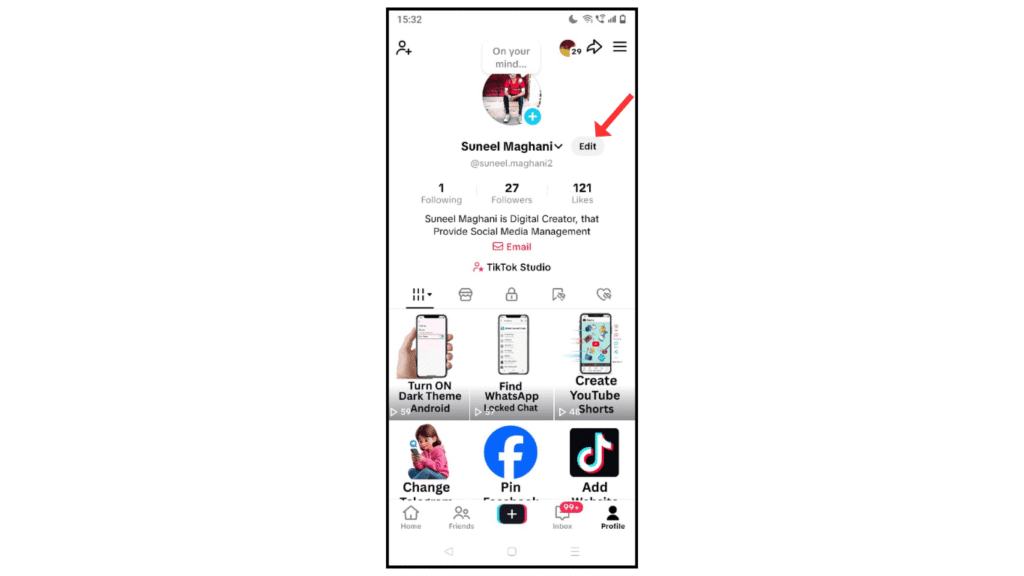
- Open the TikTok account and click Edit Profile.
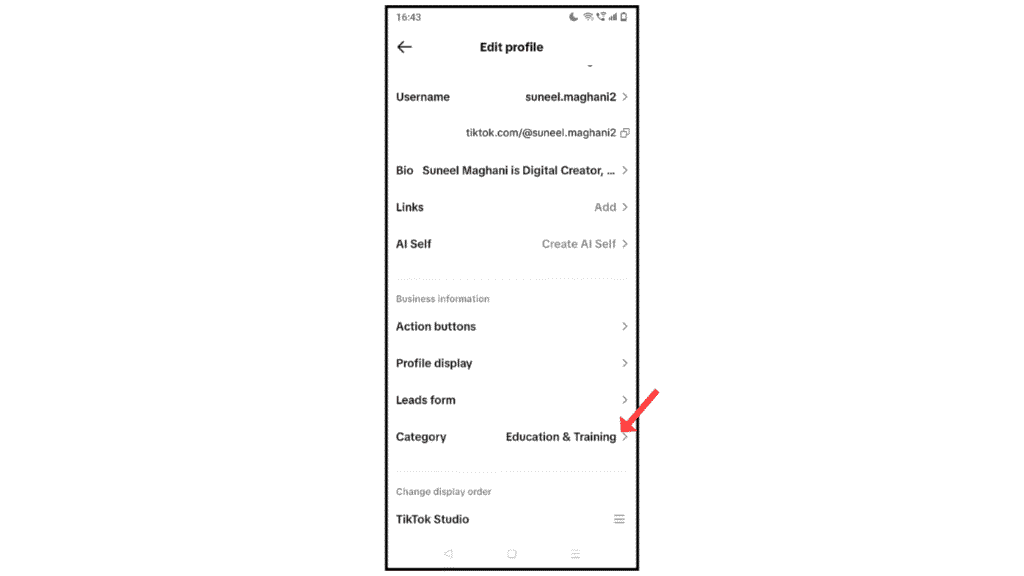
- Now, scroll down and click on category.
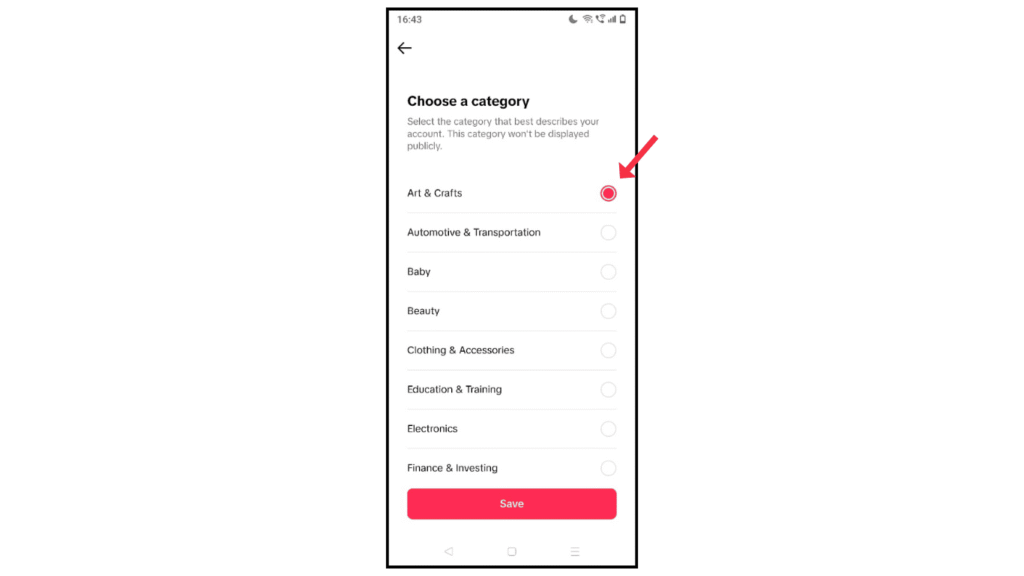
- Choose your TikTok category and then click on save.
Also Read: How to Download TikTok Videos Without Watermarks
Conclusion:
Adding or changing category to your TikTok account is simple process. If you have any questions about adding a TikTok category, then you can contact me by email.
