
Are you searching for a way on how to change currency in YouTube Studio? If so, then I shall guide you on how to change currency in YouTube Studio in simple steps.
How To Change Currency in YouTube Studio
In YouTube Studio there is an option where you can easily change the default currency to any other currency; it does not change the amount just based on the conversion ratio, and it will show in your YouTube Studio.
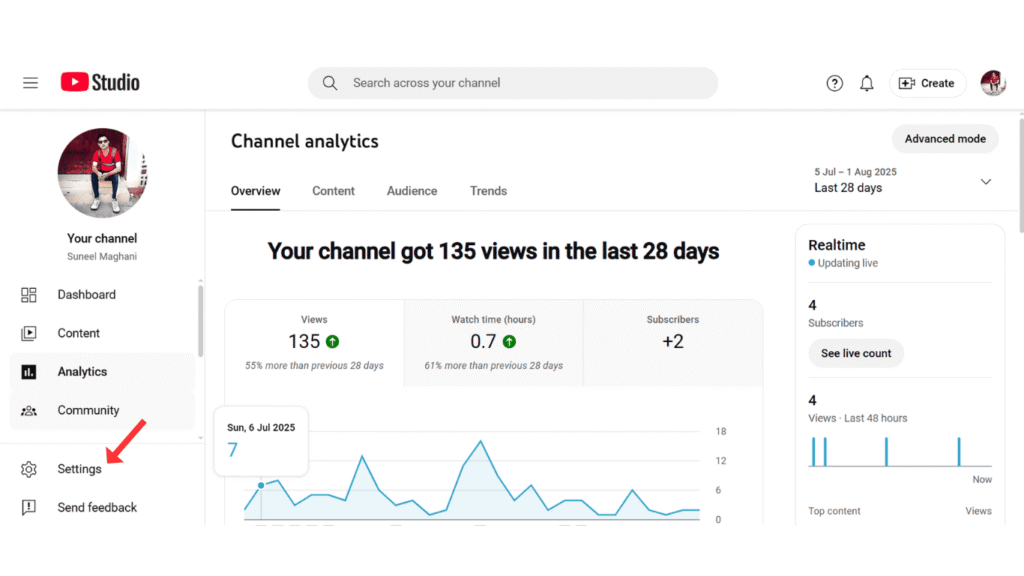
If you want to change your YouTube currency to another currency, then here are the steps given below to change the currency on YouTube Studio.
- In YouTube Studio, go to settings.
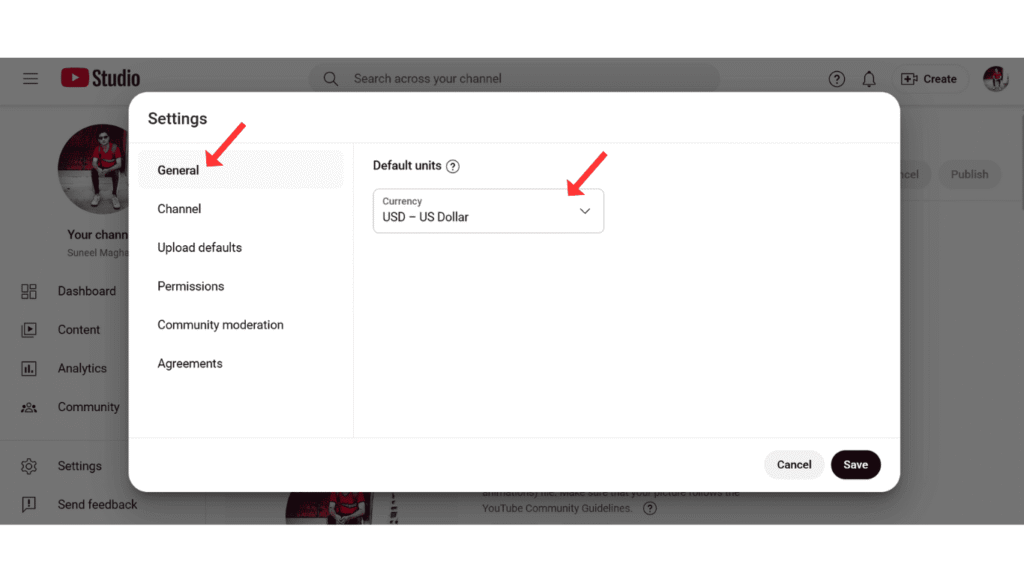
- Now, in general, click on the current default unit.
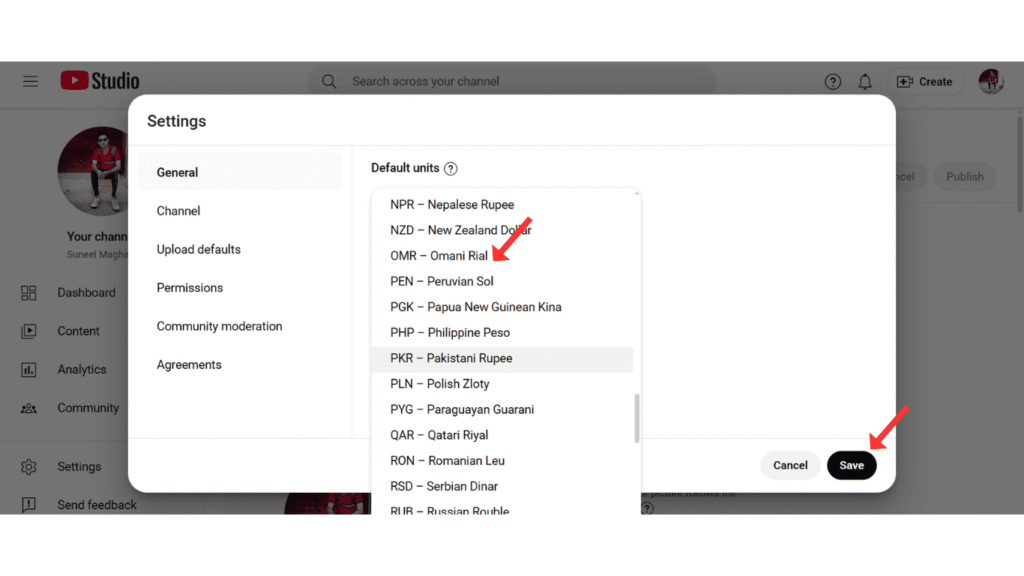
- After that, choose the other currency based on your country and click on save.
Also Read: How To Make Your YouTube Video Private
Conclusion:
I hope you have learned how to change the YouTube currency in YouTube Studio. If you have a problem while changing the currency in YouTube Studio, then you may contact me on email.
