Are you looking for a solution on how to change the password on your Roblox account? If so, then I shall explain to you how to change the password on your Roblox account.
How To Change Password On Roblox
Roblox account, have settings to change your password, then here are the steps on how to change your password on Roblox.
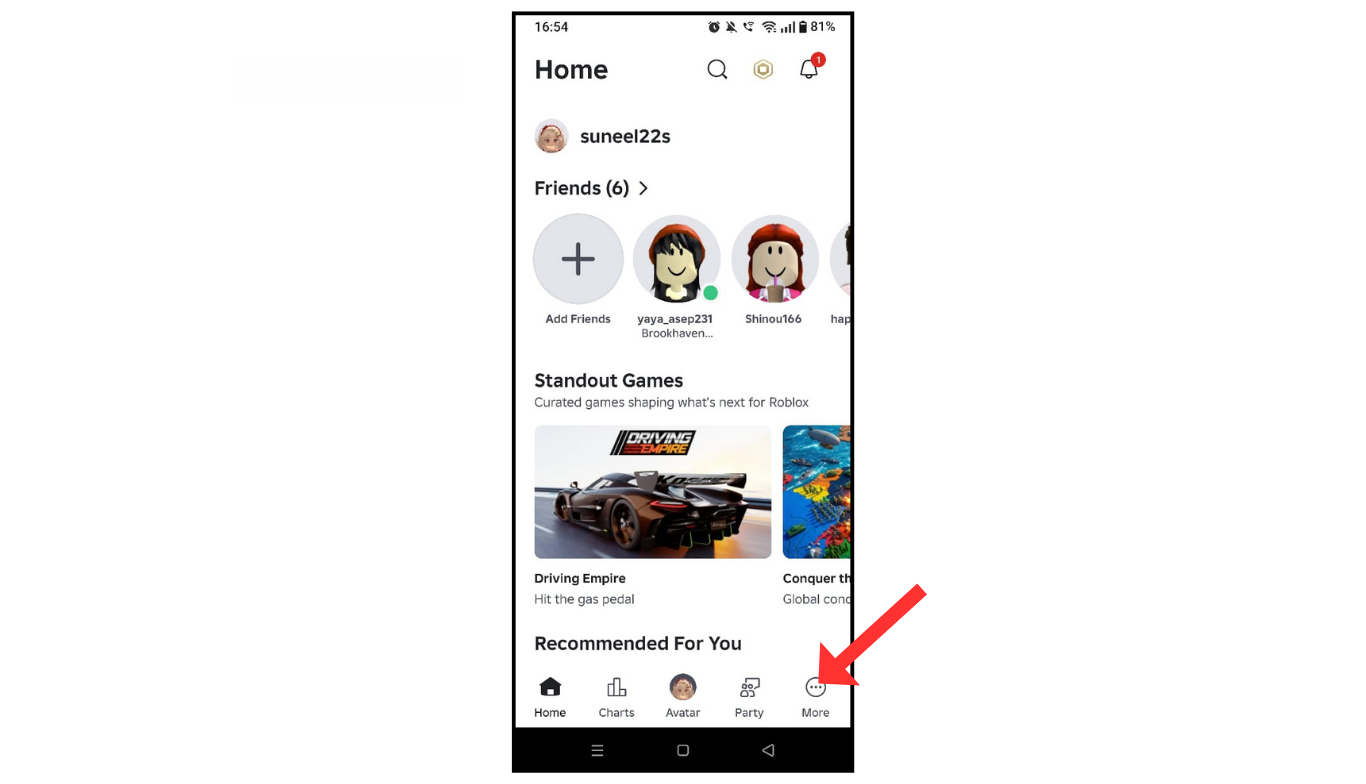
- Open a Roblox account and click on the more icon.
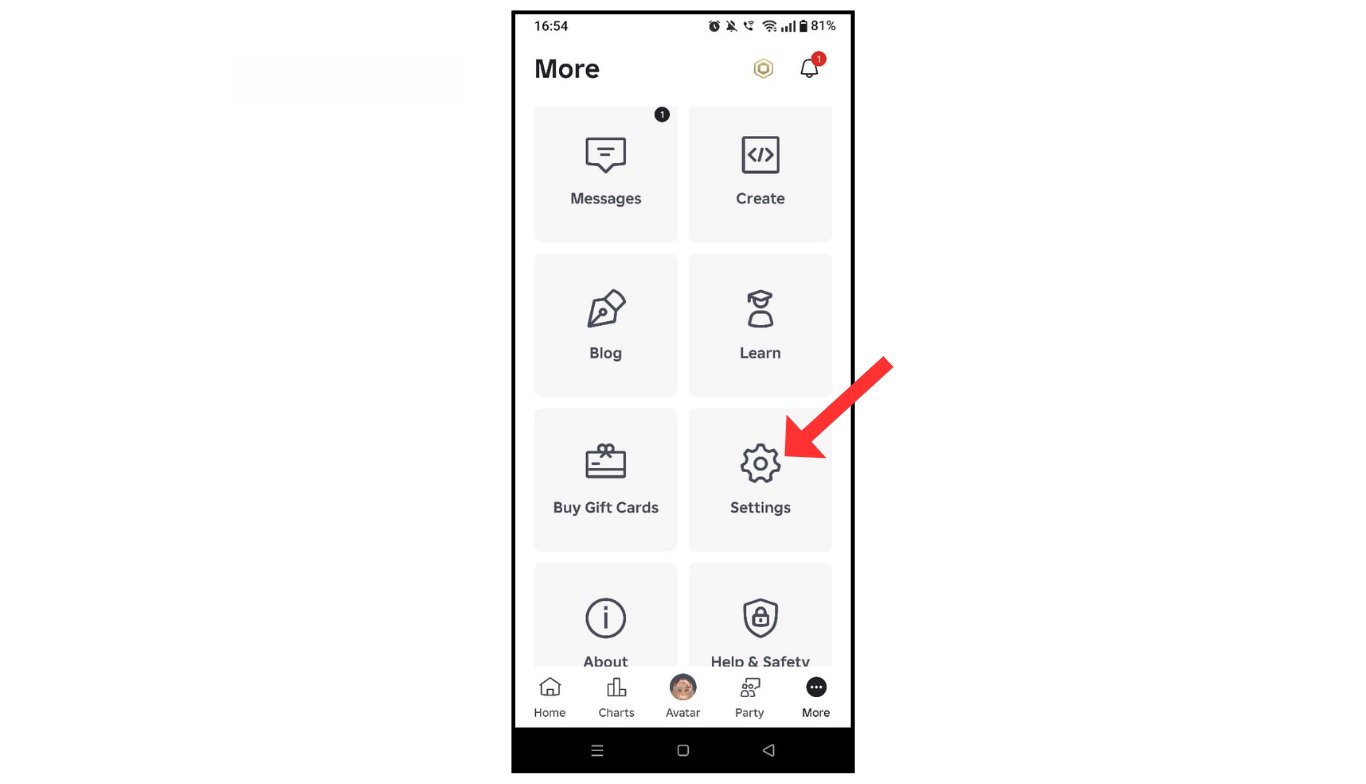
- Now, click on the settings menu.
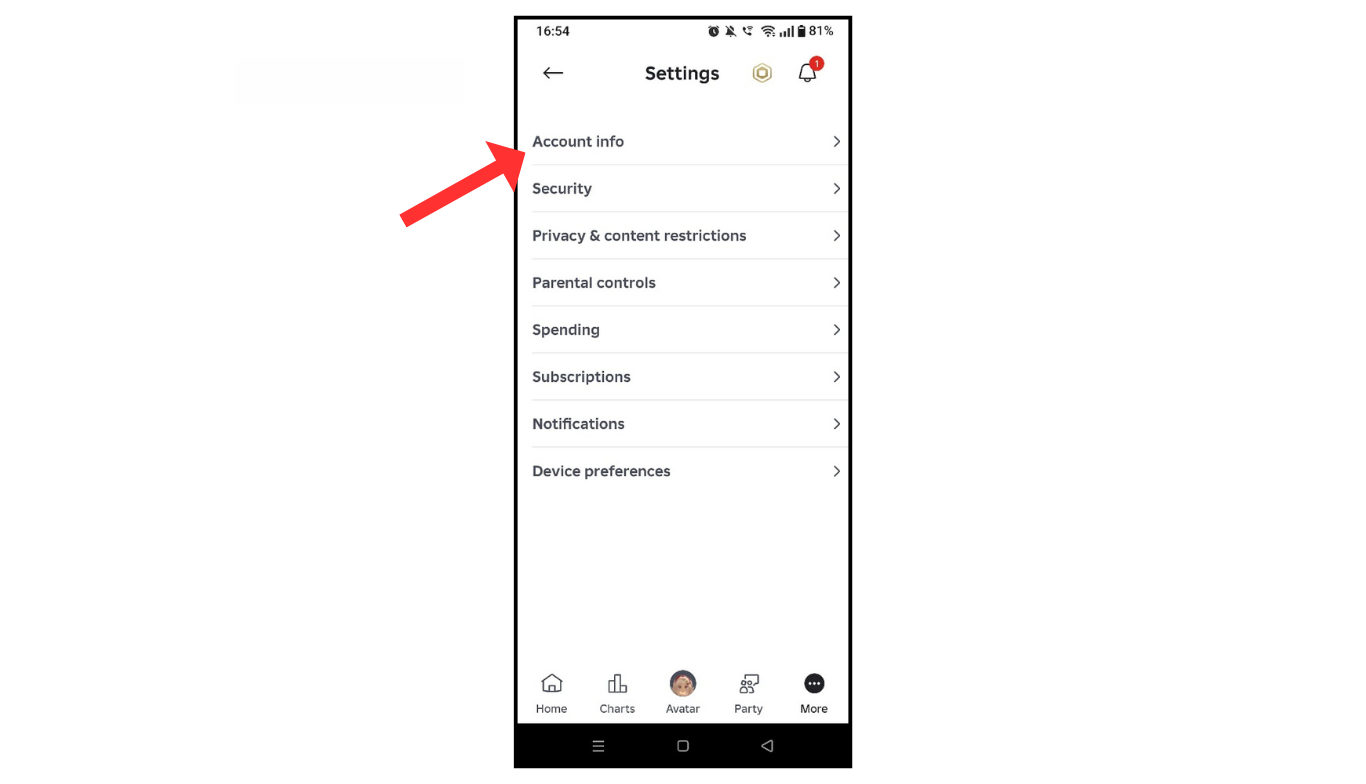
- After that, click on account info.
- In the last, tap on “password.”
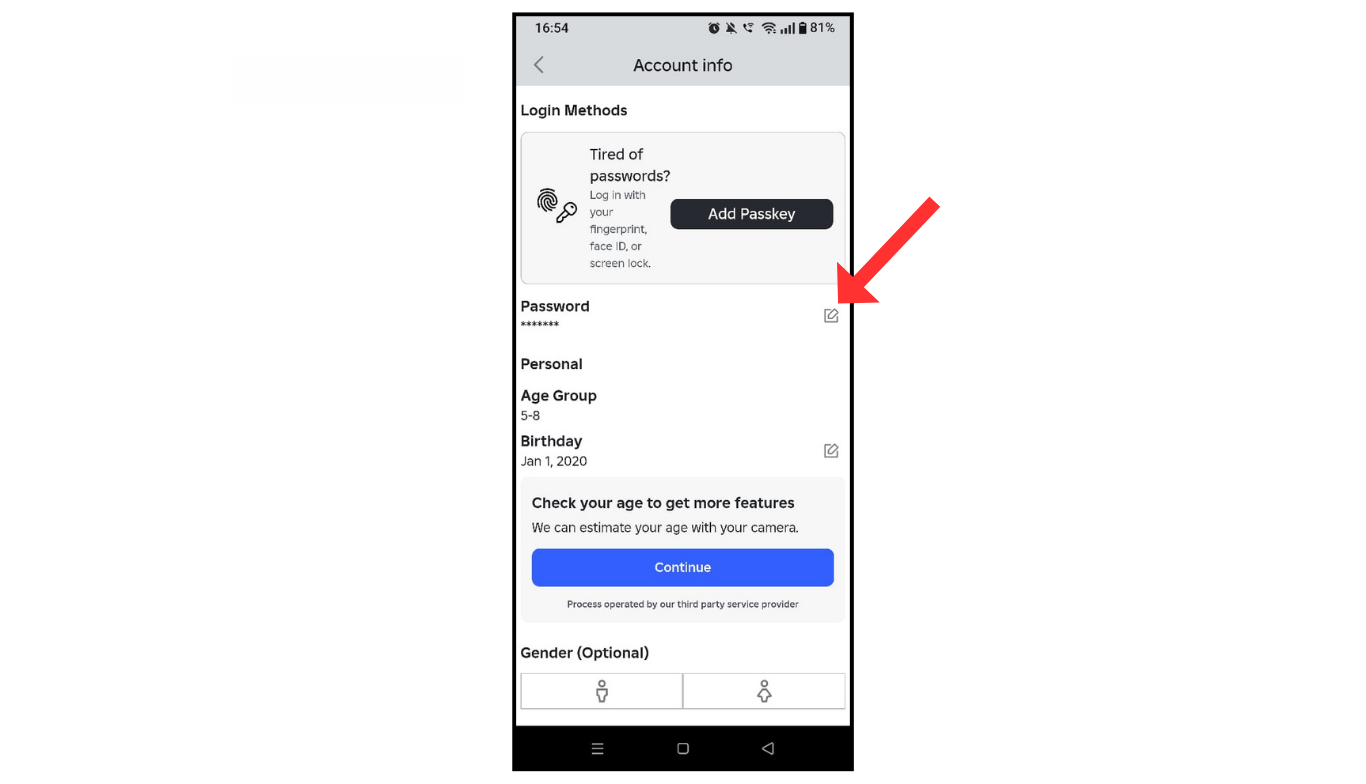
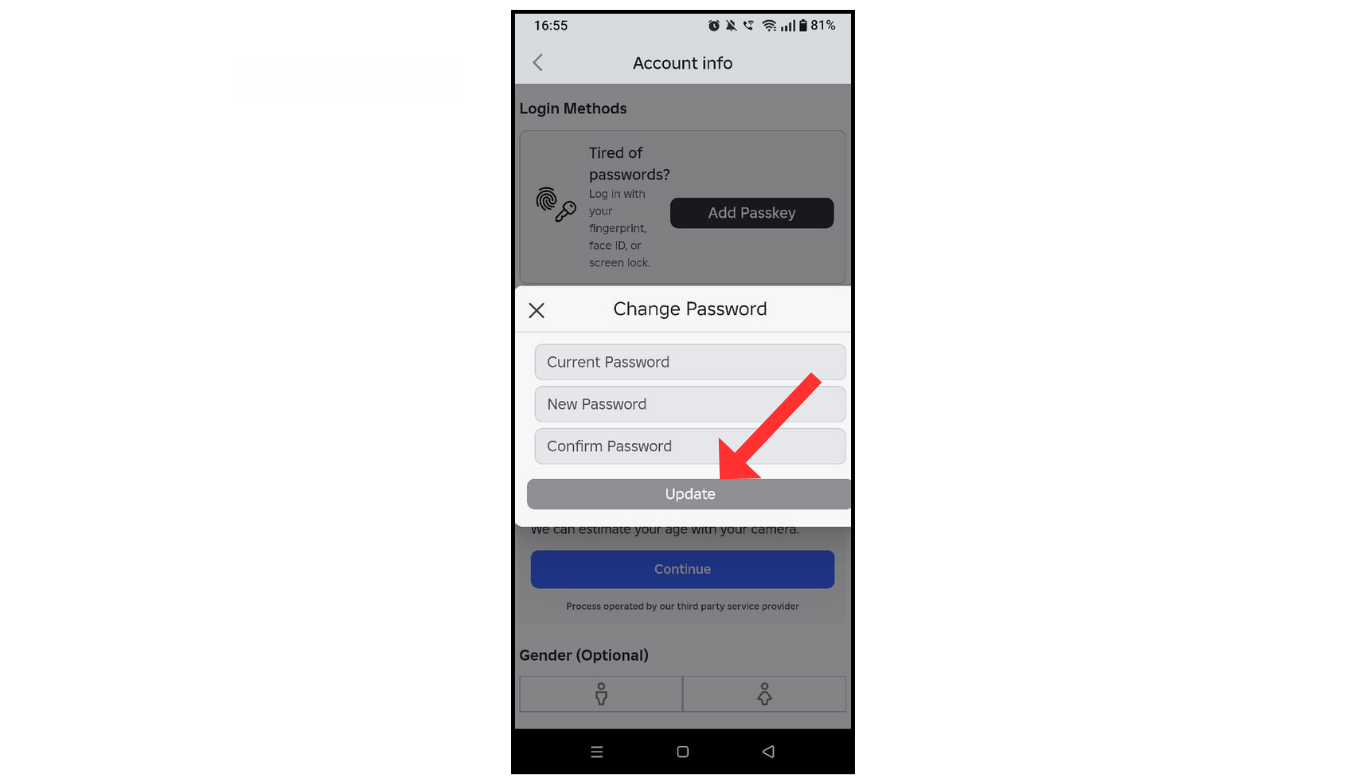
- Change the password and update it.
Also Read: How To Change Birthday On Snapchat Account
Conclusion:
I am sure now you have an understanding of how to change your password on Roblox. If you have any questions about Roblox, you can contact me by email.
