
Are you looking for a way on how to change your phone number on your Snapchat account? If so, then I shall explain to you on how to change your phone number on your Snapchat account.
How To Change Phone Number On Snapchat
Snapchat is a social media site where you can chat, share stories or snaps, and communicate with friends. If you want to change your phone number on your Snapchat account, then
Here are the steps on how to change your phone number on your Snapchat account
- Open Snapchat and go to the settings menu.
- Now, click on phone number.
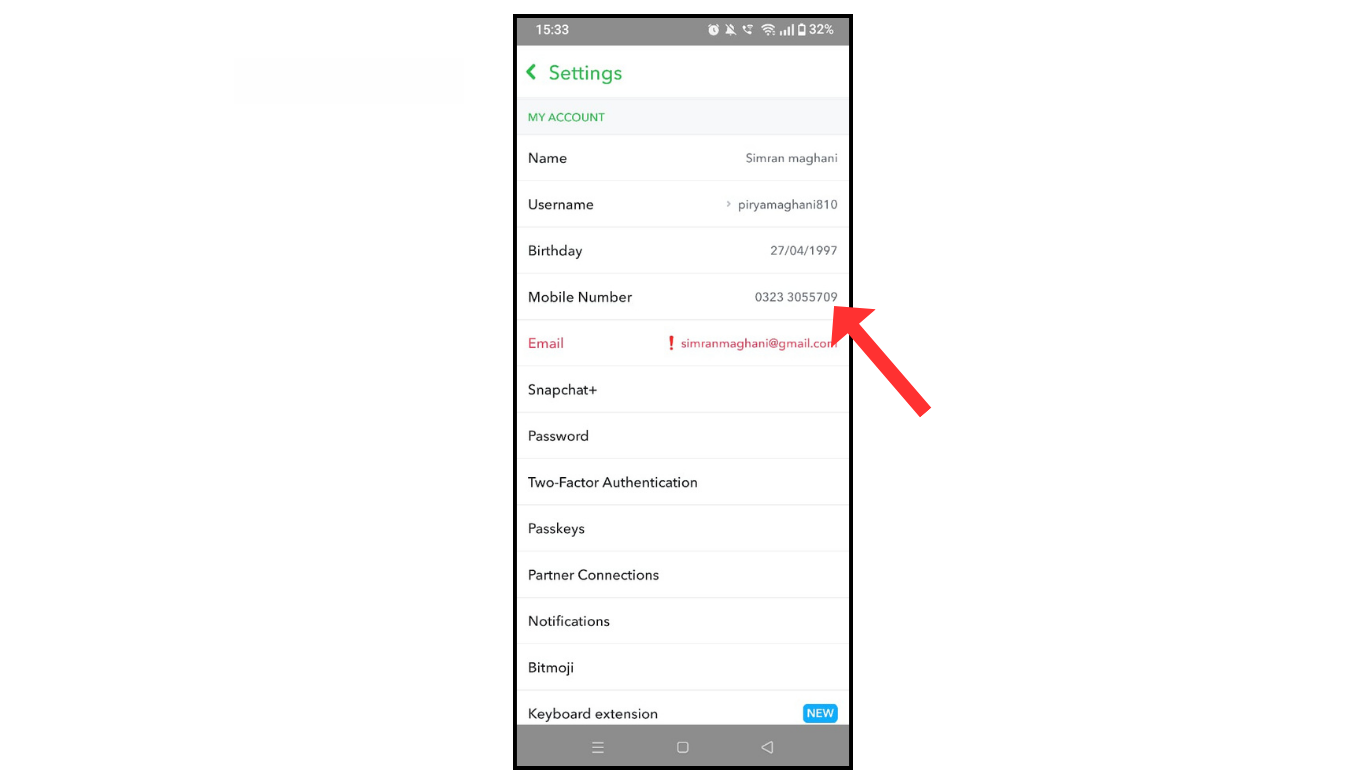
- After that, change the phone number and click on save.
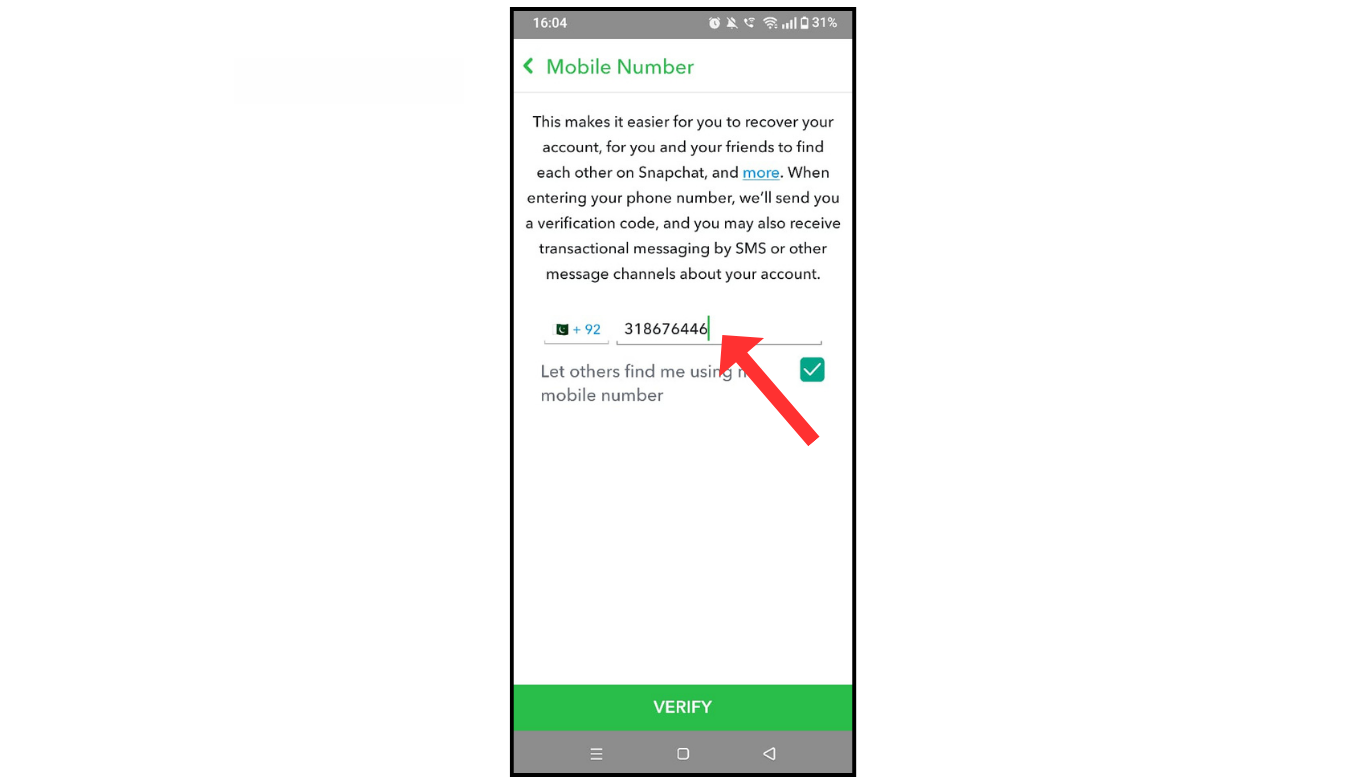
You will receive a verification code on your phone number; enter that, and your phone number will be changed.
Also Read: How To Use Snapchat App On Phone
Conclusion:
I hope you have an understanding of how to change your phone number on your Snapchat account. If you have any questions about your Snapchat account, you can contact me.
