
Are you searching for a solution on how to change your WhatsApp group profile picture? If so, then in this article, I will explain how to change your WhatsApp group profile picture.
How To Change Profile Picture On WhatsApp Group
Here are the steps on how to change the profile picture on a WhatsApp group:
- In the first open WhatsApp group, click on the profile.
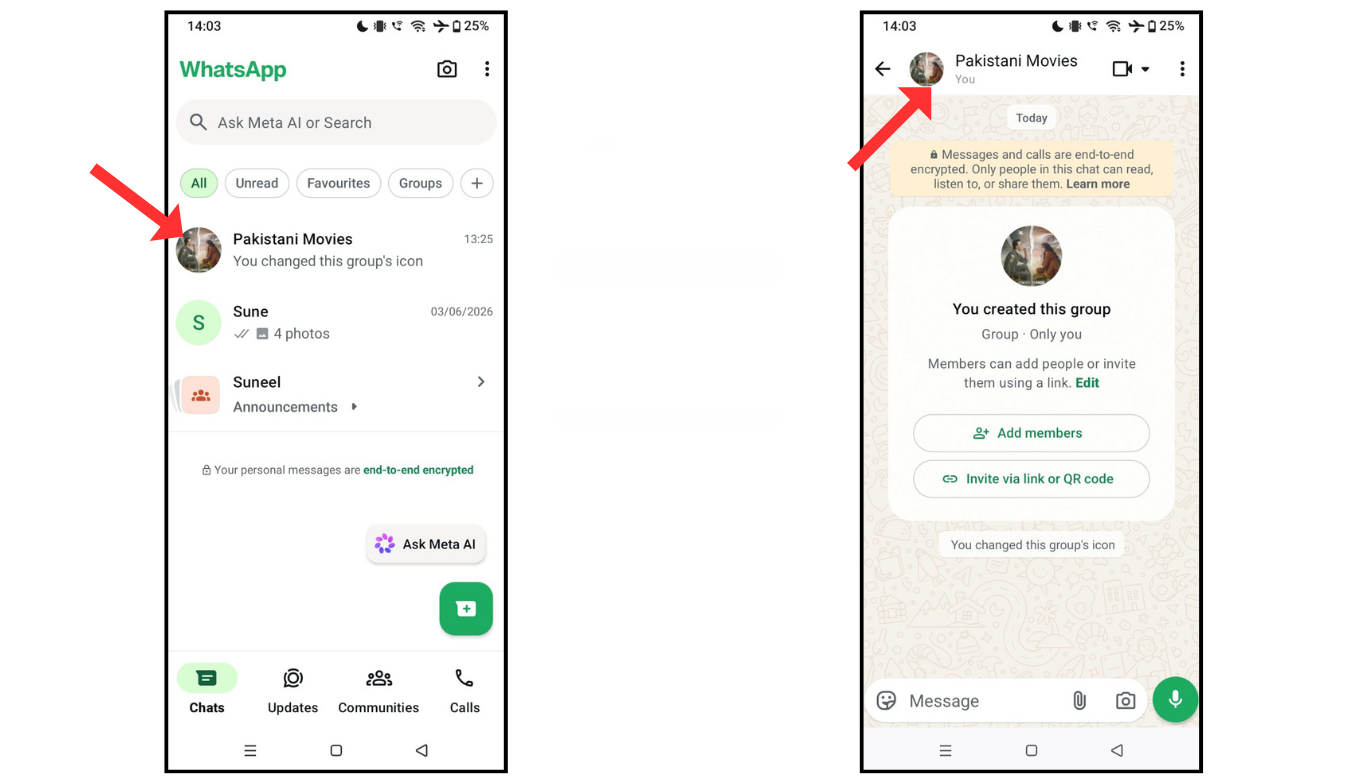
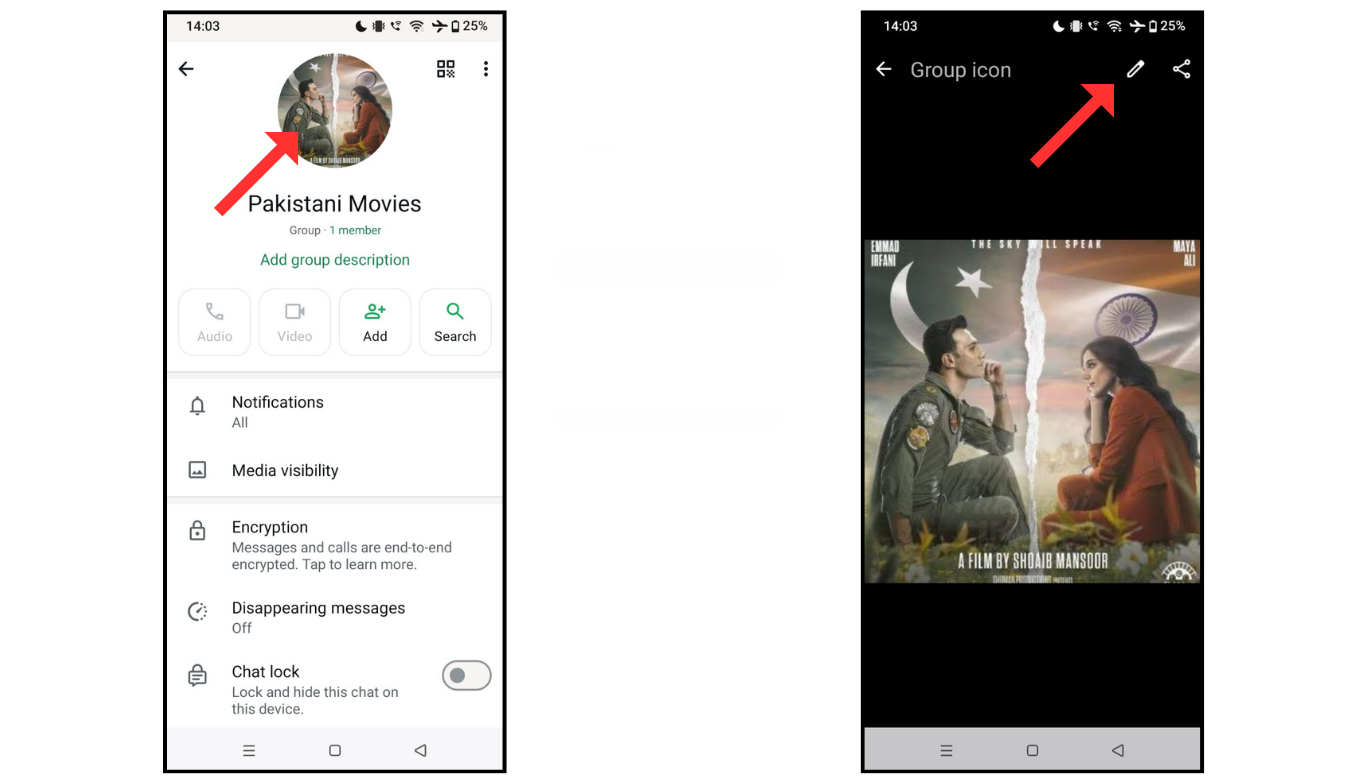
- Now, click on the double profile picture, then click on the pencil icon.
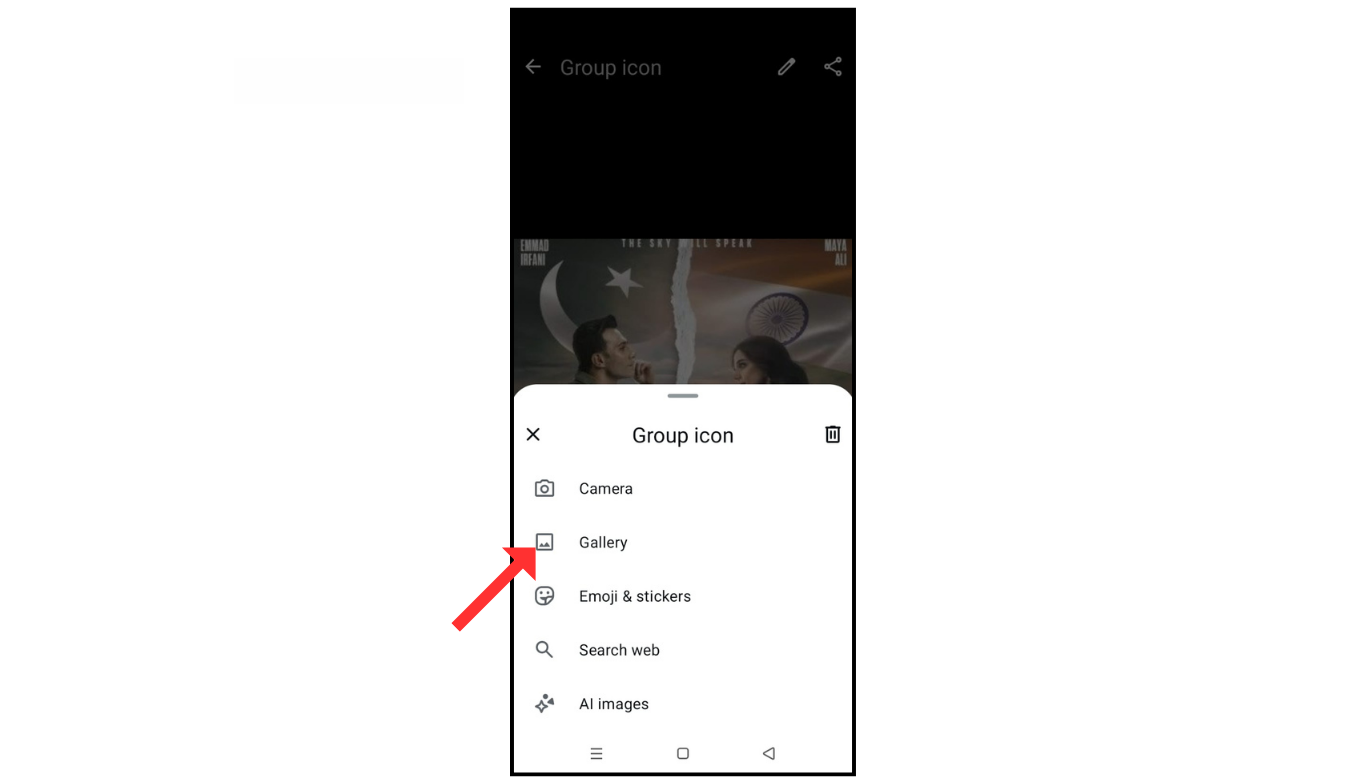
- After, click on the gallery icon and select the image for your profile picture from your phone’s gallery and save it.
Also Read: How To Hide WhatsApp Profile Picture
Conclusion:
I hope you have learned how to change the profile picture in the WhatsApp group. If you have any doubt about changing the profile picture, you can contact me by email.
