Are you searching for a solution on how to change the username on the IMO app? If so, then I shall explain to you how to change the username on IMO in simple steps.
How To Change Username On IMO
On the imo app There is a setting to change your username after it is created. If you want to change your username on imo, then
Here are the steps on how to change the username on imo.
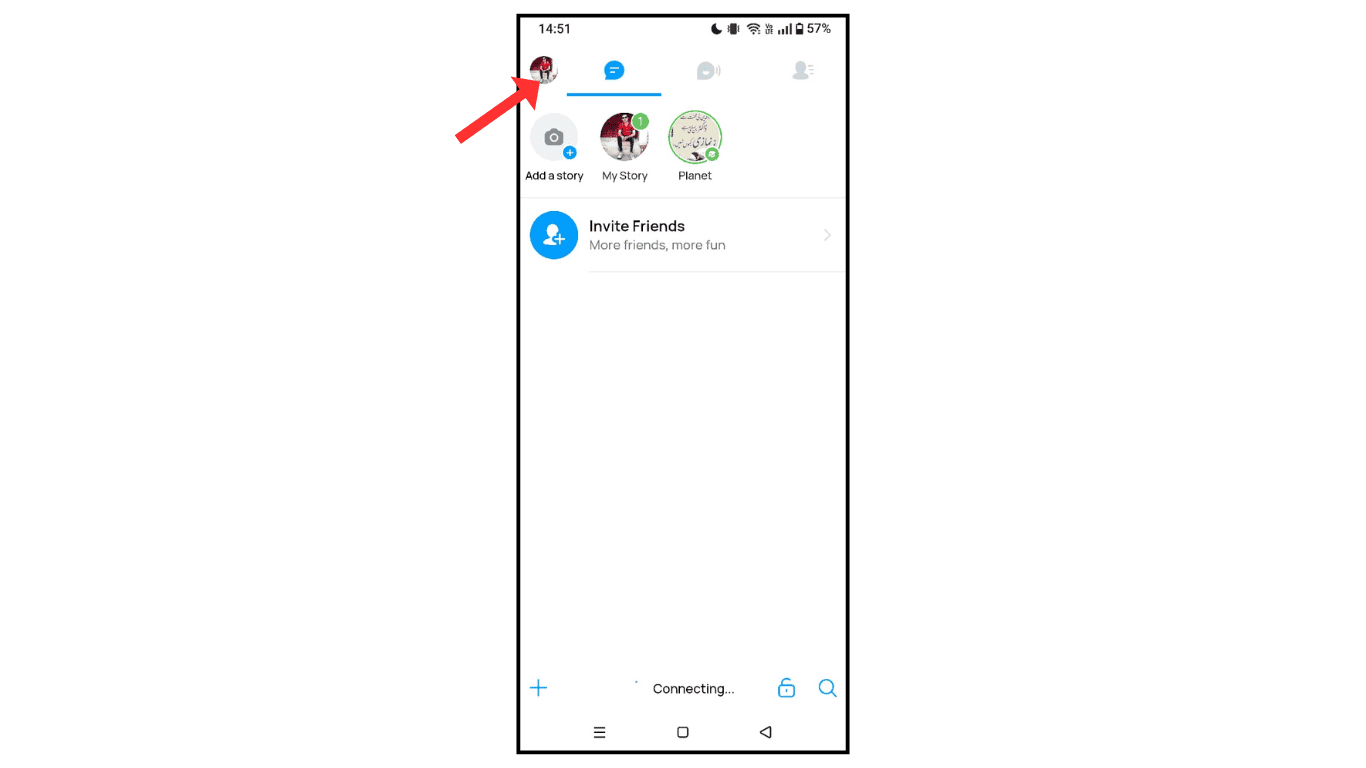
- Open the imo app and click on the profile icon.
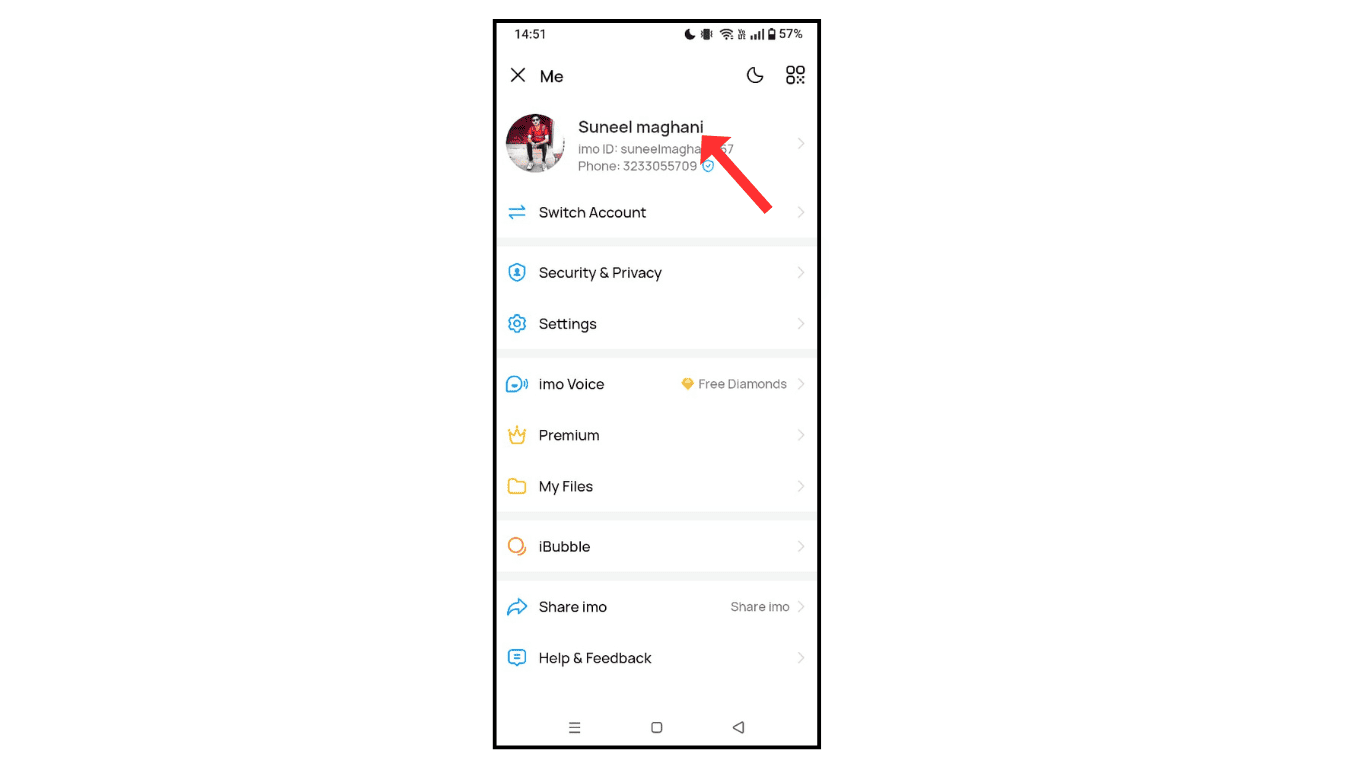
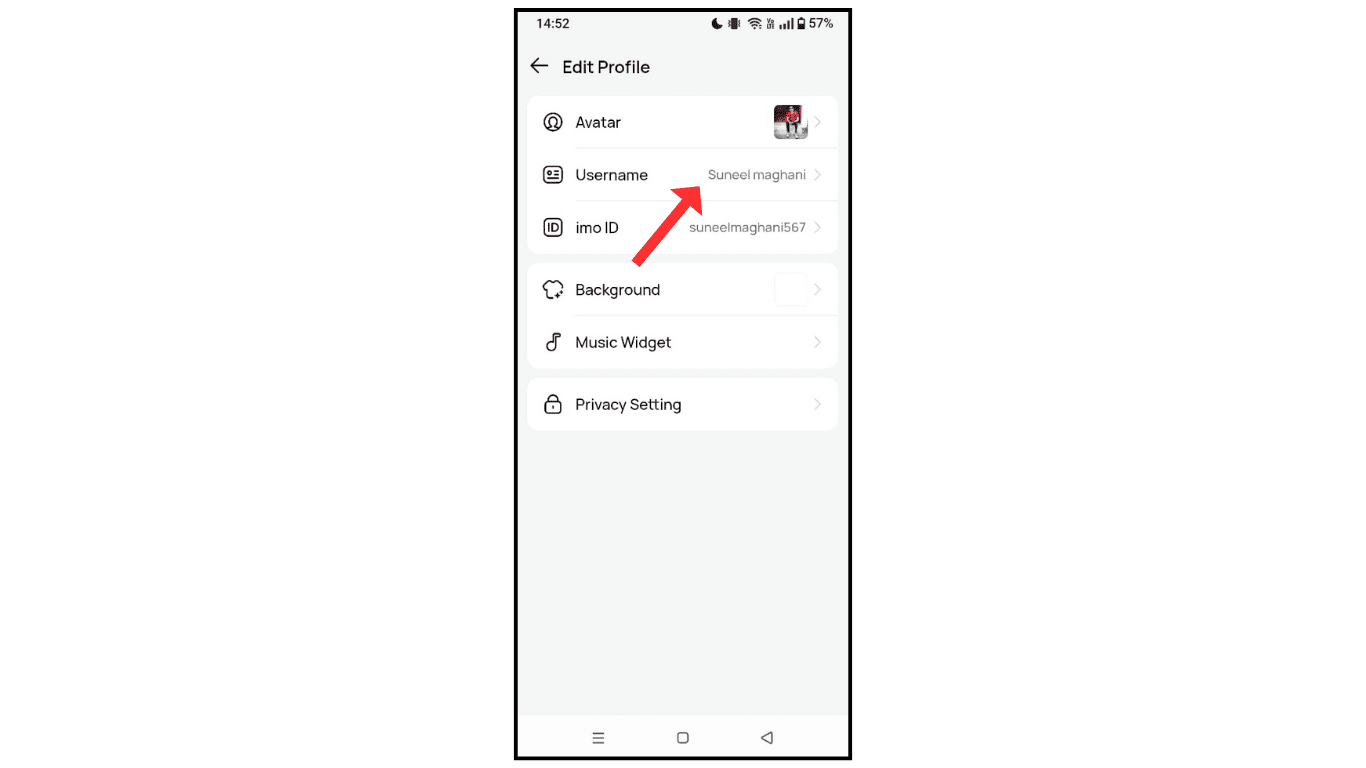
- After that, click on username.
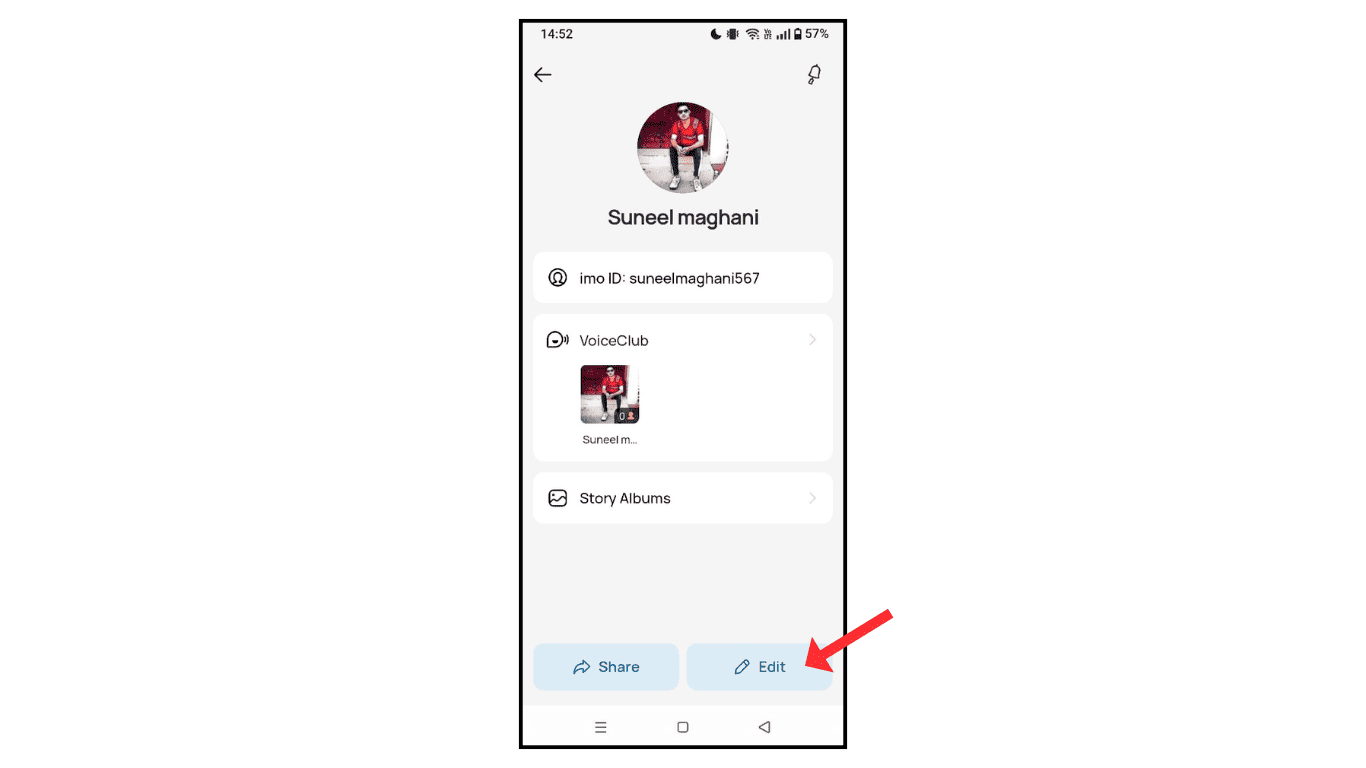
- Now, click on the edit icon.
- Tap on username.
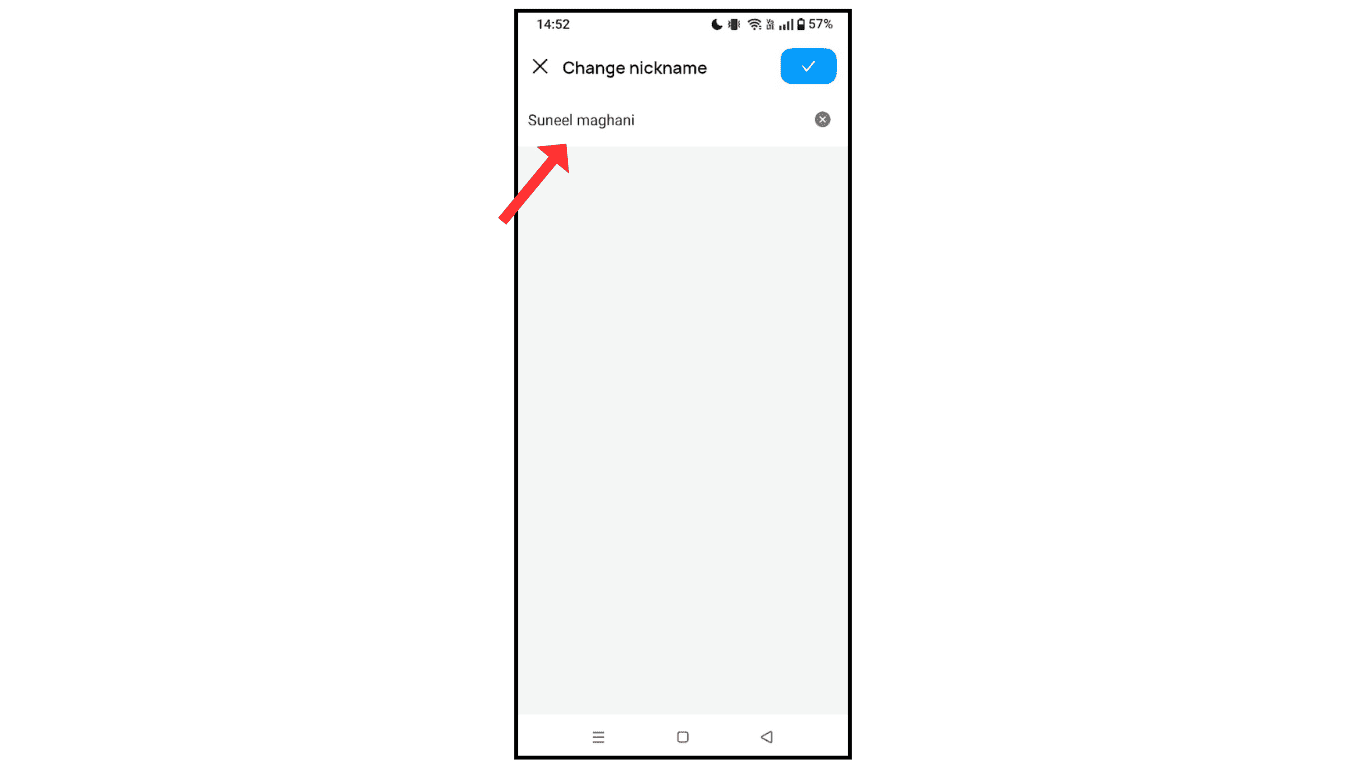
- Now, change the username and click on save.
Also Read: How To Change Avatar On IMO Account
Conclusion:
I hope you have successfully learned how to change your username on the imo app. If you experience any issues while changing your username on imo, you can contact me by email.
