
Are you looking for a way on how to delete comments on LinkedIn posts? If so, then I shall explain to you how to delete comments on LinkedIn posts in simple steps.
How To Delete Commnets On Linkedin Post
LinkedIn has an easy method to delete comments on your own or any other post. If you want to delete your comment on a LinkedIn post, then
Here are the steps on how to delete comments on a LinkedIn post.
- Open LinkedIn and click on the comment box on the LinkedIn post.
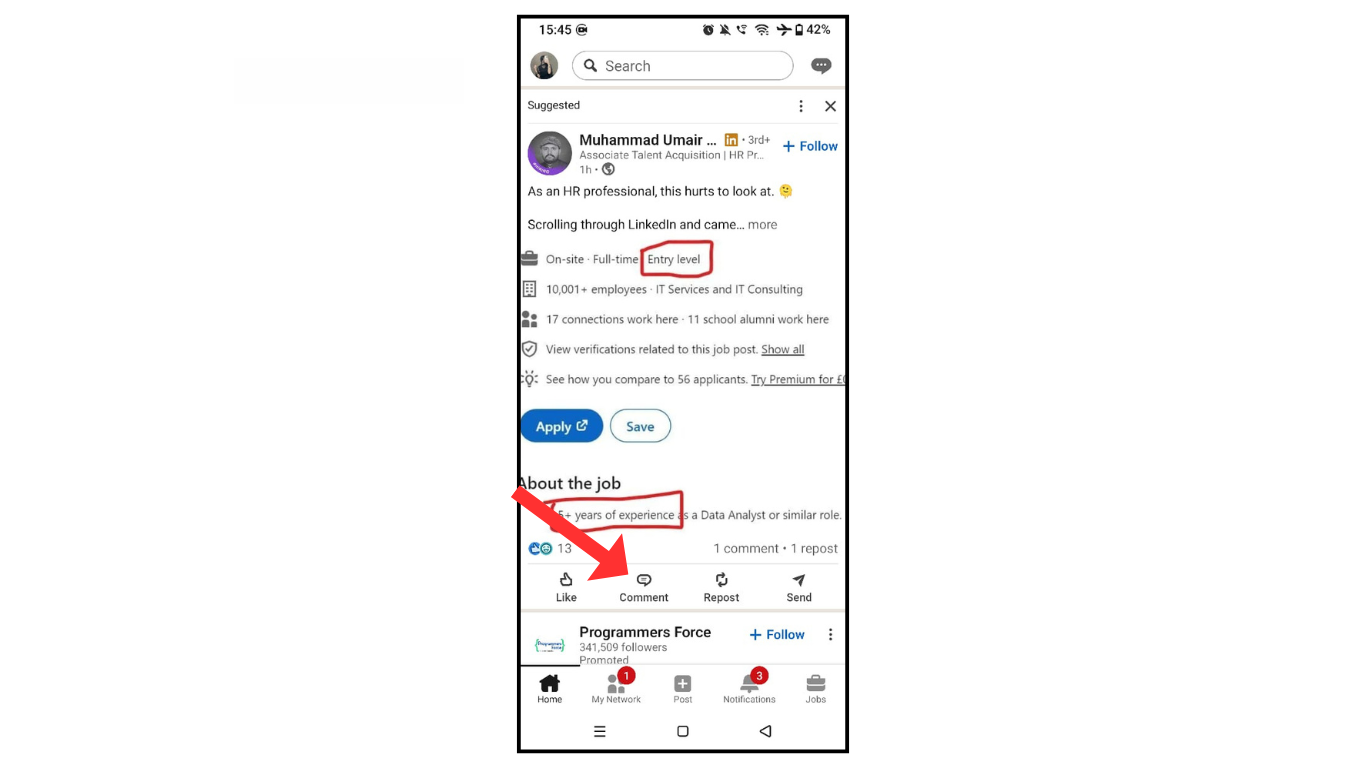
- Now, click three dots for your comments.
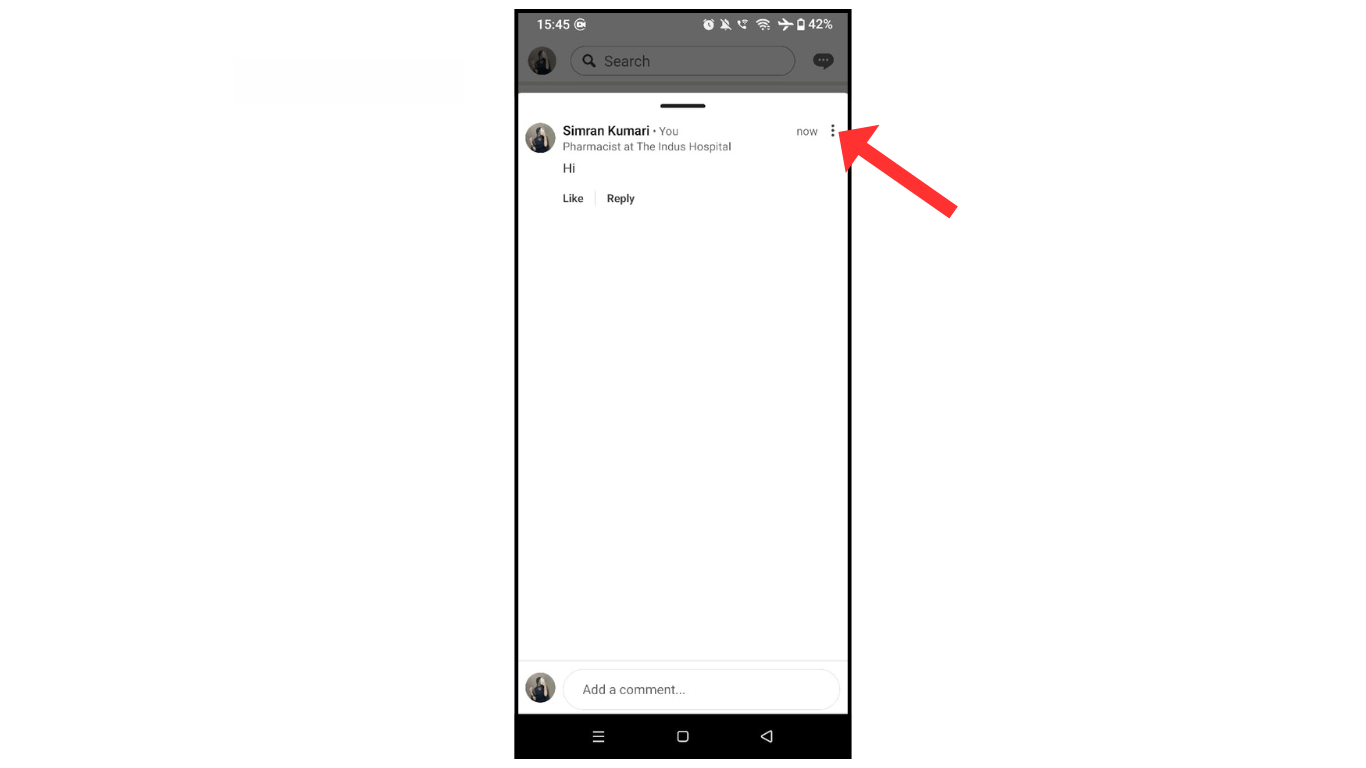
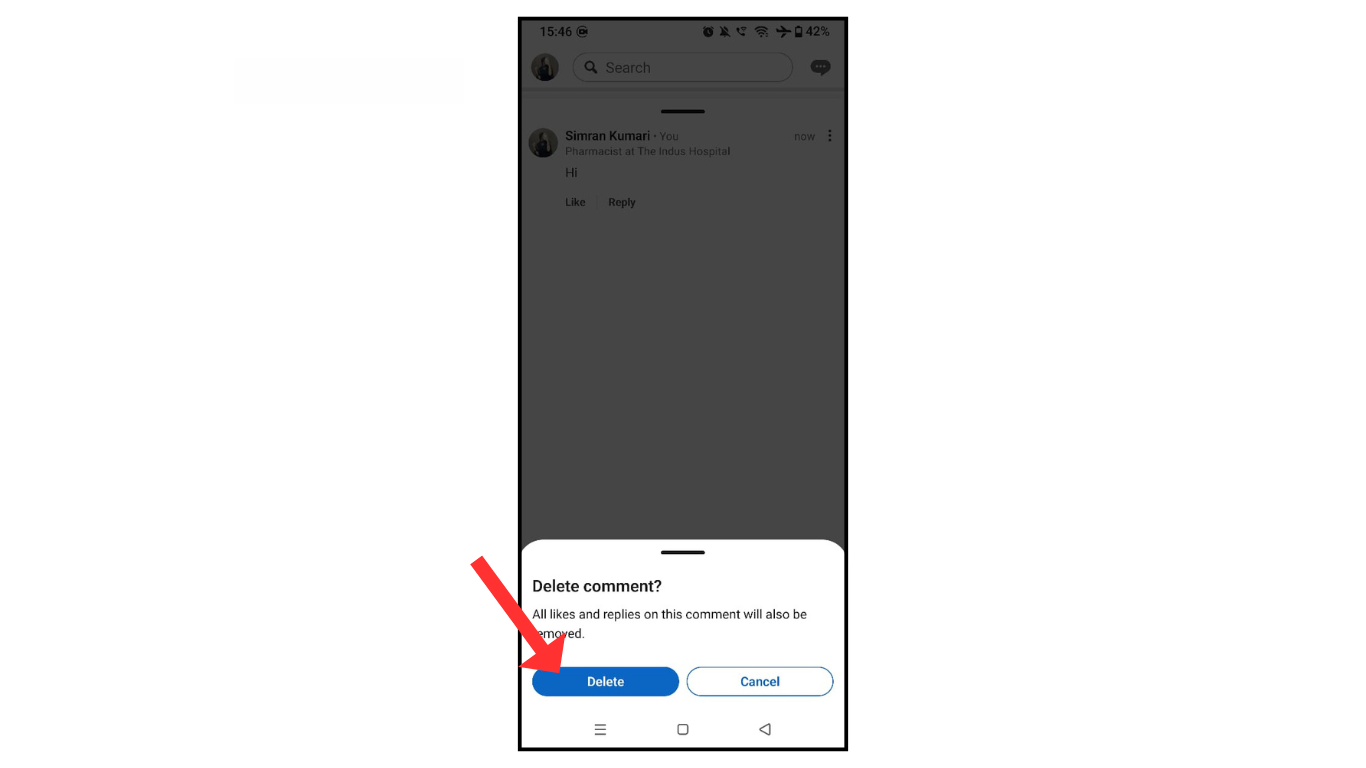
- after that, click on delete

- In the last, confirm delete.
Also Read:How To Download LinkedIn Videos
Conclusion:
I hope you have an understanding of how to delete comments on LinkedIn posts. If you have any doubts about LinkedIn comments, you can contact me on Telegram.
