
How to Delete Gemini AI Search History? Are you looking for this? Then in this article, I shall guide you on how to delete Gemini search history on your phone (Android and iPhone) and PC.
What is Gemini AI
Gemini is one of the most popular and smart AI models that is basically made by Google DeepMind. Gemini helps users to create beautiful content in image , text, or any other digital data form.
Gemini is a helpful tool for creators to create content and answer questions for you in the digital world.
How To Delete Gemini AI Search History
Here are the steps on how to delete Gemini AI Search History on your phone and PC.
- In the first step, go to the Gemini account.
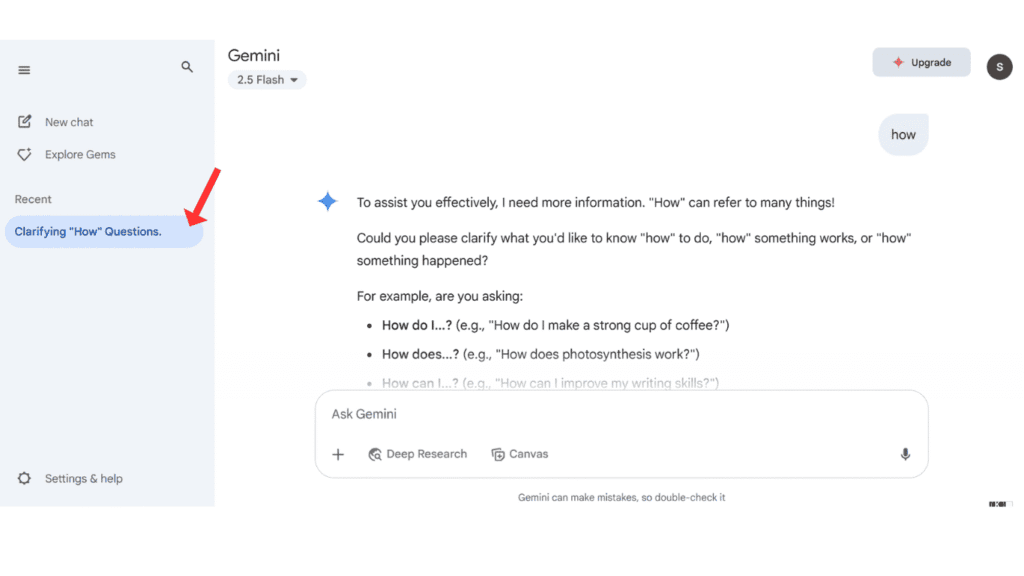
- Now, click on the old search history that you want to delete.
- Now, click on delete.
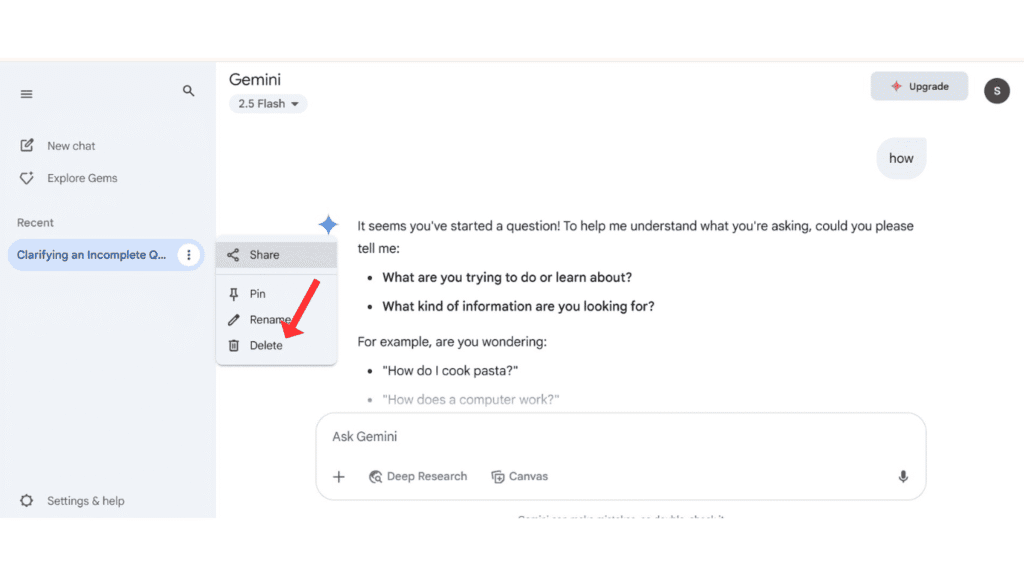
- In the last click, click on Confirm to delete Gemini search history.

Also Read: How To Delete ChatGPT and DeepSeek Search History
Conclusion:
I am definitely sure about it, that you completely learned about how to delete Gemini AI Search History on your phone and PC? If you have any questions about deleting Gemini search history, you can contact us on Instagram and Facebook.
