Are you looking for a solution on how to delete a Gmail account on your phone? If so, then I shall explain to you how to delete a Gmail account in very simple steps.
How To Delete Gmail Account
Gmail is a feature of the Google company through which you can send files and communicate with each other and also use their features like YouTube and others.
If you want to delete a Gmail account, then here are some steps on how to delete a Gmail account.
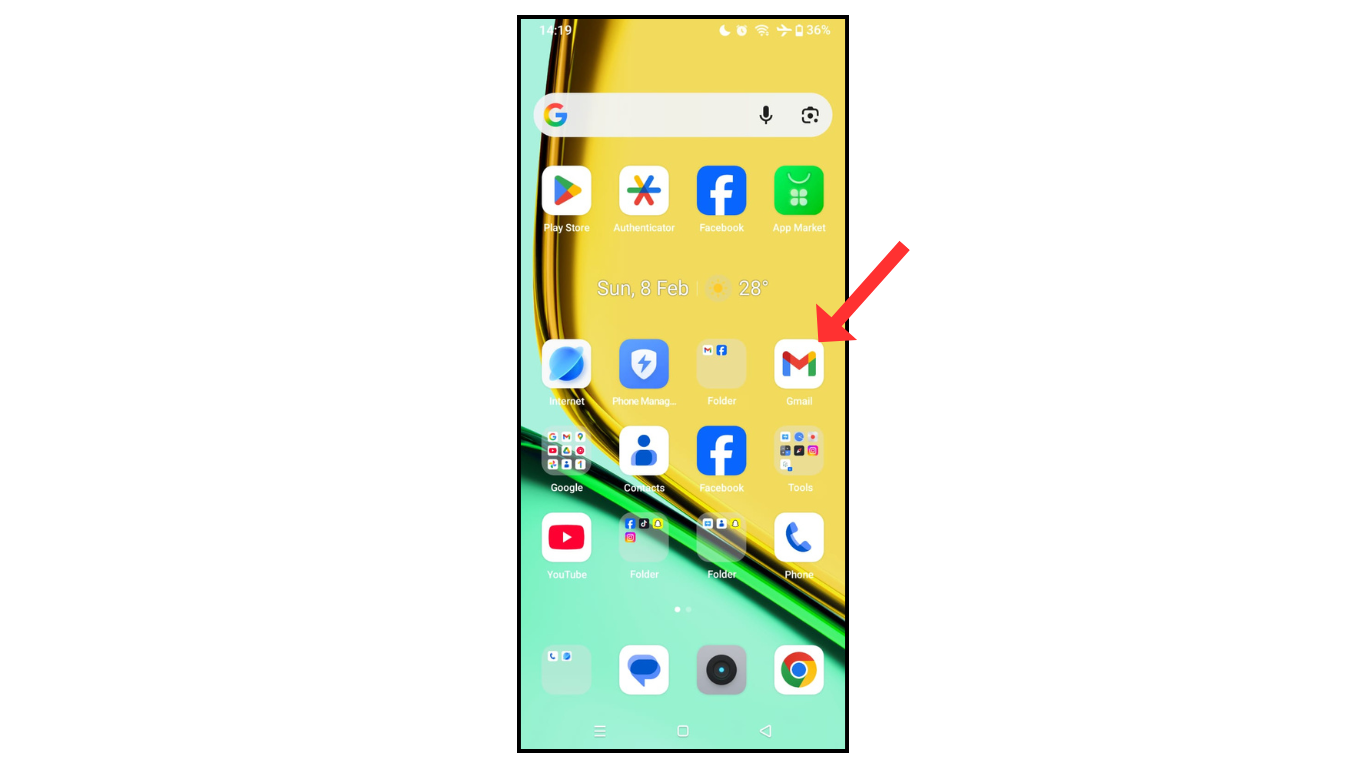
- Open a Gmail account.
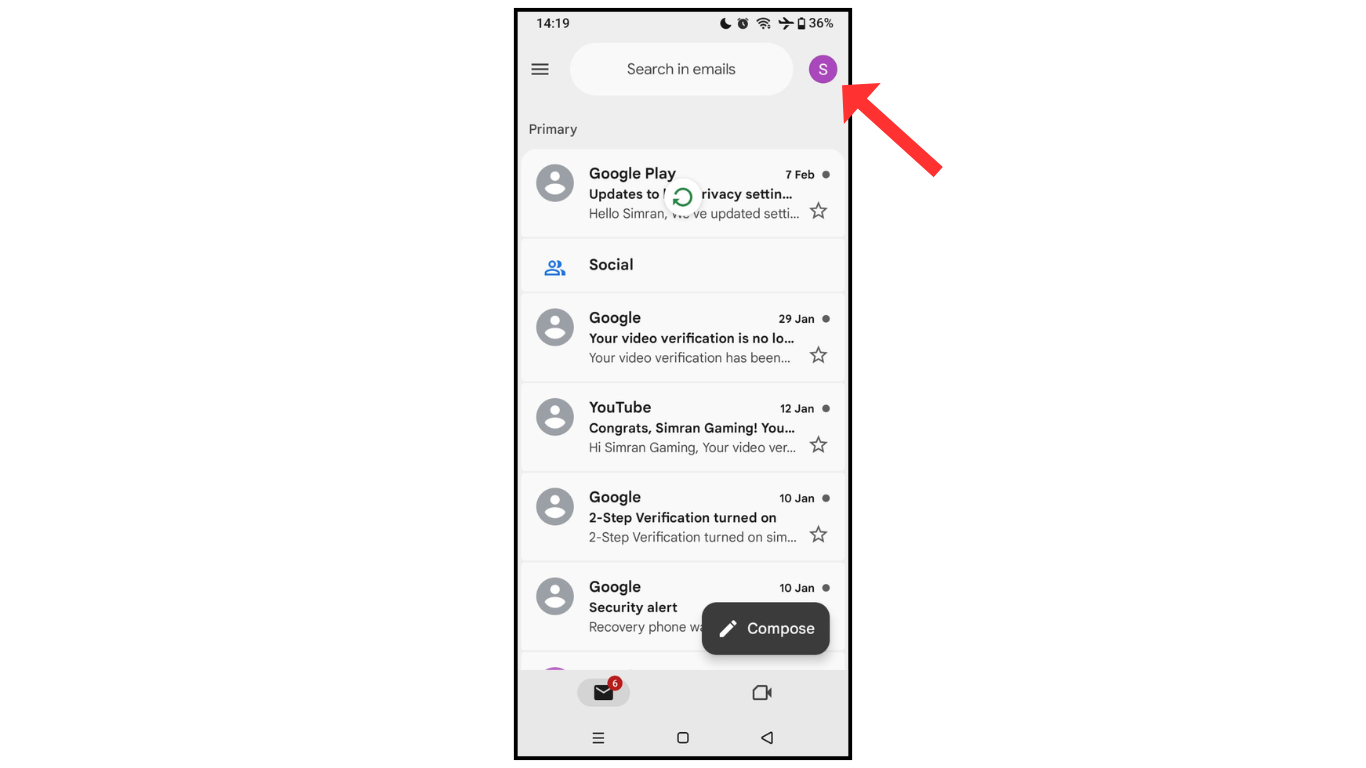
- Now, click on the profile icon.
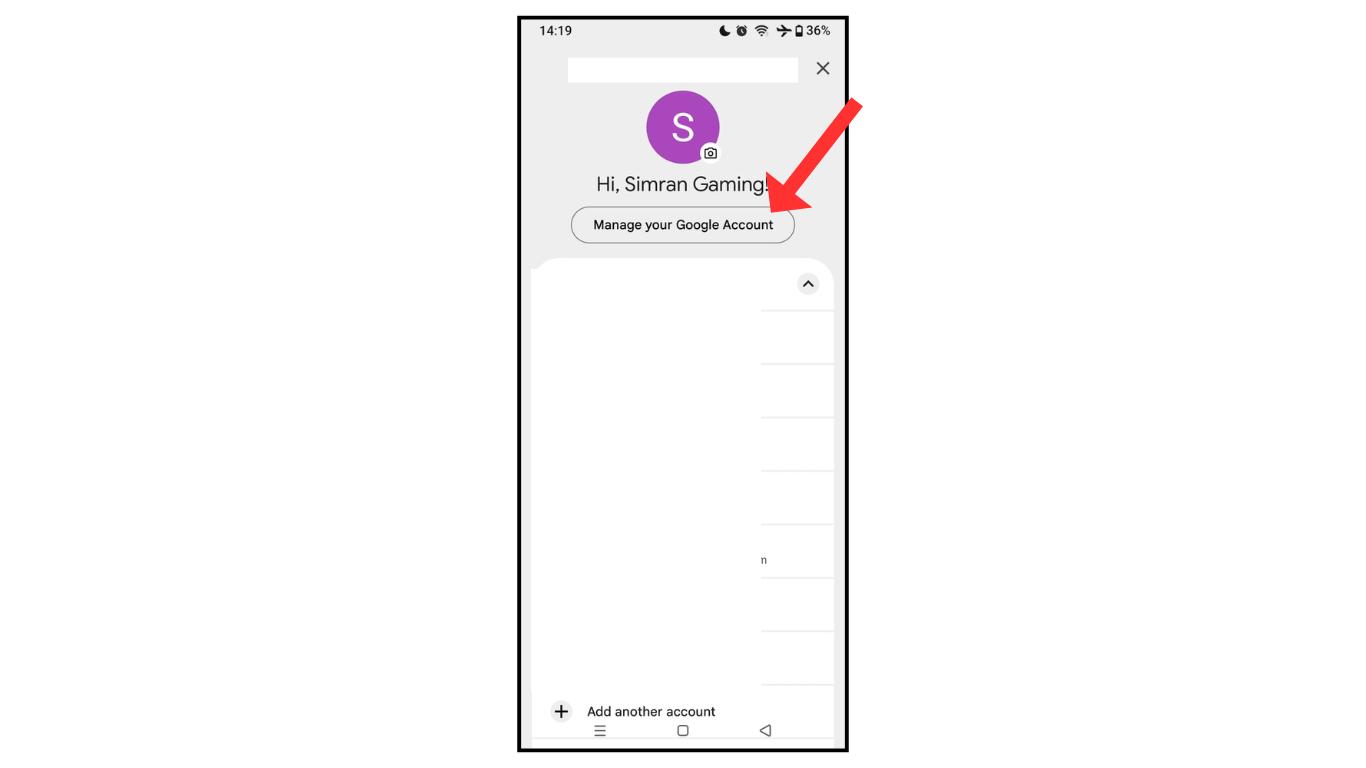
- and then manage the Gmail account.
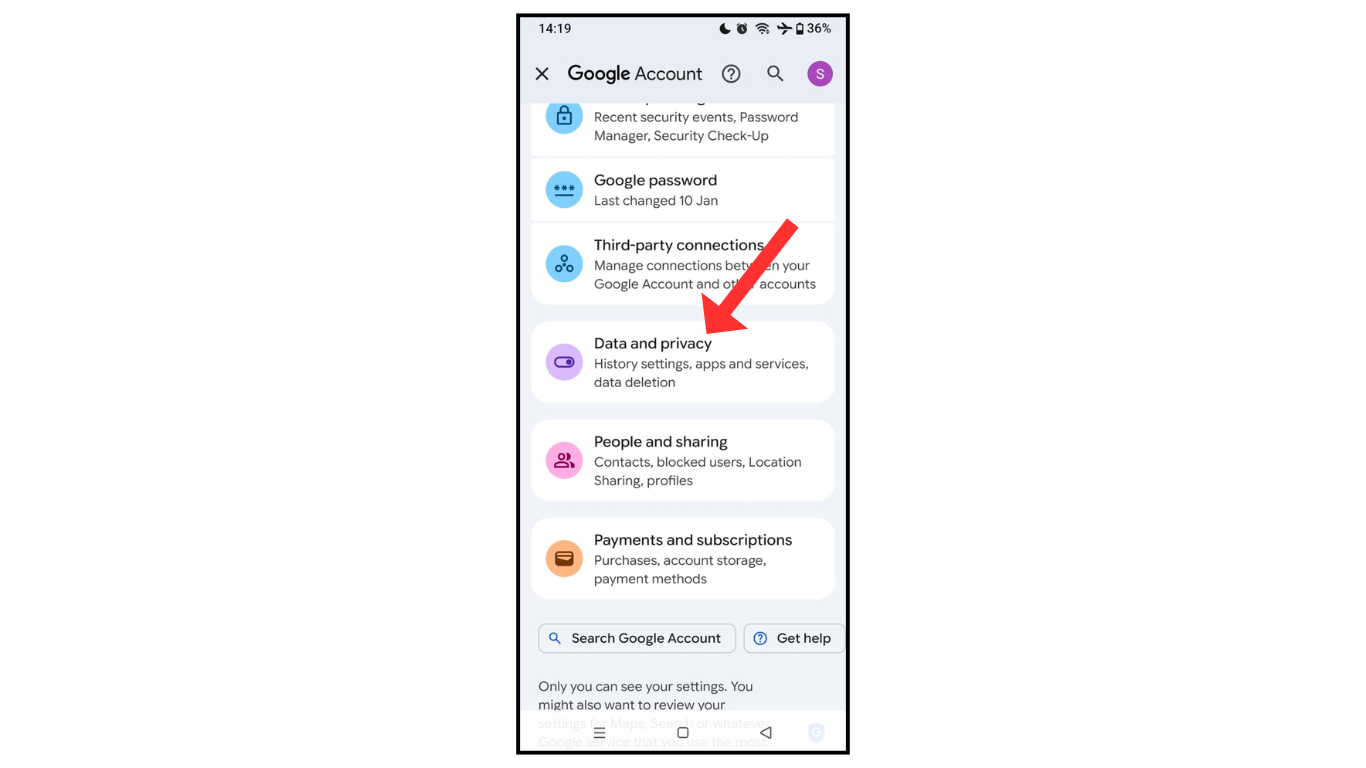
- Scroll down and click on the data and privacy menu.
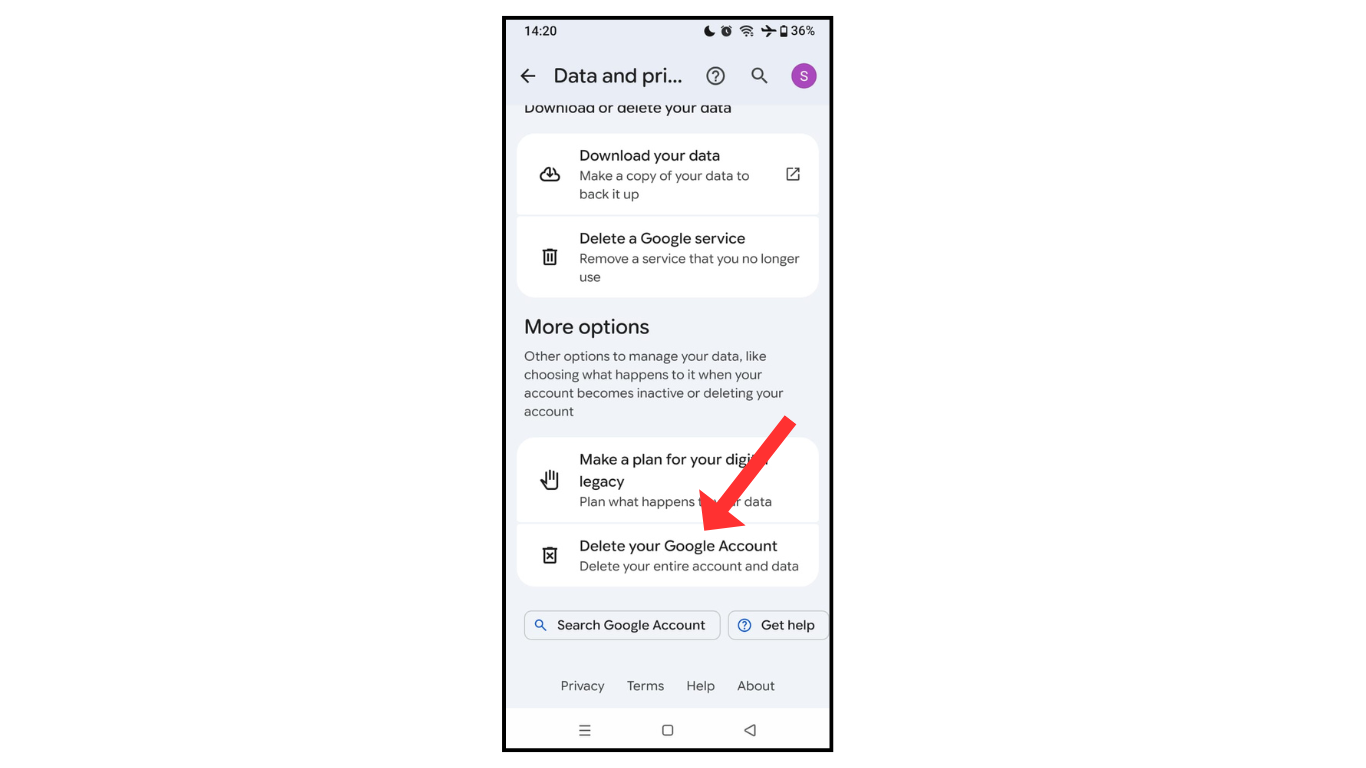
- Then in the last click on delete your Google account.
Also Read: How To Schedule Email in Gmail
Conclusion:
I am sure now you completely learned how to delete a Gmail account permanently on your phone. If you have any questions about Gmail, you can contact me on Telegram.
