
Are you searching for a solution on how to delete Google search history on your PC and laptop? If so, then I shall guide you on how to clear all your search browser history on Google on your PC and laptop.
How To Delete Google Search History
Google is one of the most famous and powerful search engines in the world. Nowadays Google is changing its features and policy for users to get more benefits from it; recently it has done it with the Google Core June update.
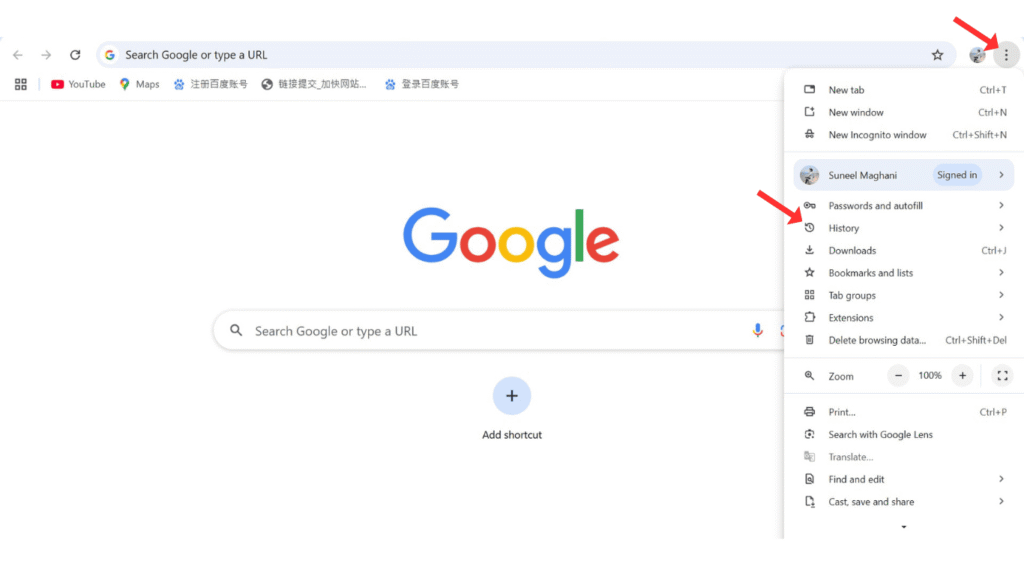
If you are using Google Chrome and now want to delete all browser search history, then here are the steps on how to delete Google search history.
- Go to the Google Chrome browser and click the dot and then click on history.
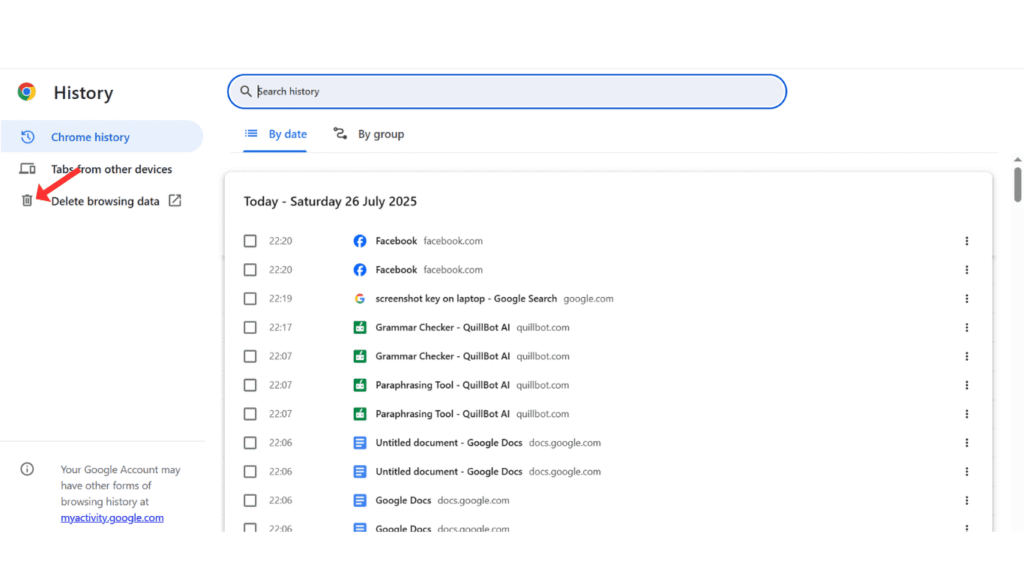
- Now, click on Delete browsing data.
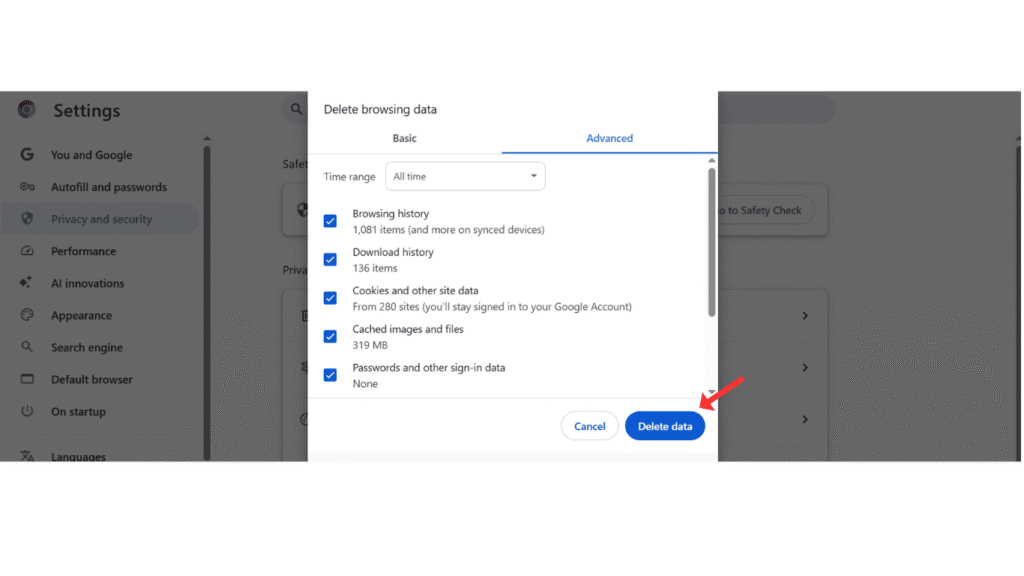
- After that, click on delete data.
Also Read: Google Search Console New Insights
Conclusion:
deteleting your google search history on your pc and laptop is so easy , you have to follow the above step to clear our google browser search history, if you have any question , you can contact on email.
