Are you searching for a solution on how to delete a Monica AI account permanently? If so, then I shall explain to you how to delete a Monica AI account on your phone.
How To Delete Monica AI Account
You can use Monica AI on all devices to create amazing AI content. If you are already using Monica AI and now want to delete your account permanently, then
Here are the steps given below to delete the Monica AI account permanently.
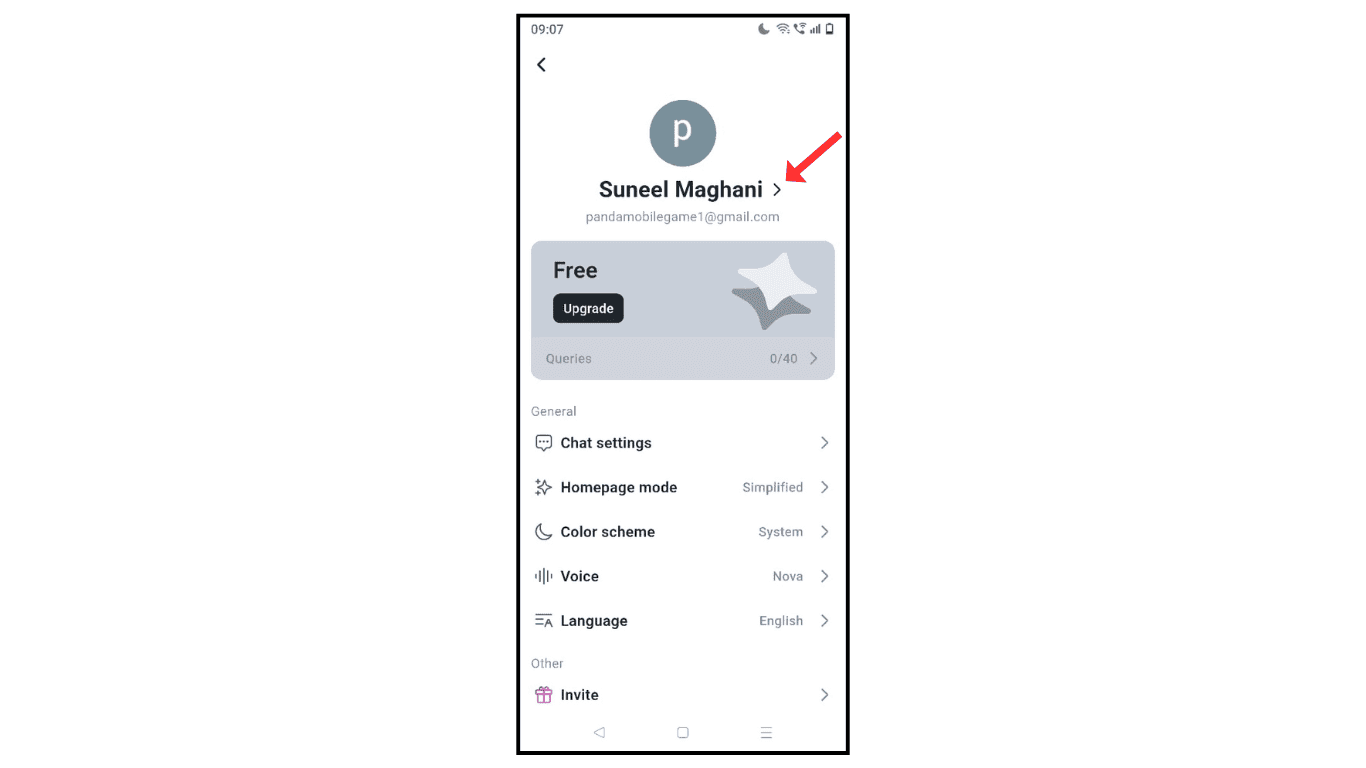
- Open the Monica AI account and click on the profile name.
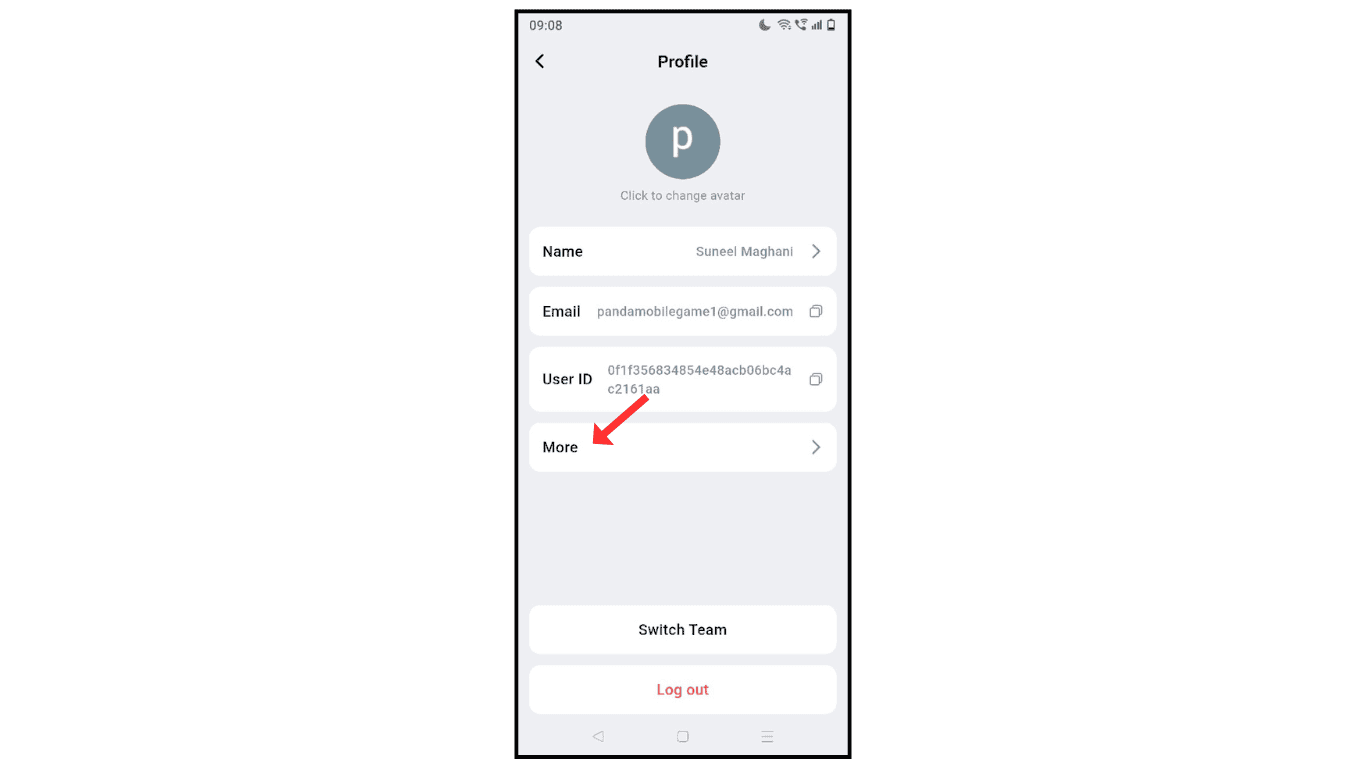
- Now, click on the “more” icon.
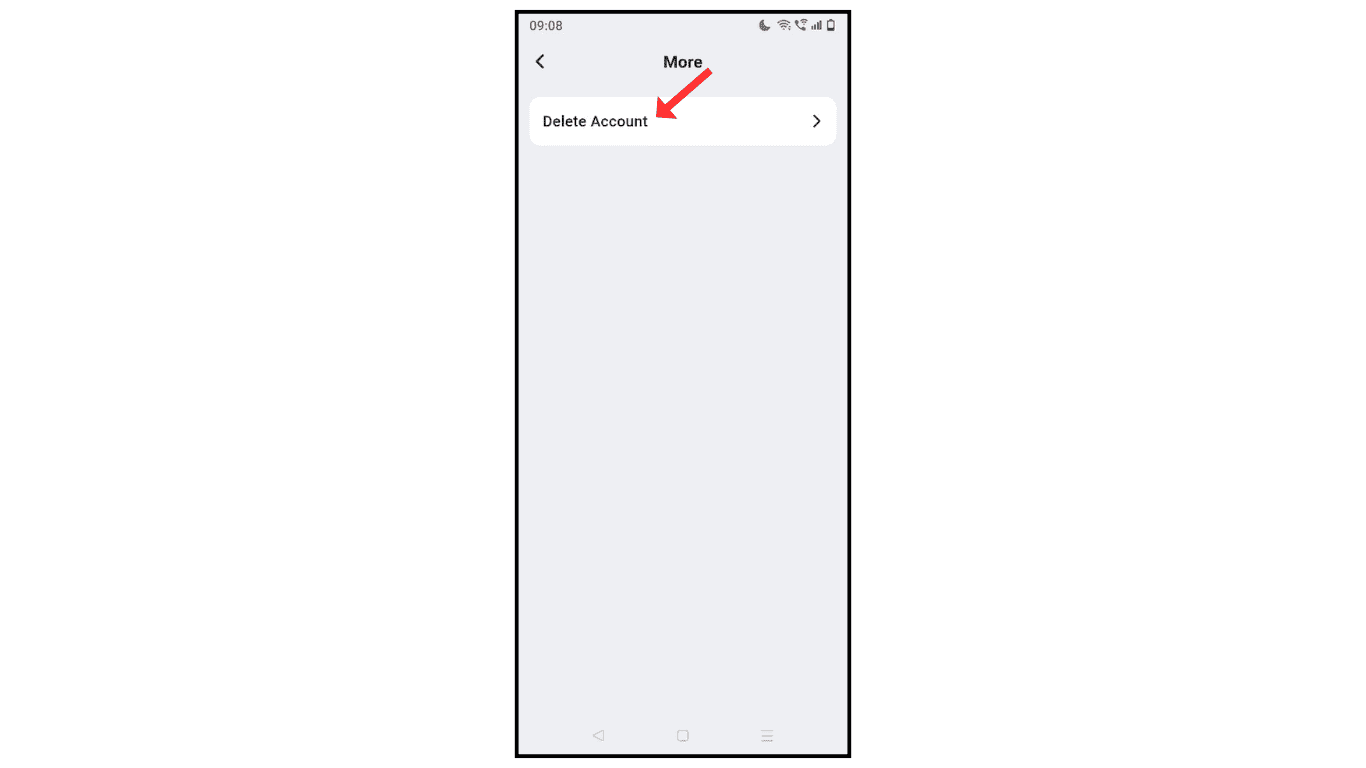
- Click on Delete Account.
- Give the reason and do verification, and click on “delete account.”

Also Read: How To Change Name On Monica AI Account
Conclusion:
I am sure you learned to delete the Monica AI account on your phone. If you have any questions or issues while deleting the Monica AI account, then you can contact me by email.
