
Are you searching for a solution on how to disable YouTube history on your phone? If so, then I shall explain to you how to disable or turn off history on YouTube in a simple way.
How To Disable YouTube History
YouTube is one of the biggest video uploading and watching platforms, where you can share and watch videos and shorts.
If you want to delete or disable all your YouTube history, then here are the steps on how to disable YouTube search history.
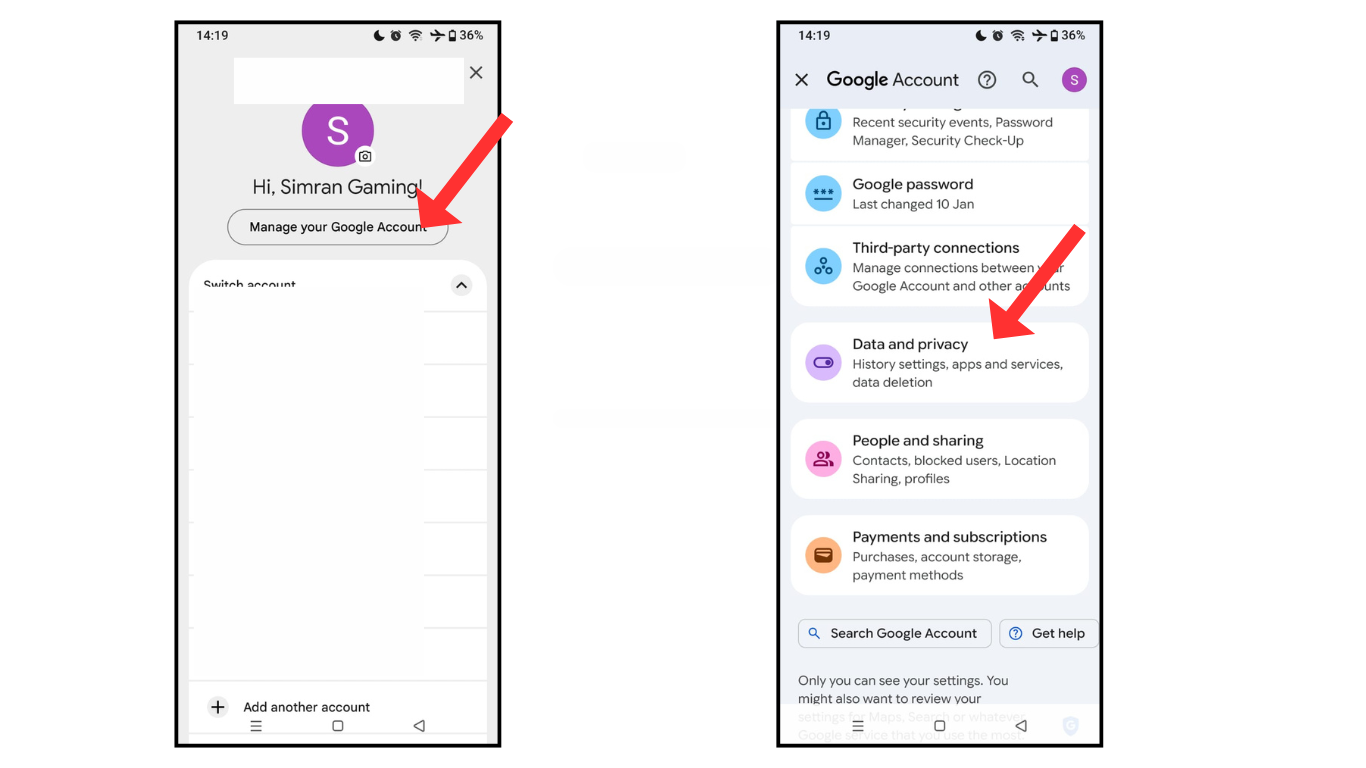
- Open your Google Gmail account.
- and go to the account management and data privacy menu
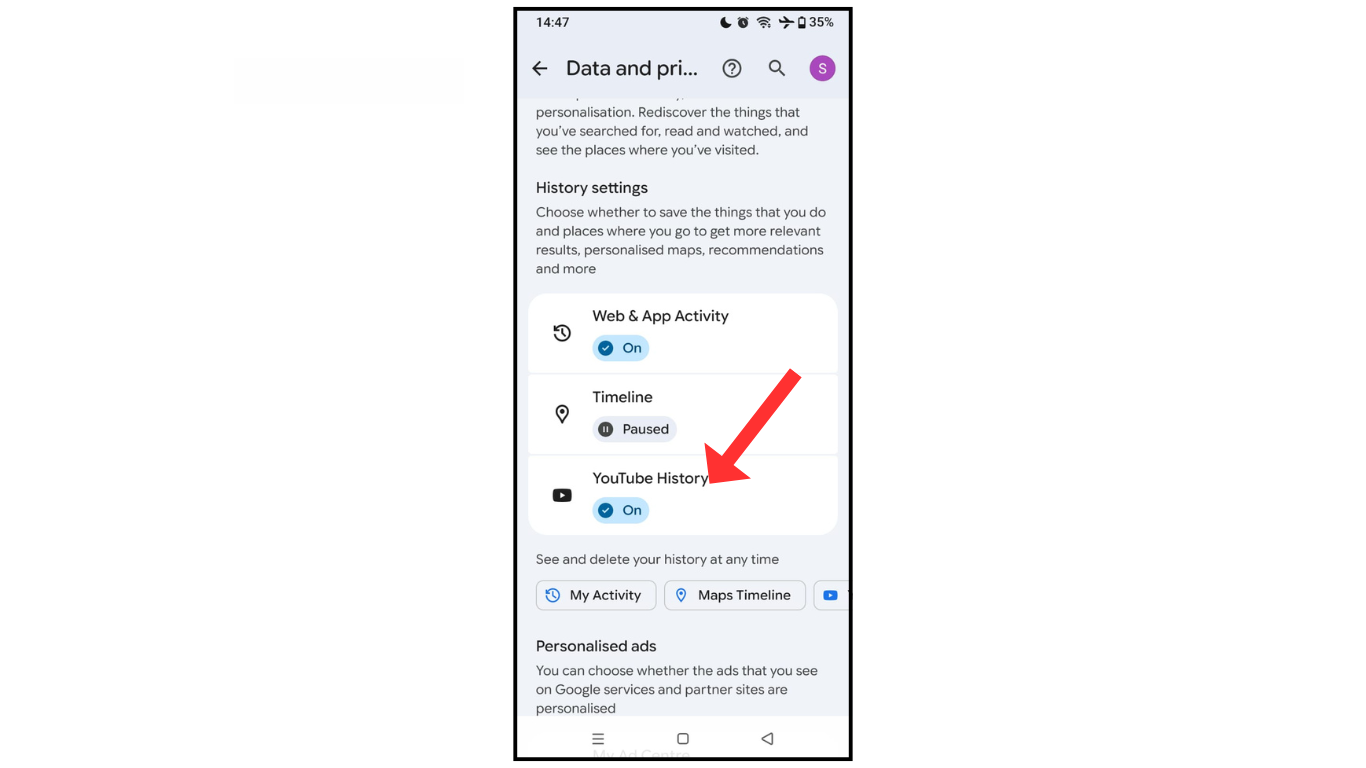
- Now, scroll down and click YouTube history.
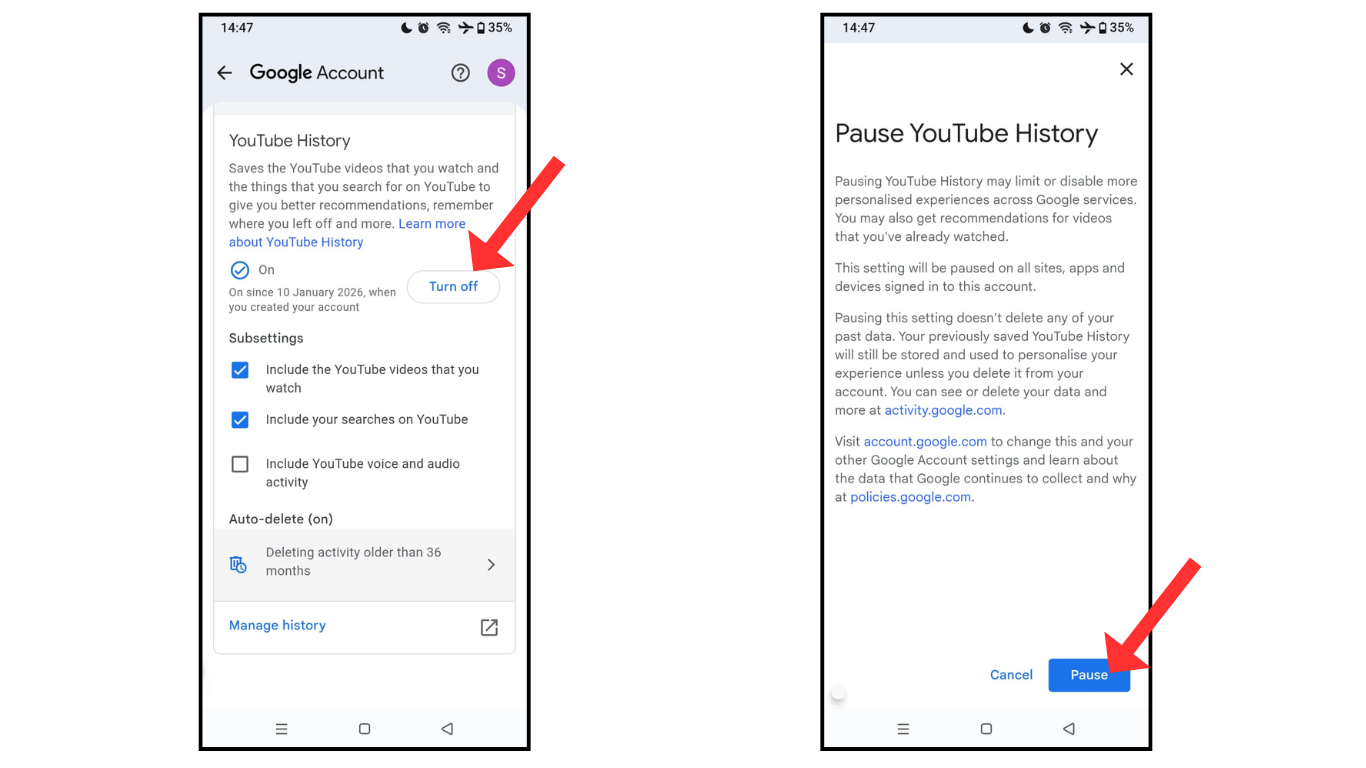
- Click on the off button and pause your YouTube history.
Also Read: How To Upload HD Quality Videos On YouTube
Conclusion:
I hope you have learned how to disable YouTube history using your phone. If you have any questions about YouTube history, you can contact me on Telegram.
