Are you searching to enable the dark theme in Notion AI on your phone? If so, then I shall explain to you how to enable the dark theme in Notion AI in simple steps.
How To Enable Dark Theme in Notion AI
Notion AI has setting to turn on the dark theme on your Android. If you want to turn on the dark theme on Notion AI on your phone, then
Here are the steps on how to turn on notion ai dark theme on your phone.
- Go to the Notion AI setting.

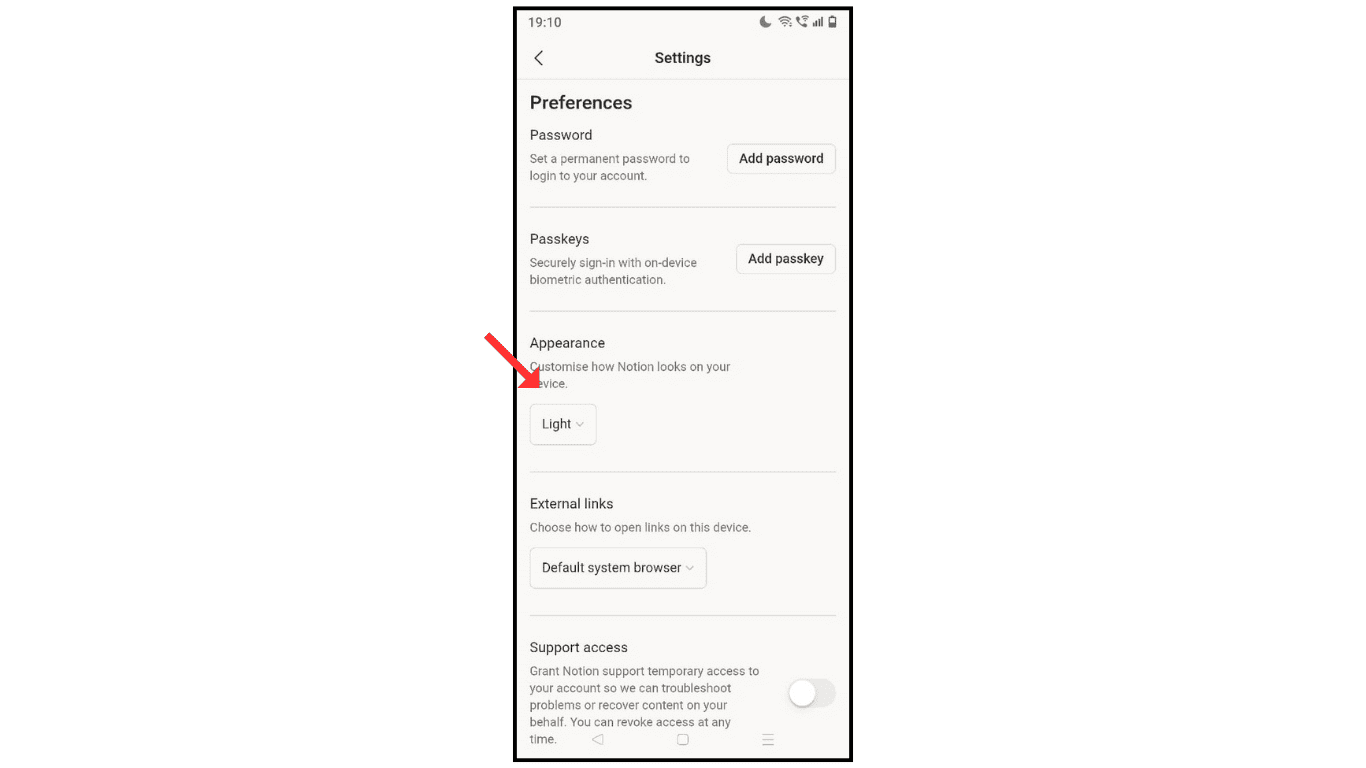
- Now, scroll down and click the appearance.
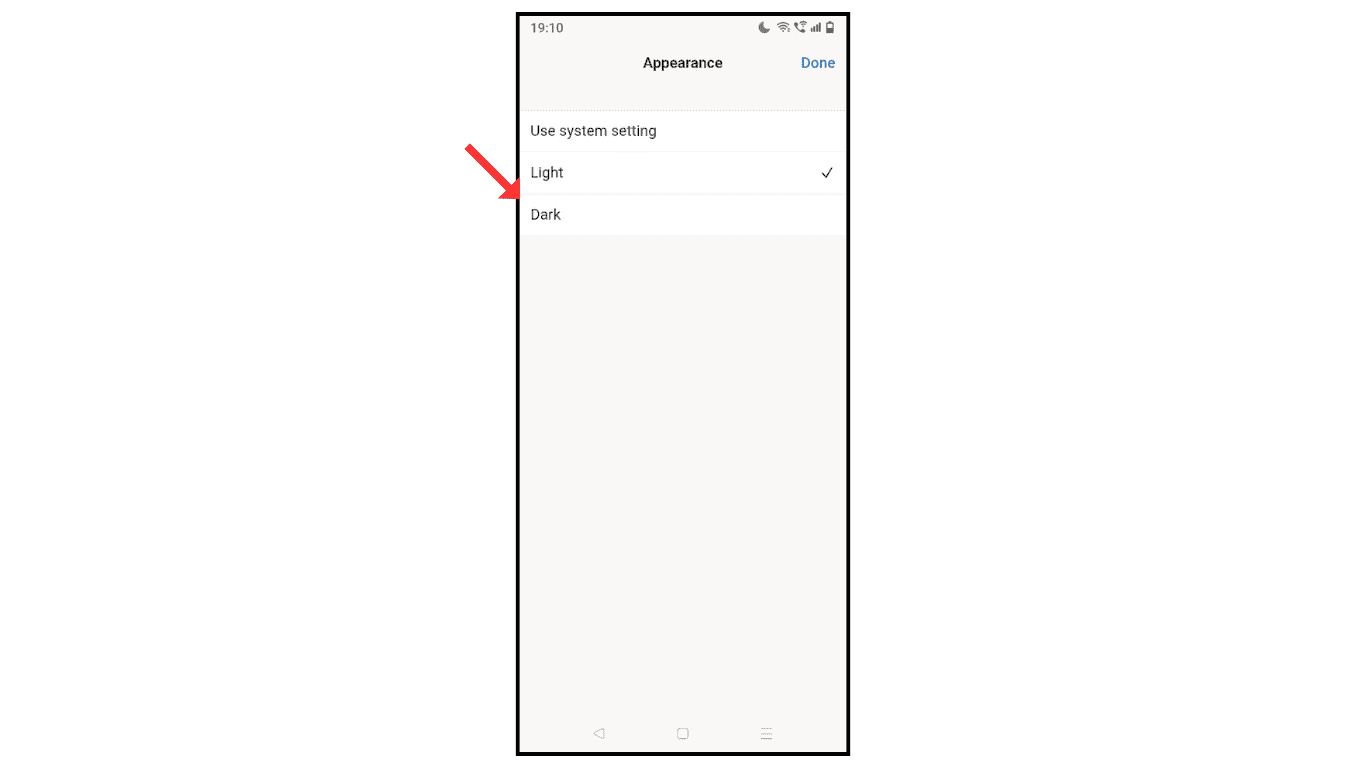
- Click on dark, and click on the done icon.
- Now, successfully enable the dark theme on Notion AI.

Also Read: How To Enable Dark Theme in ChatGPT
Conclusion:
Enabling the dark theme on Notion AI on your phone is a simple and easy method; just follow the above steps to enable the dark theme on Notion AI.
