Are you looking for a solution on how to remove third-party access from a Google account? If so, then I shall explain to you how to remove third-party access from Google in simple steps.
How To Remove Third Party Access From Google Account
Google third-party apps are the apps that connect to your Google Gmail account, so they can easily access your Gmail. If you want to disconnect the third-party access,
Then here are the steps on how to remove third-party access from Google.
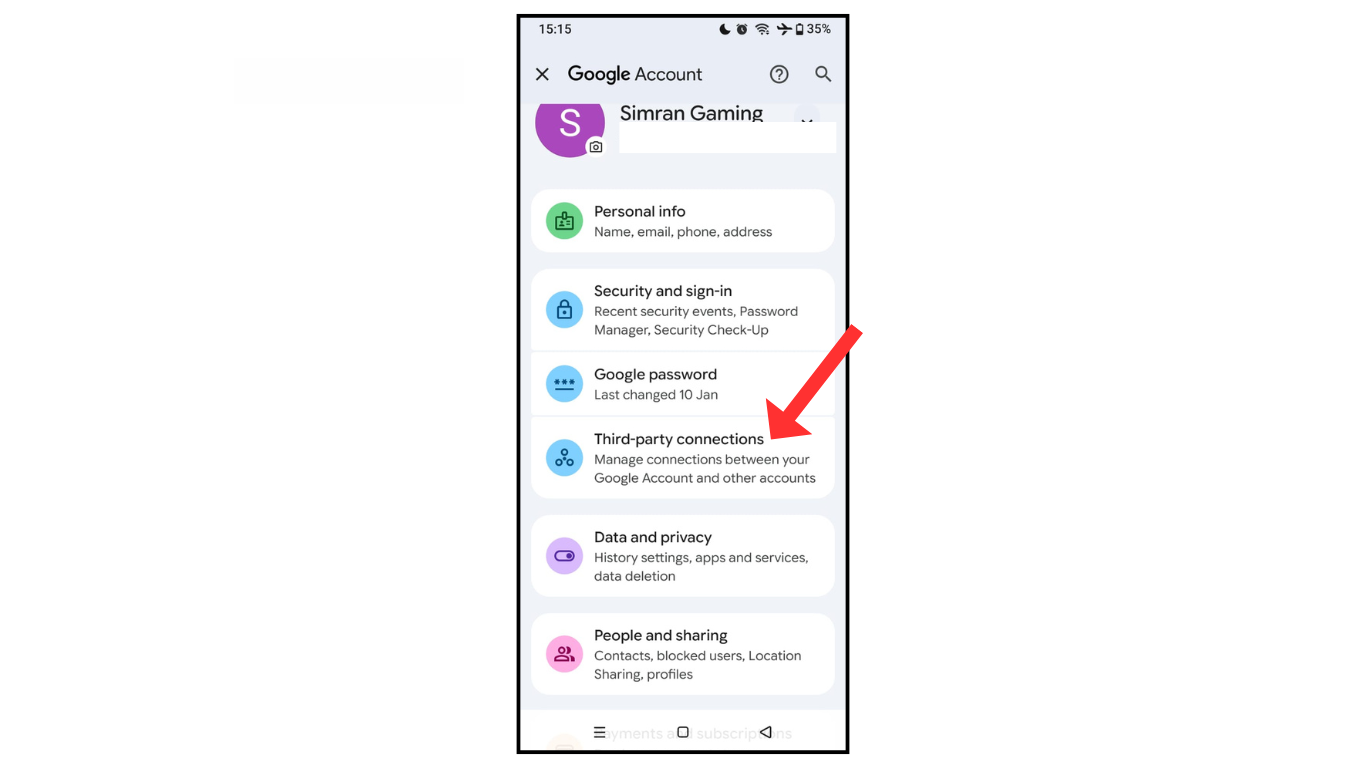
- Open the Gmail account and go to the third-party connection.
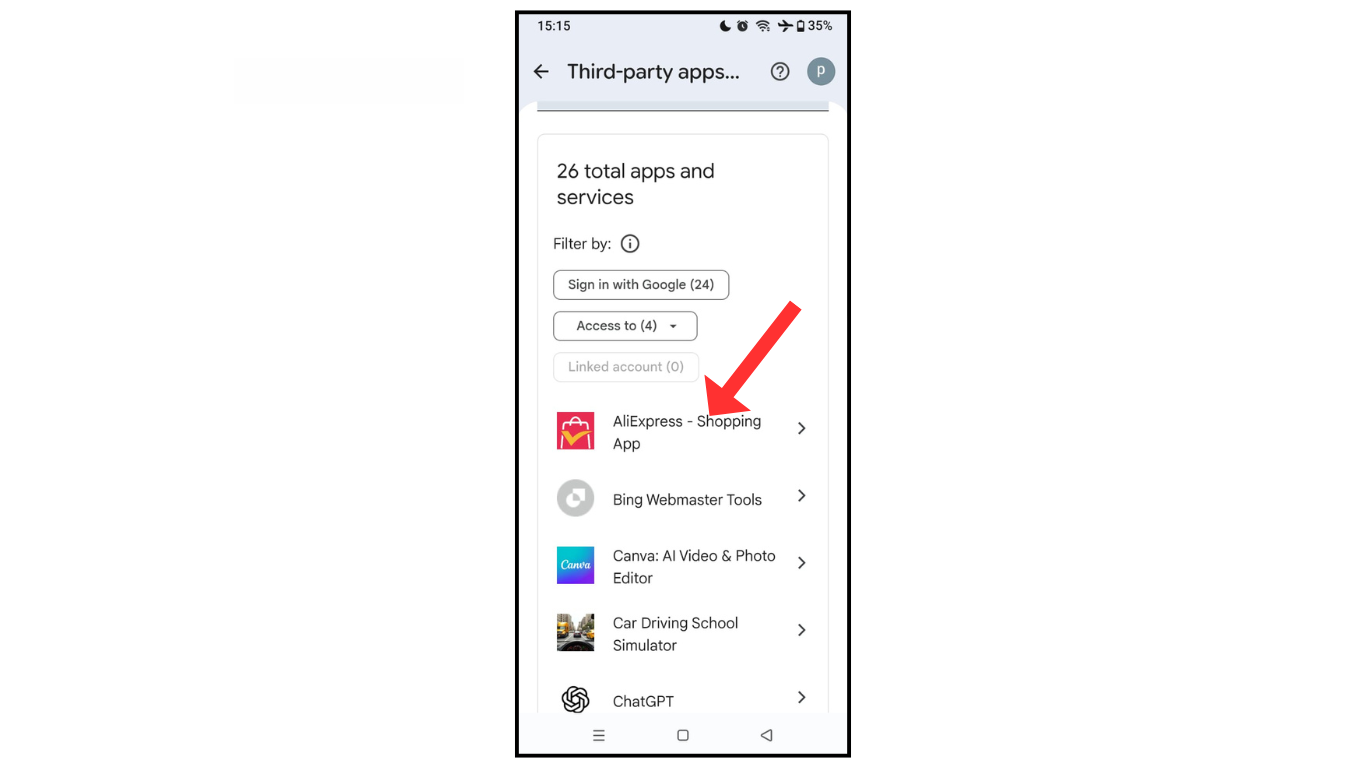
- Now, you select the app you want to disconnect.
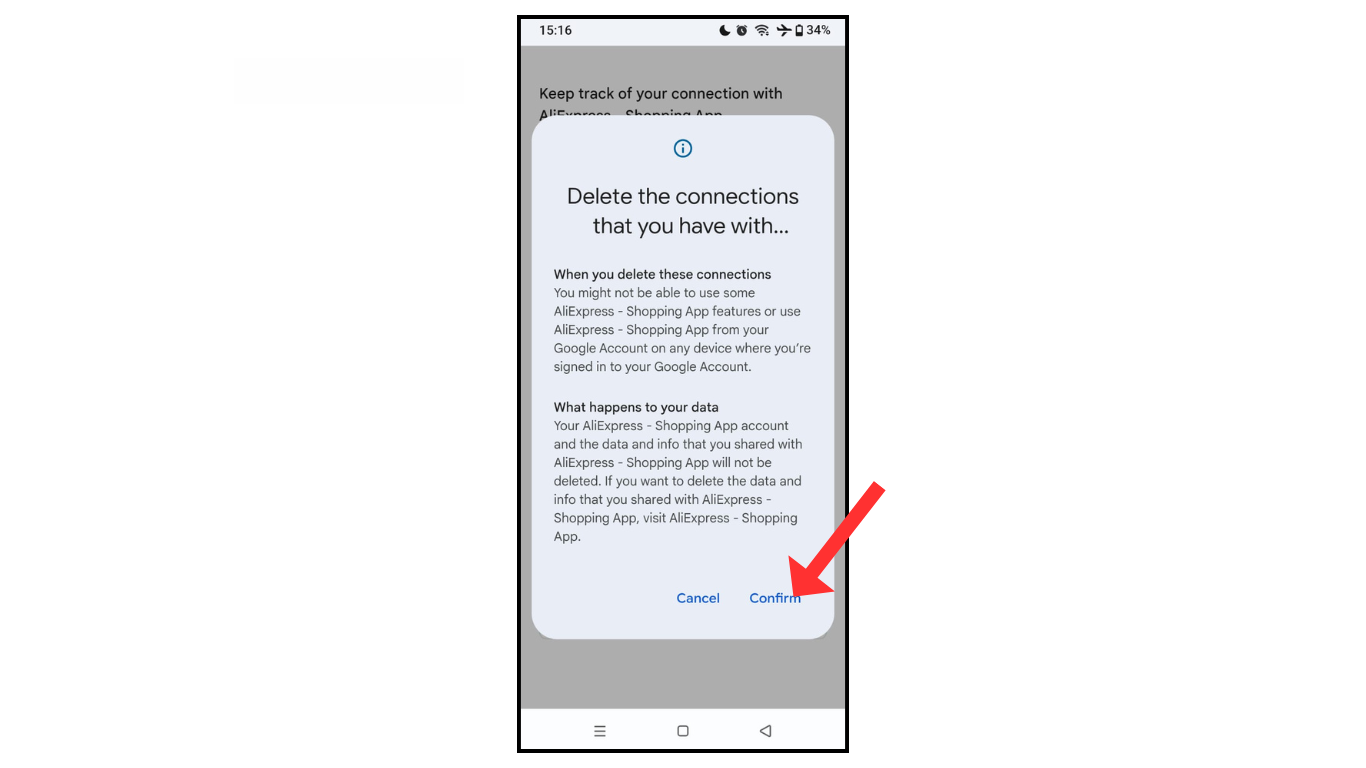
- Click on the delete all connection.
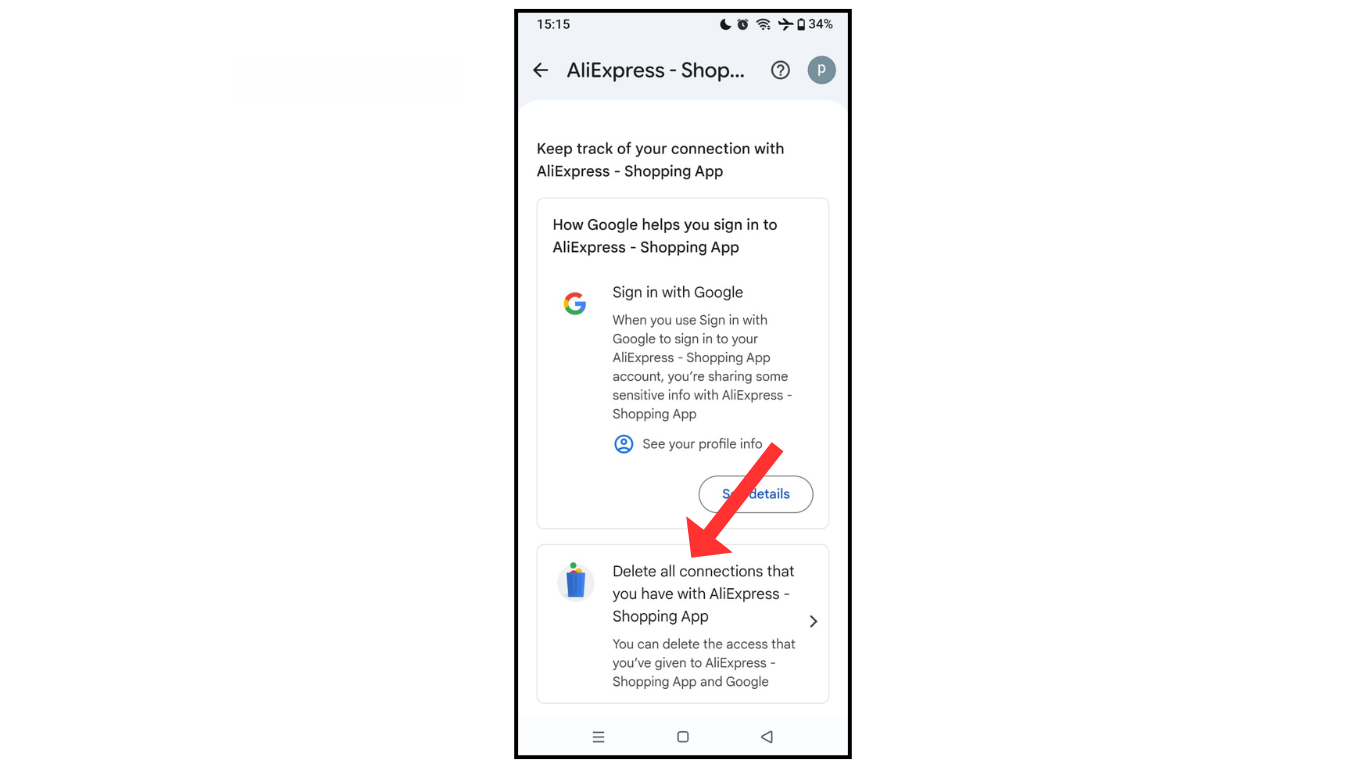
- in the last confirm to delete connection third pary
Also Read: How To Attach Files To Email in Gmail
Conclusion:
I am sure now you have learned how to remove third-party access from a Google account. If you have any questions about removing third-party access from a Google account.you can contact me on telegram.
