How to Set EasyPaisa Transaction Limit? Are you searching for this? Then in this artcile i sall guide you on how to increase or upgrade EasyPaisa transaction limits and also set daily and monthly transaction limits in very simple steps.
What is Easypaisa transaction limit
Easypaisa transaction limits are basically the limits of daily and monthly transactions in Easypaisa, and they are different with the level of account. Suppose if your account is unverified, then you can send up to PKR 25,000 daily. And if verified, then users can enjoy higher limits, up to PKR 500,000 daily.
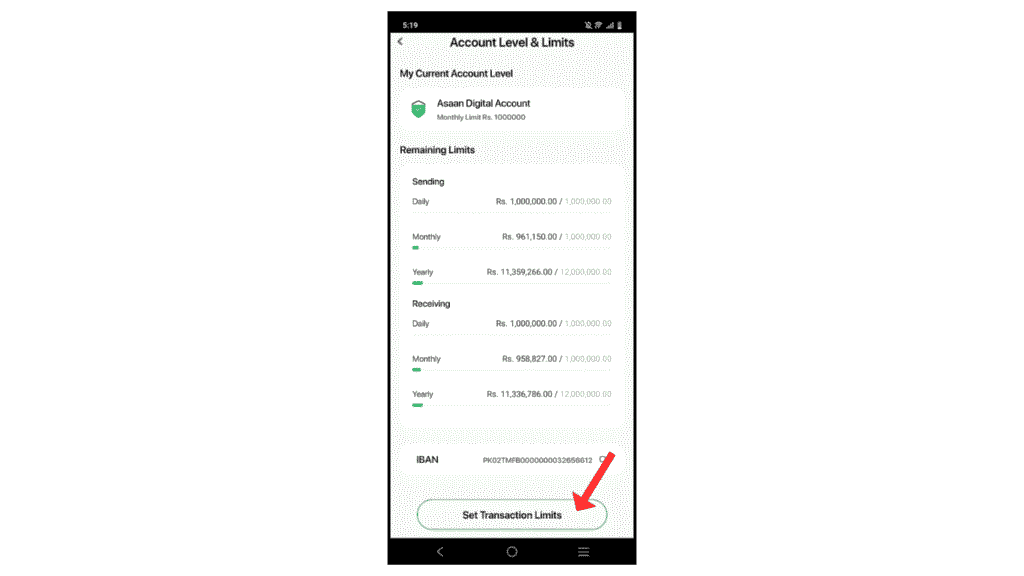
All these increases or upgrades of level depend on biometric verification and Level 2 tiers. EasyPaisa has also now introduced an Asaan digital account, in which the monthly transaction limit is PKR 1,000,000.
How To Set Easypaisa Transaction Limit
Here are the steps on how to set EasyPaisa transaction limits daily and monthly.
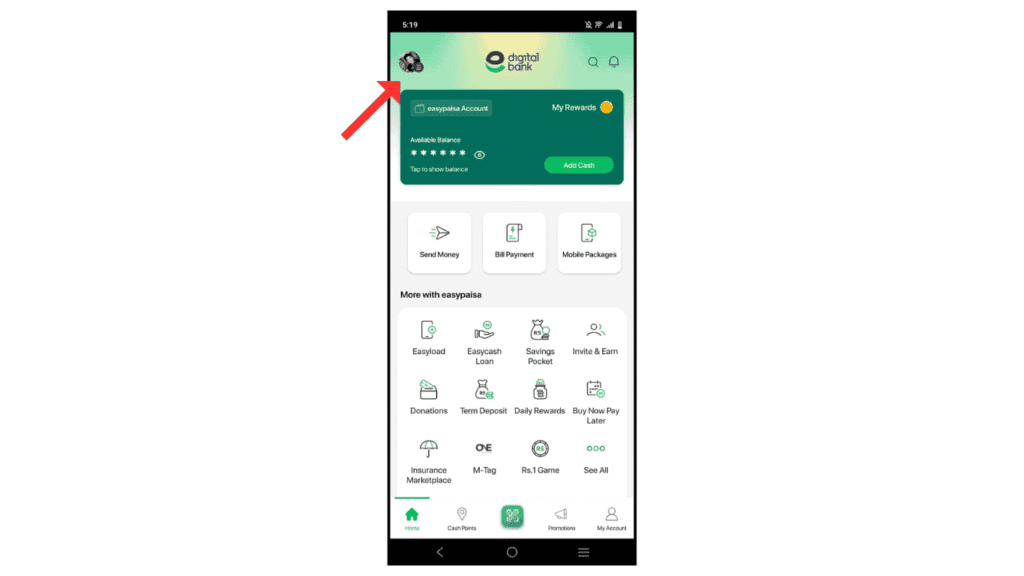
- In the first step, open an EasyPaisa account and click on Profile.
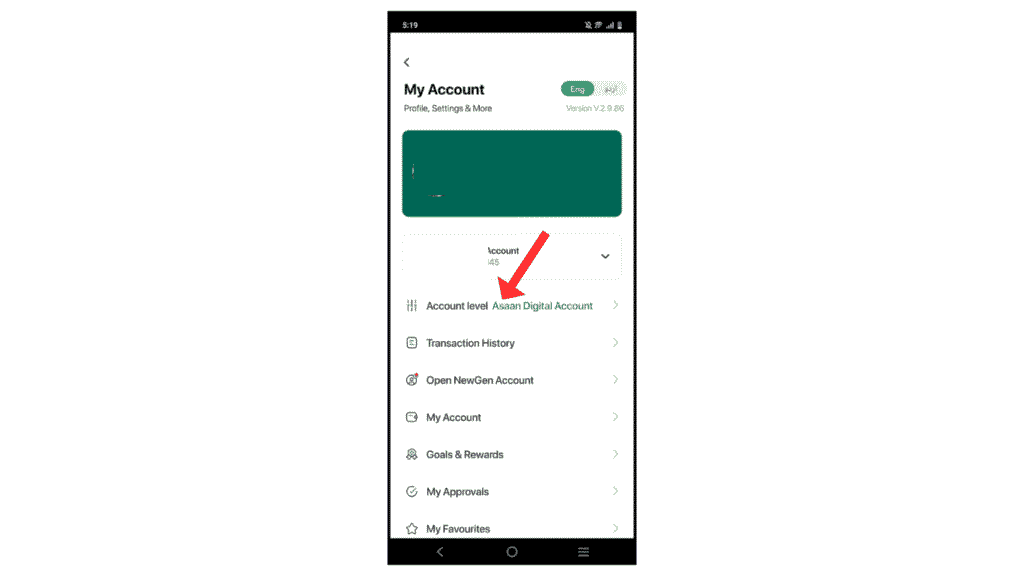
- Now, click on Account LEVEL.
- Then after, click on Set Transaction Limits.
- Now, adjust or set daily sending and receiving transaction limits and click on Done.
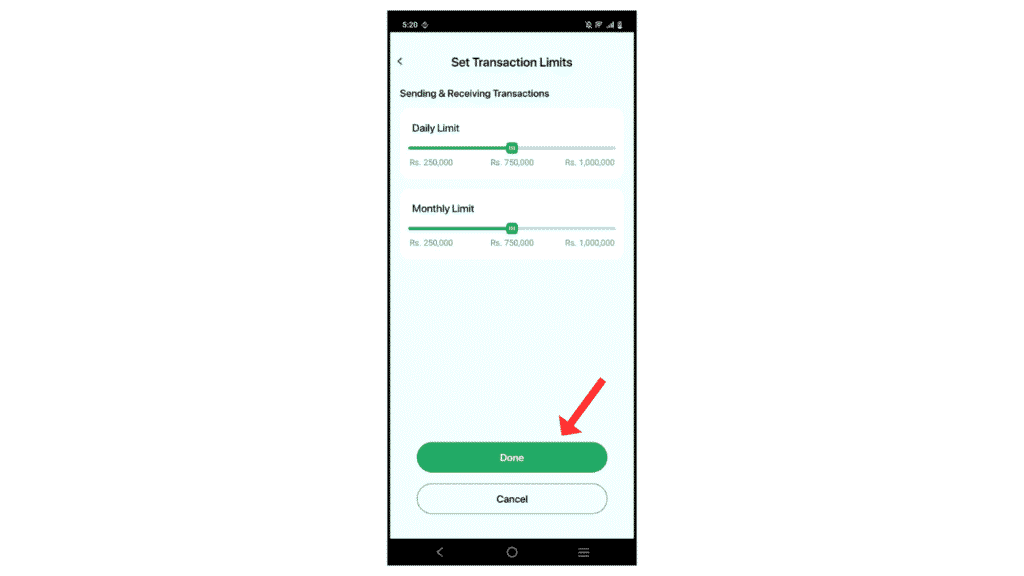
Now, you have successfully adjusted your EasyPaisa transaction limit daily and monthly.
Also Read: How to Reverse EasyPaisa Transaction
Conclusion:
I hope you have successfully learned how to set EasyPaisa transaction limit. And also learn about what the EasyPaisa transaction limit is and also how to update the limit. If you have any questions, you can contact us on Instagram.
