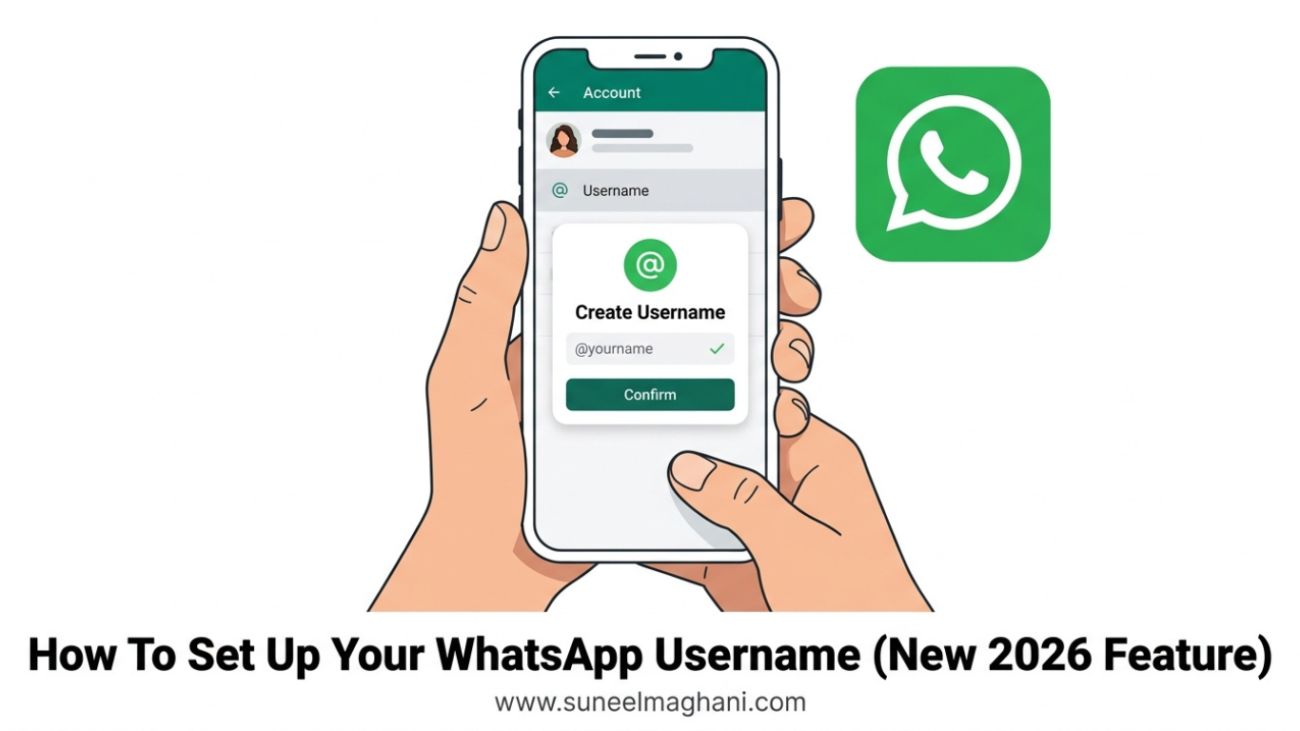
WhatsApp just started rolling out one of its biggest privacy changes in years: usernames. For the first time, you’ll be able to let people message you on WhatsApp without ever handing over your phone number. The feature began reserving usernames in late June 2026, and it’s gradually reaching more accounts on both Android and iOS.
Here’s everything you need to know — how to claim yours, the rules for choosing one, and the common misunderstandings already going around about how it actually works.
What WhatsApp Usernames Actually Do
Once you set a username, people who know it can find and message you on WhatsApp without needing your phone number at all. Your number still exists behind the scenes for login, account recovery, and verification — it’s just no longer the thing you have to hand out to a new coworker, someone you met at an event, or a group chat you just joined.
Importantly, this is optional. If you never set a username, WhatsApp works exactly the way it always has.
How To Reserve Your WhatsApp Username
- Make sure your WhatsApp app is fully updated (Android or iOS).
- Open Settings.
- Tap Account.
- Tap Username.
- If this is your first time, you’ll see a Create Username option — tap it.
- Type in the username you want. WhatsApp will check availability as you type.
- Confirm your selection to reserve it.
You can change or remove your username later from the same settings screen at any time — it isn’t locked in permanently once chosen.
Username Format Rules
Not every combination of letters and numbers will work. WhatsApp requires:
- Between 3 and 35 characters
- At least one letter (can’t be numbers only)
- Cannot start with “www.”
- Cannot end with domain-style suffixes like “.com”
Beyond those rules, there’s no restriction on style — many people are simply claiming the same handle they already use on Instagram or Facebook to keep things consistent.
Will This Actually Hide Your Number From Everyone?
This is the part that’s already causing confusion, so let’s be precise about it:
- New contacts: if someone only knows your username, they genuinely won’t see your phone number.
- Existing contacts: anyone who already has your number saved, or who has messaged/called you recently, keeps that connection. Usernames don’t retroactively hide your number from people you’ve already been talking to.
- Businesses: if you’ve messaged or called a business’s number (or they’ve contacted you) within the last 30 days, that relationship is preserved even if either side later sets up a username — so you won’t suddenly lose the ability to reach a business you were already talking to.
- Search: usernames are not publicly searchable inside WhatsApp. Someone needs to already know your exact username to contact you — it’s not like searching for someone by name on social media.
Common Misconceptions, Cleared Up
“Setting a username means nobody can ever see my number again.”
Not quite — it only affects new contacts going forward. Existing conversations and saved contacts aren’t affected.
“This is only for WhatsApp Business accounts.”
No — the rollout covers personal accounts and business accounts at the same time; it isn’t a business-only feature.
“I have to pick a username or I’ll lose access to my account.”
No — the feature is entirely optional. Skipping it changes nothing about how your account currently works.
“Once I pick a username, I’m stuck with it.”
No — you can change or remove it any time from Settings > Account > Username.
Why This Matters (Especially If You Message Strangers Often)
If you frequently exchange contact info with new people — for dating, freelance work, online marketplaces, or joining new communities — this closes a real privacy gap. Right now, sharing your WhatsApp means sharing your phone number permanently; once someone has it, there’s no taking it back even if the relationship or transaction ends badly. A username lets you keep that door open without that risk.
FAQs
Do I still need a phone number to use WhatsApp?
Yes. A phone number is still required to create and verify your account — usernames don’t replace that, they just reduce how often you need to share it with others.
Can two people have the same username?
No, usernames are unique — once someone claims one, it isn’t available to anyone else, similar to how usernames work on other platforms.
Is my username visible to people I haven’t messaged?
No. Usernames aren’t searchable within the app. Someone has to already know your specific username to reach you with it.
Can businesses use this too?
Yes — businesses can claim usernames as well, and many are expected to match their existing Instagram or Facebook handle for brand consistency.
When will everyone have access to this?
The rollout began in phases starting late June 2026 and is expanding gradually rather than launching to all users at once, so availability may vary by account for a while.
Also Read:How To Know If Someone Blocked You On WhatsApp
Conclusion
WhatsApp usernames are one of the most meaningful privacy upgrades the app has added in a long time — but it’s easy to misunderstand what it does and doesn’t change. If you want to start using it, claim your username now while good handles are still available, and remember it only affects new contacts going forward, not conversations you’re already having. If you have questions about how this works for your specific situation, feel free to reach out on Telegram or by email.
