
Are you searching for a way to upload videos on YouTube in HD quality? If so, I shall tell you how to upload videos in HD on YouTube.
How To Upload HD Quality Videos On YouTube
Here are the settings on the YouTube channel to upload videos with high quality.
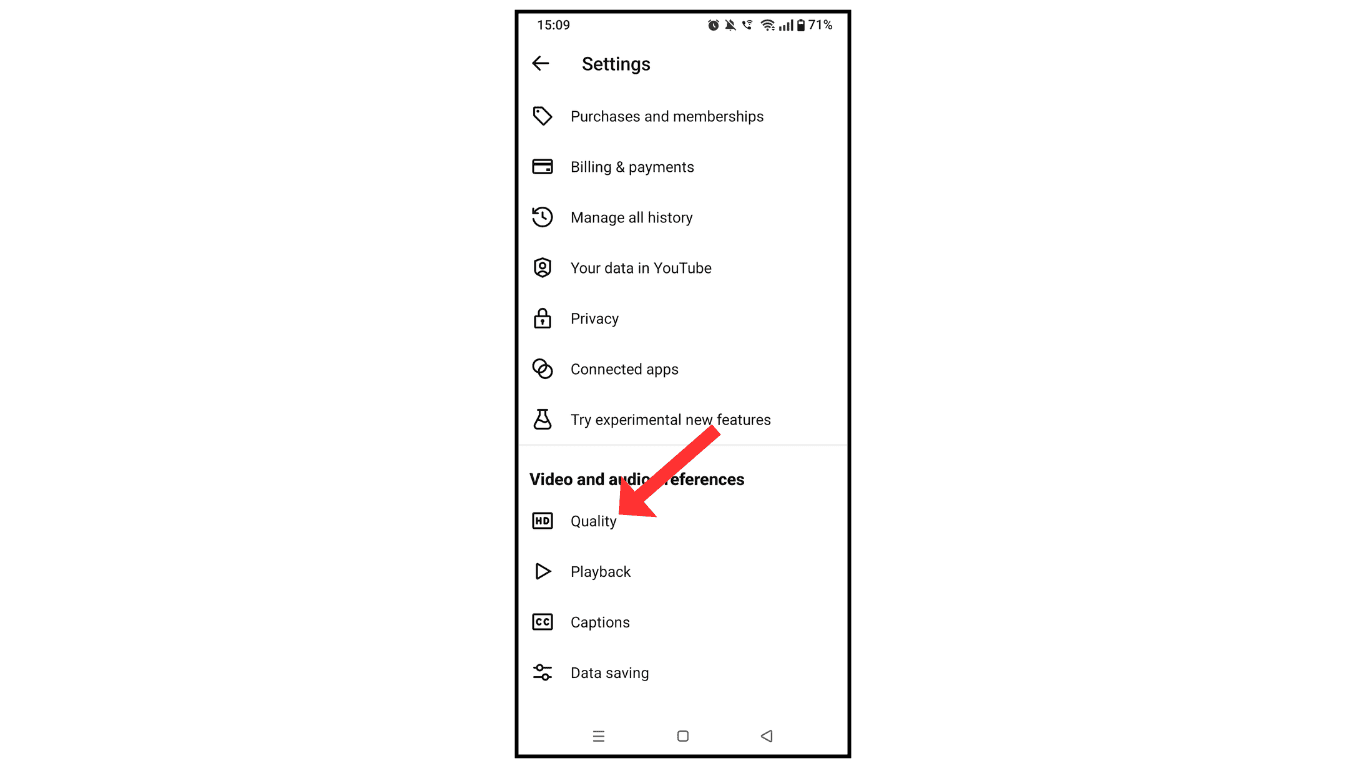
- Open the YouTube channel and go to settings.

- Now, scroll down and click on quality.
- Select the high picture quality on Wi-Fi and mobile networks.
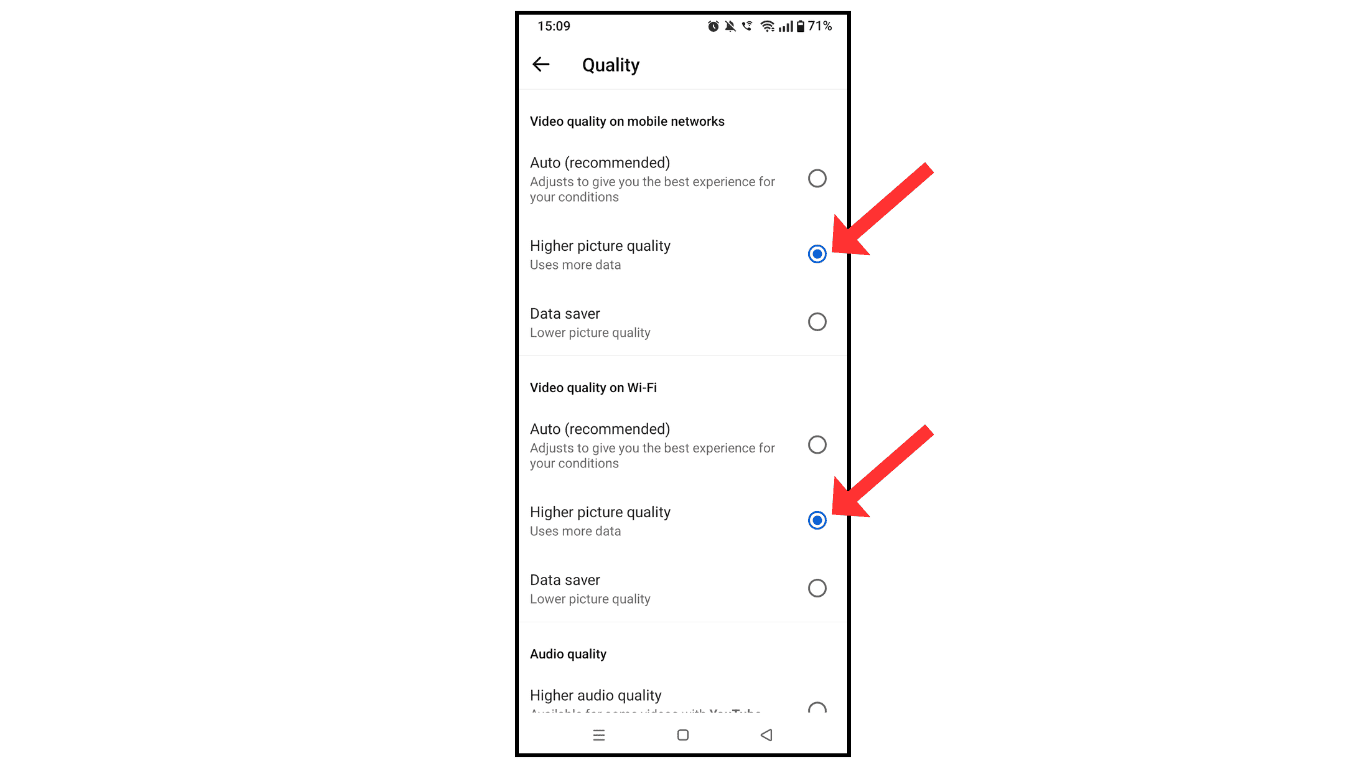
Now, you have successfully turned on video uploading with the high-quality setting.
Also Read: How To Make Your YouTube Video Private
Conclusion:
I hope you have successfully learned how to upload videos on YouTube with HD quality. If you have doubts related to YouTube settings, contact me.
