Are you looking for a solution on how to delete Cambly account permanently on your phone and PC? If so, then in this article I shall guide you on how to delete Cambly account in very simple steps.
What is Cambly
Cambly is one of the most famous and popular online platforms where users can learn English; students get native English-speaking teachers in the world. Cambly also provides video chats, the best tools for personalized learning, and also the best English learning environment.
How To Delete Cambly Account
Here are the steps on how to delete Cambly account permanently on your phone and PC.
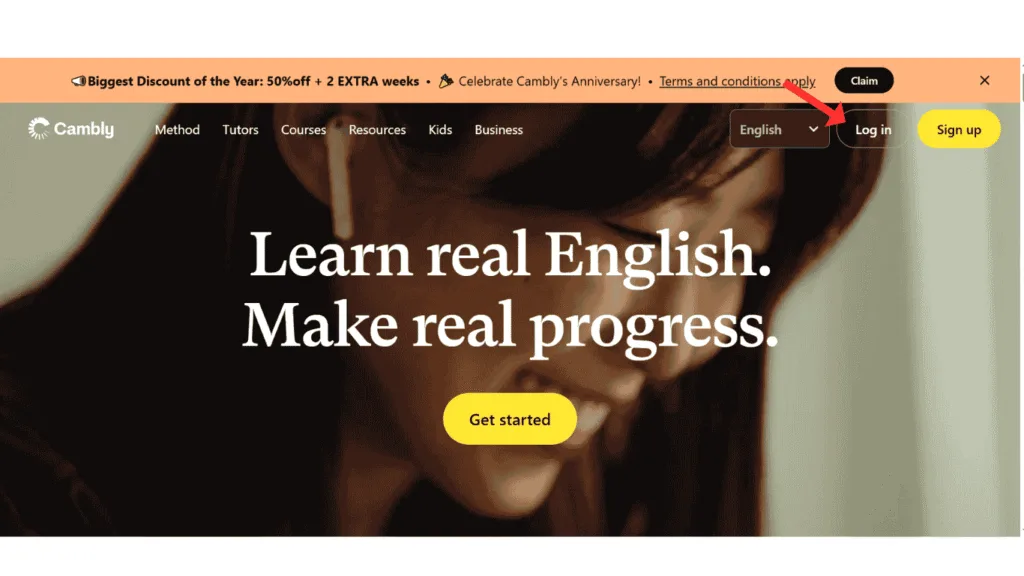
- In the first step, log in to your Comply account on phone or pc.
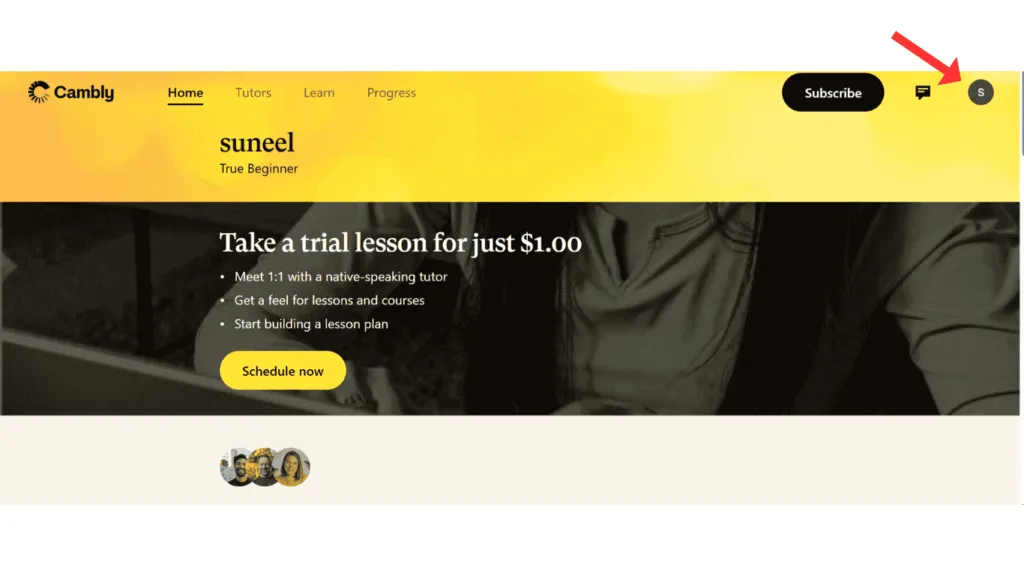
- Now, in Cambly, click on the profile icon.
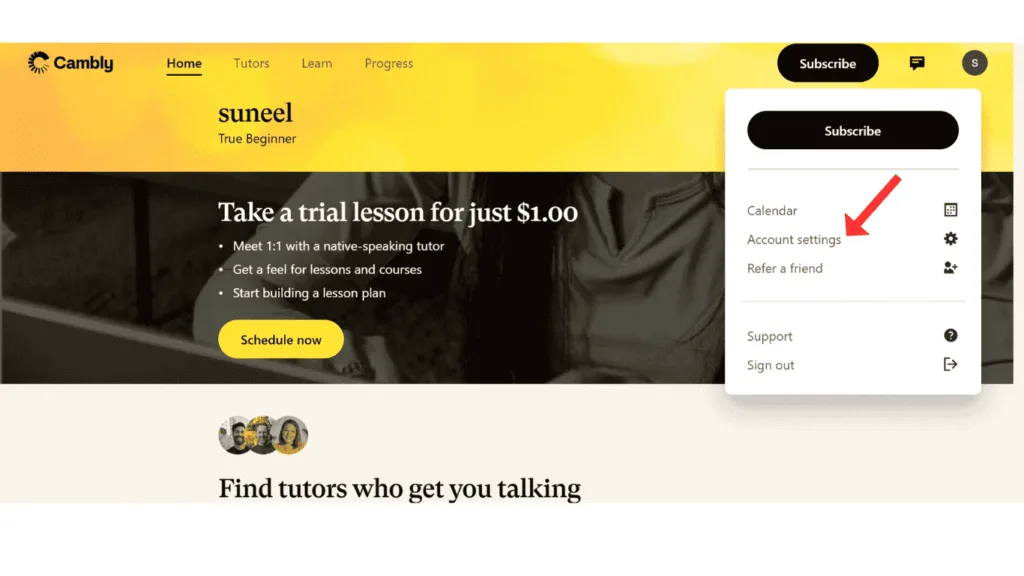
- After that, click on account settings.
- Now, tap on the Click Here link.
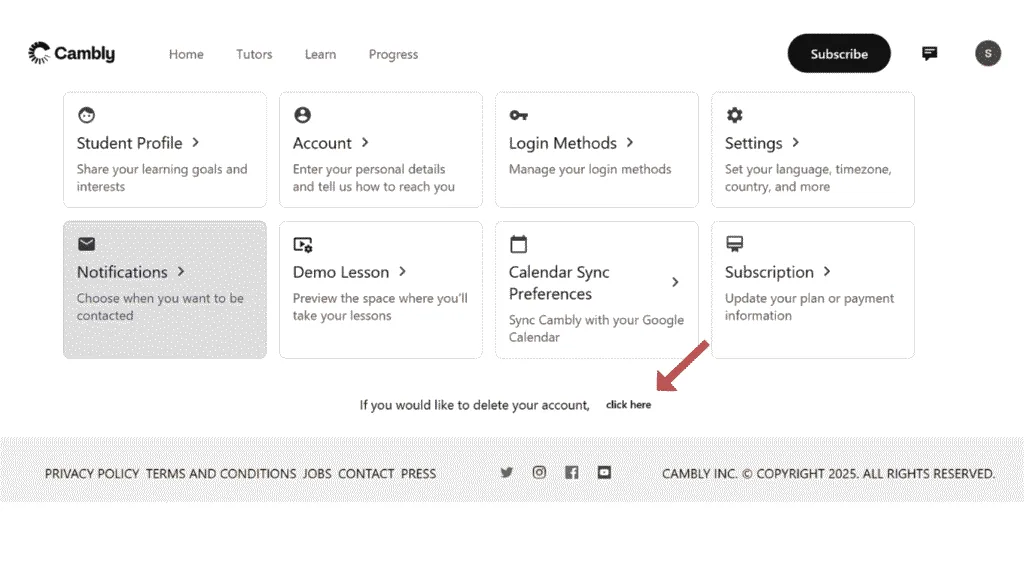
- Now, confirm and click on Delete Cambly Account.
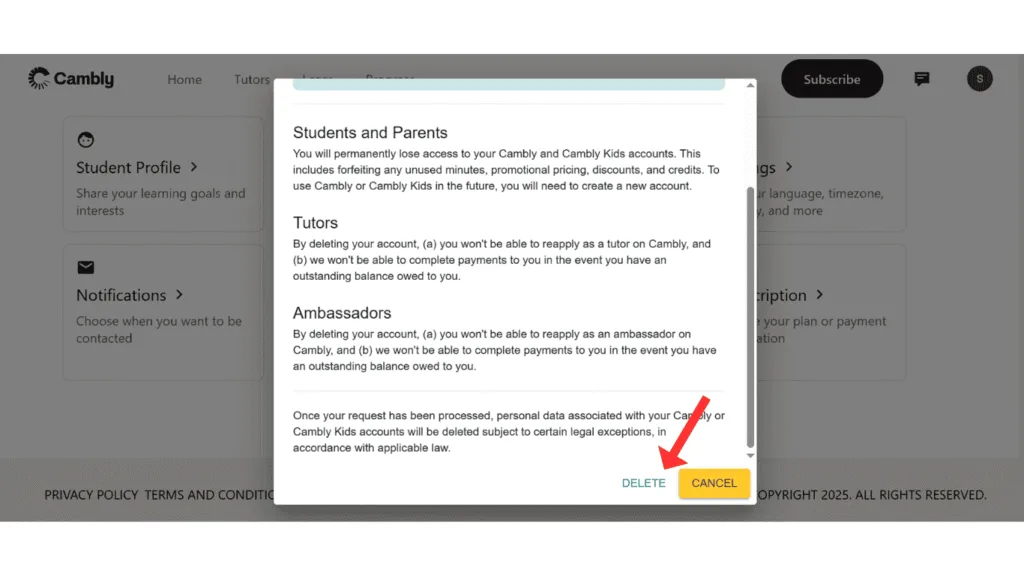
- Last, verify your account through email or your Google-connected account, and then click on Delete Account.
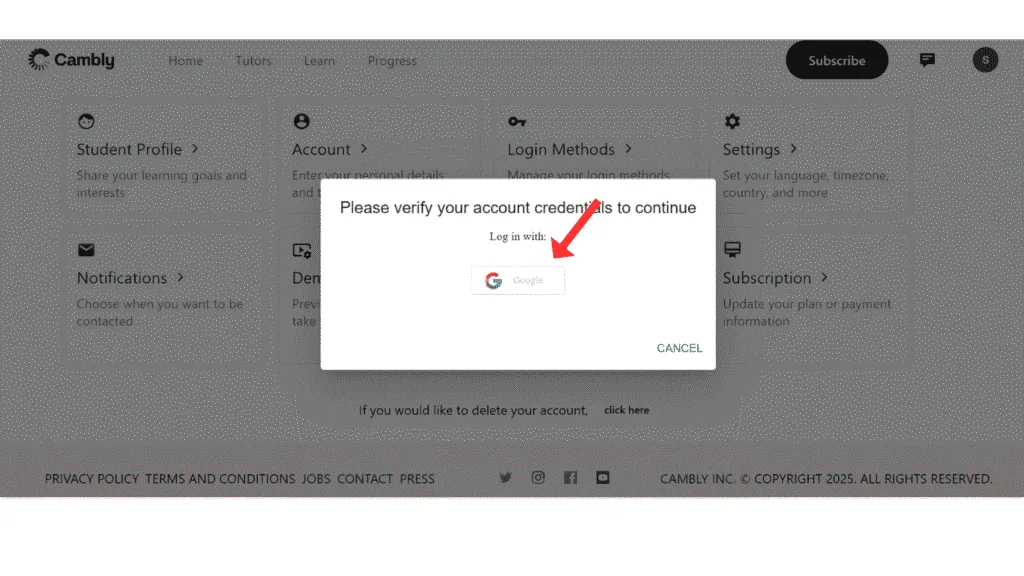
Now, you have successfully deleted your Cambly account permanently.
Also Read: How To Delete Preply Account Permanently
Conclusion:
I hope you have successfully learned about how to delete Cambly account permanently on your phone and PC. If you have any questions about deleting a Cambly account, you can contact me on Instagram and Facebook.
