
Are you searching for a solution on how to change your LinkedIn profile picture on mobile? If so, then I shall explain to you how to update your profile picture on your LinkedIn account in simple steps.
How To Change LinkedIn Profile Picture
In LinkedIn you can easily change your profile picture; if it is old and now you want to update it, then
Here are the steps on how to change your profile picture on your LinkedIn account
- In your LinkedIn account, click on your profile picture.
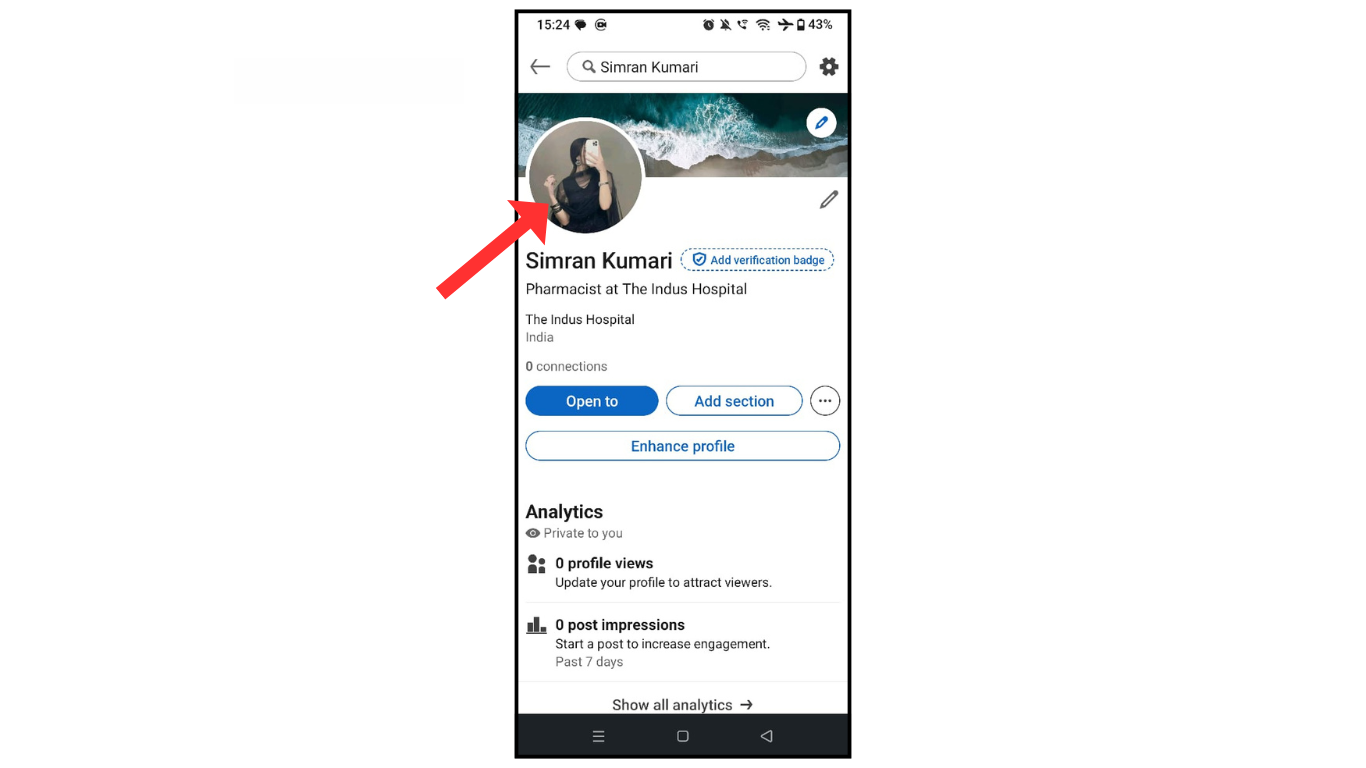
- Now click on “view” or “edit profile photo.”
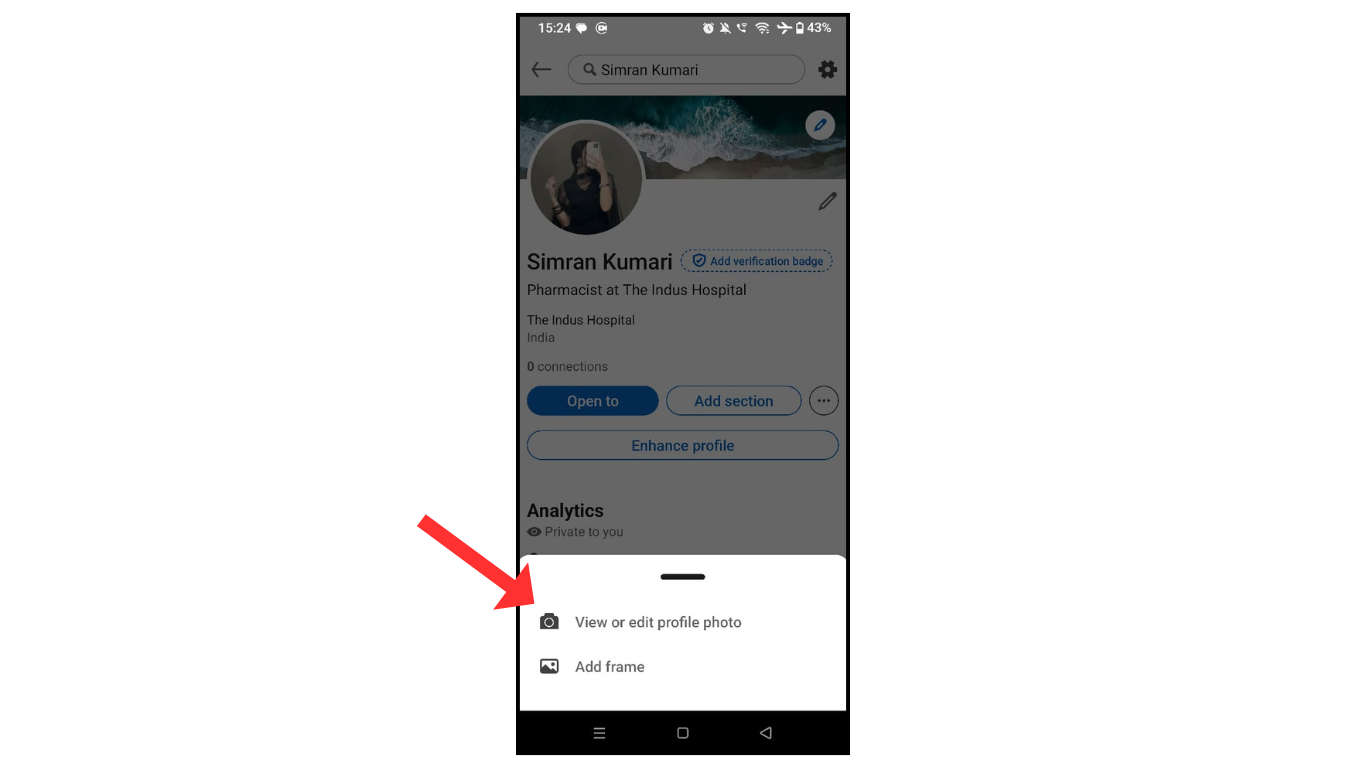
- Click on update photo.

- Upload a photo from your phone.
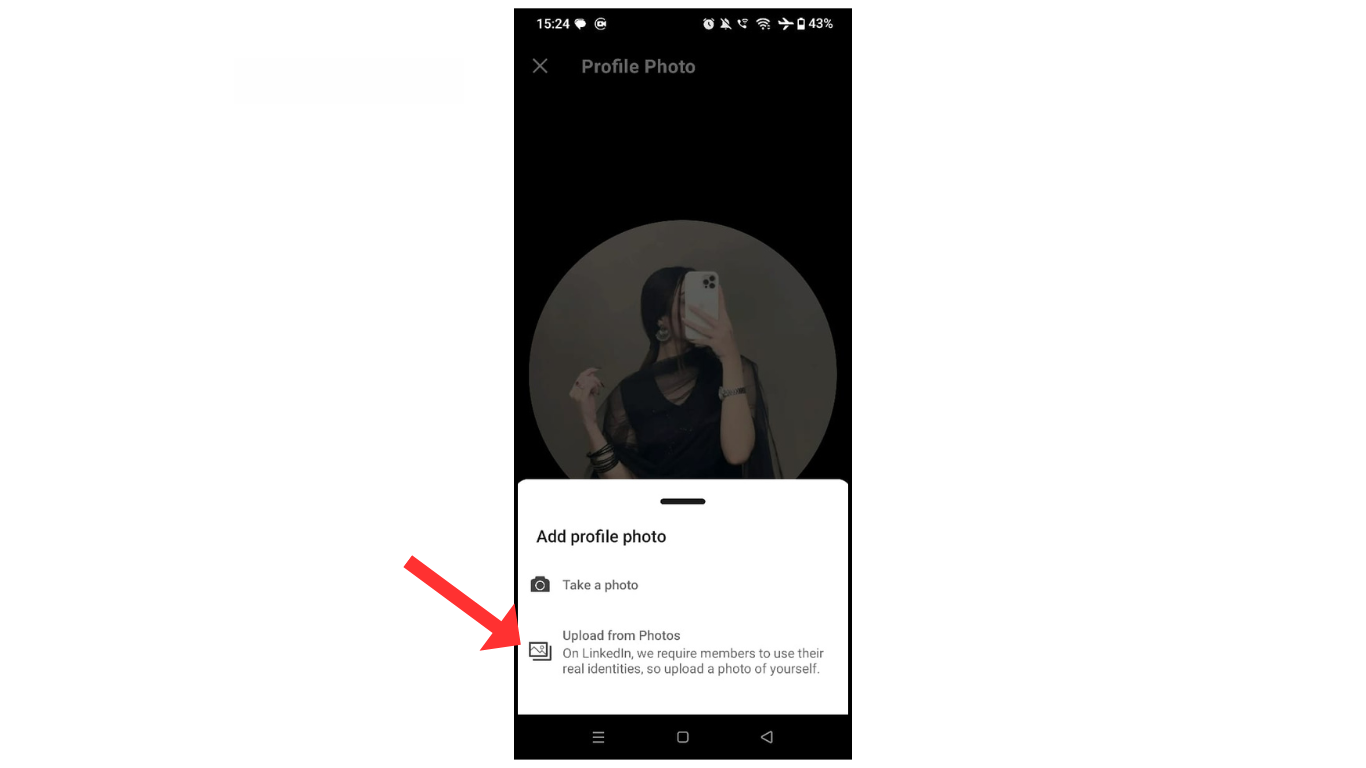
Now, form your mobile gallery, select an image, and update your profile picture.
Also Read: How To Download LinkedIn Profile as PDF
Conclusion:
I am sure now you have learned how to change your LinkedIn profile picture. If you have any questions related to your LinkedIn profile picture, you can ask me via Telegram.
