
Are you searching for a solution on how to change your email address on your Snapchat account? If so, then I shall explain to you how to change your email address on your Snapchat account.
How To Change Email Address On Snapchat
In Snapchat, you can easily change your email address by just following a few steps.
Here are the steps on how to change your email address on your Snapchat account.
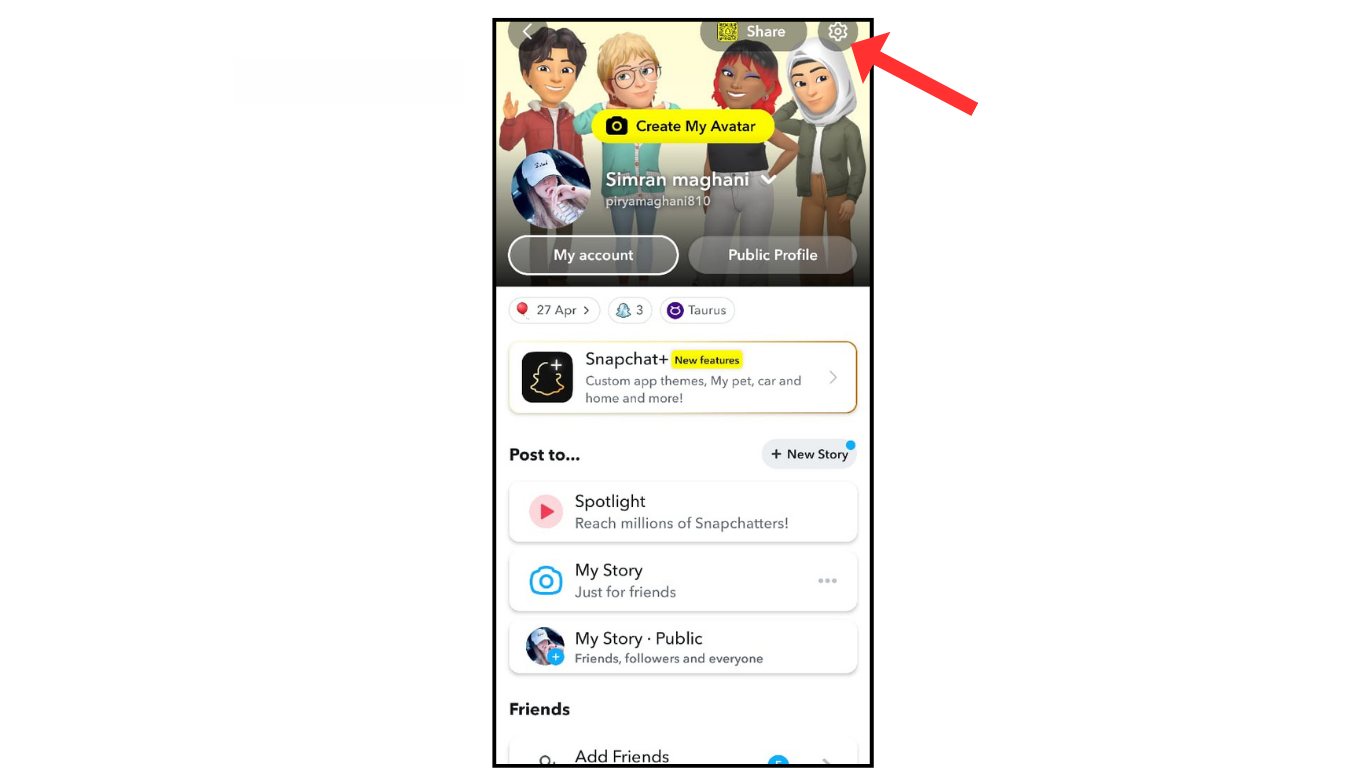
- Open a Snapchat account and go to the settings.
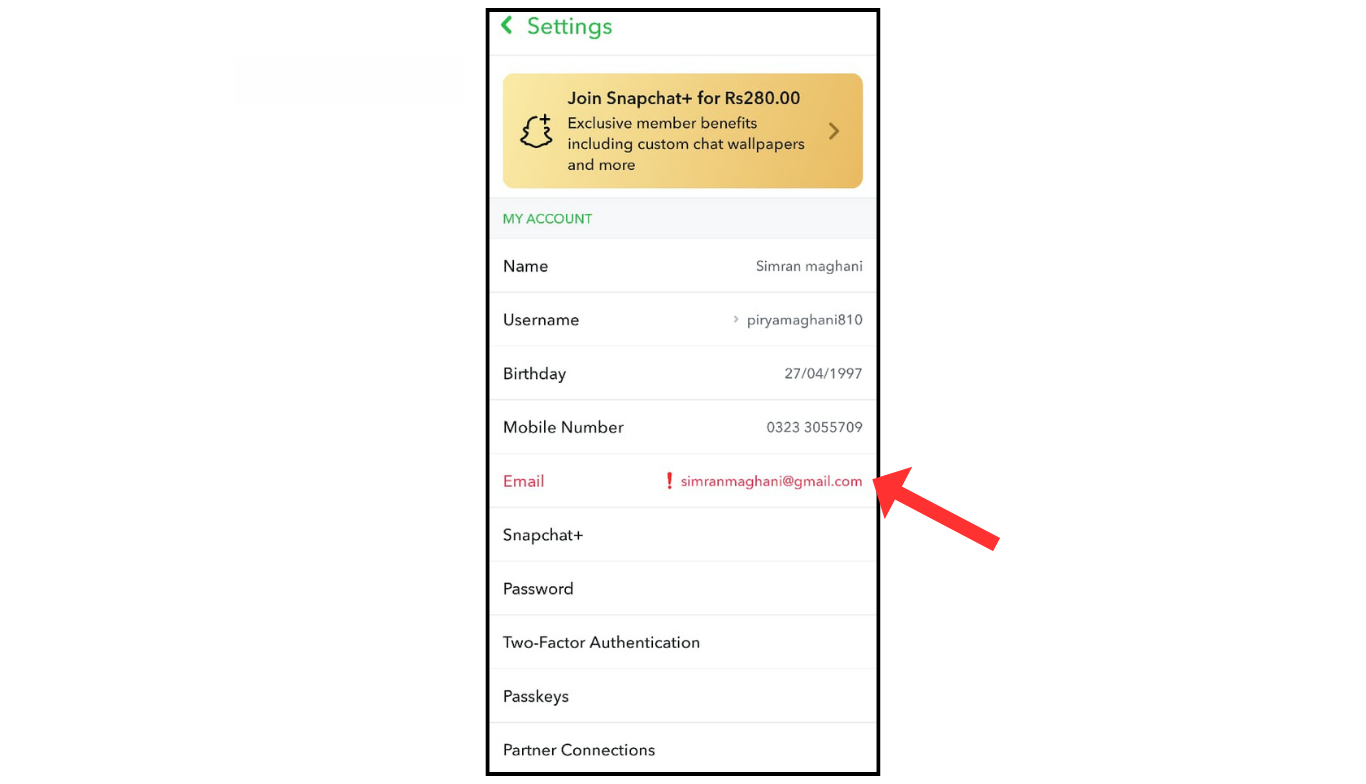
- Now, in the stetting click of email
- After that, change the email and click on save.
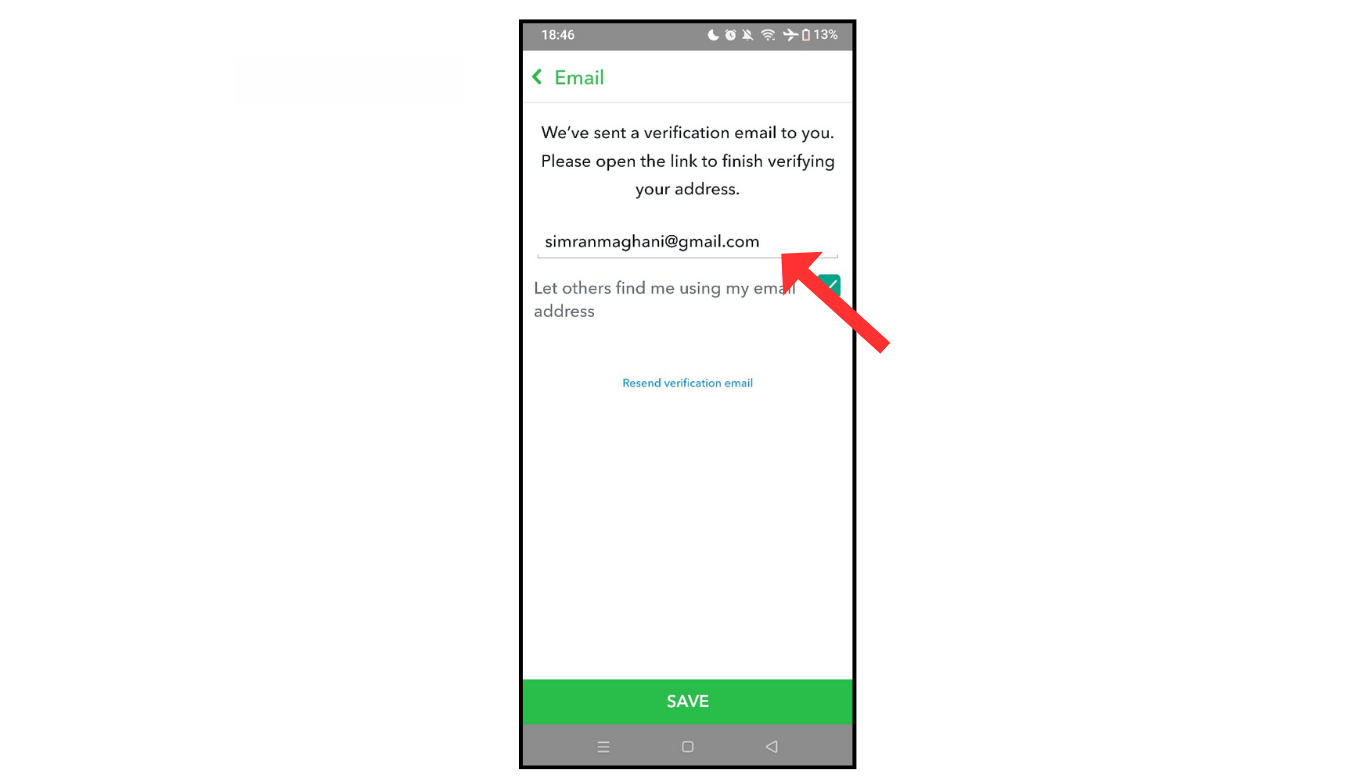
In your email, you will receive a code. Enter that code, and now you have successfully changed the email on your Snapchat account.
Also Read: How To Change Snapchat Password
Conclusion:
I am sure now you have learned on how to change your email address on your Snapchat account. If you have any doubts about changing your email address on Snapchat, you can contact me.
