
Are you looking for a solution on how to delete Clubhouse account permanently? If so, then in this artcile i shall explain to you in detail how to delete Clubhouse Account on Phone (Android and iPhone)
What is Clubhouse?
Clubhouse is one of the most popular social media audio applications where people can join rooms virtually to engage audiences in live streams. Nowadays, Clubhouse has gained fame due to its real discussions and best network opportunities and invites to join.
How To Delete Clubhouse Account
Here are the steps on how to delete Clubhouse account permanently on a phone (Android and iPhone).
- In the first step,log in to your Clubhouse account and click on profile.

- Now, click on the setting icon.
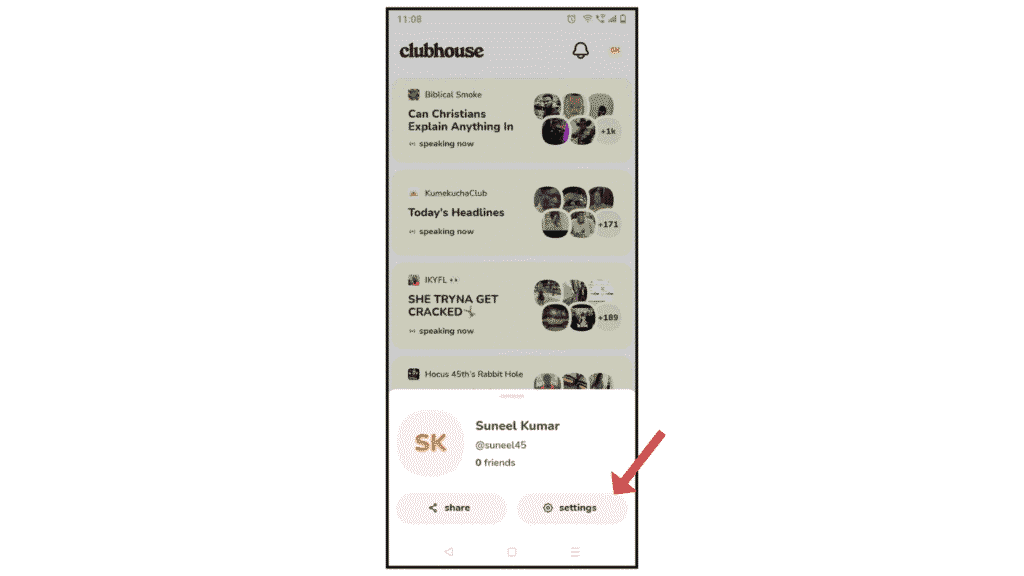
- Then, after clicking, click on the user name.
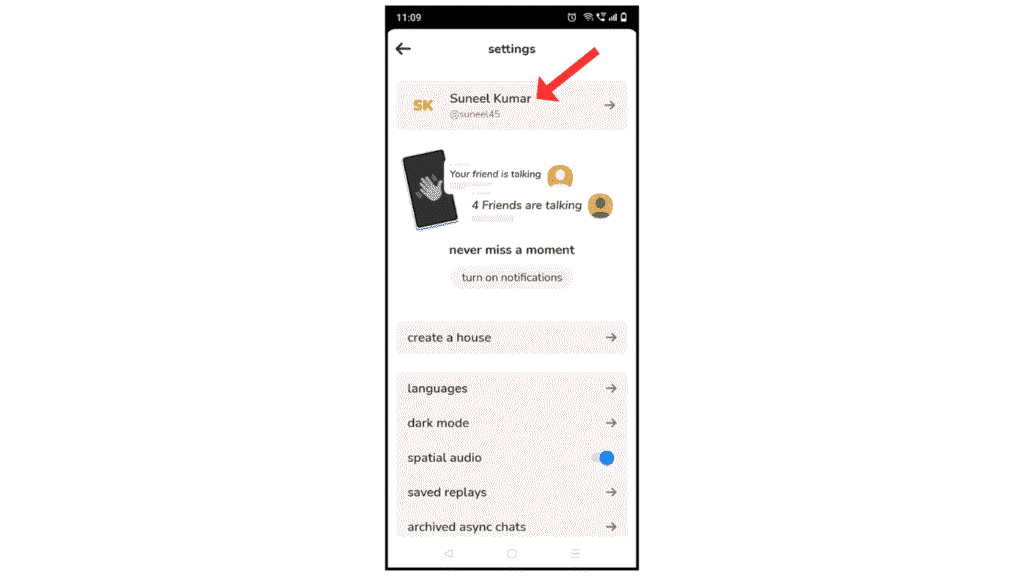
- Scroll down and click on Deactivate Account.
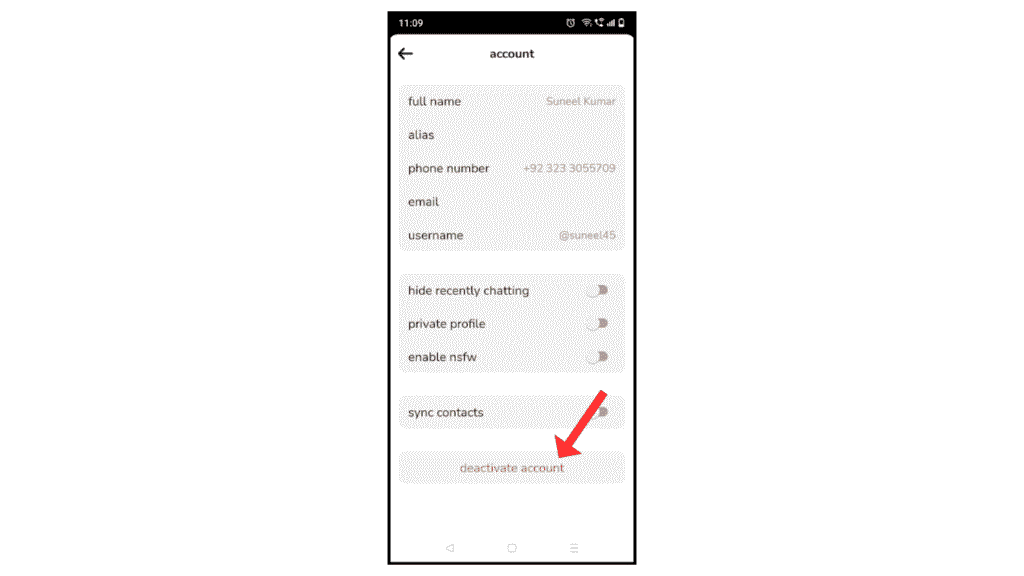
- Confirm it and click on I understand, deactivate account.
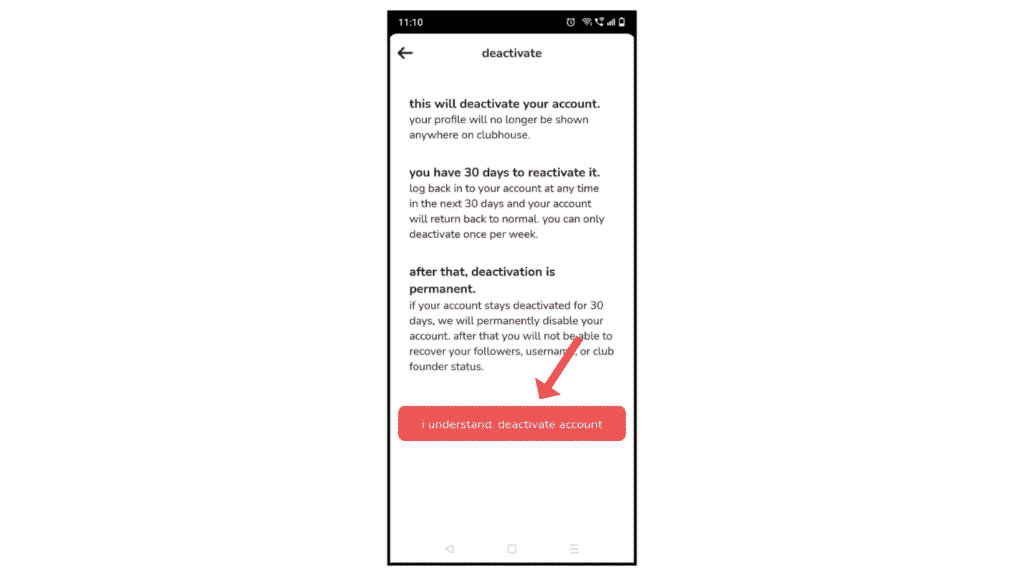
Now, you have successfully deleted your Clubhouse account permanently on your phone.
Also Read: How to Delete Line Account Permanently
Conclusion:
I am sure now you have successfully learned how to delete Clubhouse account permanently on Android and iPhone. If you have any questions about Clubhouse, you can contact the email address.
