Do you want to know how to delete DoorDash account permanently? If so, then in this artcile i shall guide you on how to close DoorDash account on a phone and PC in very simple steps.
What is DoorDash
DoorDash is one of the most popular food delivery services. DoorDash helps to connect customers with any local or big restaurants by using a phone application or site.
DoorDash helps users to make orders of meals, groceries, and other food items at reasonable prices with delivery men named Dashers.
How To Delete DoorDash Account Permanently
Here are the steps on how to delete DoorDash account permanently on a phone and PC.
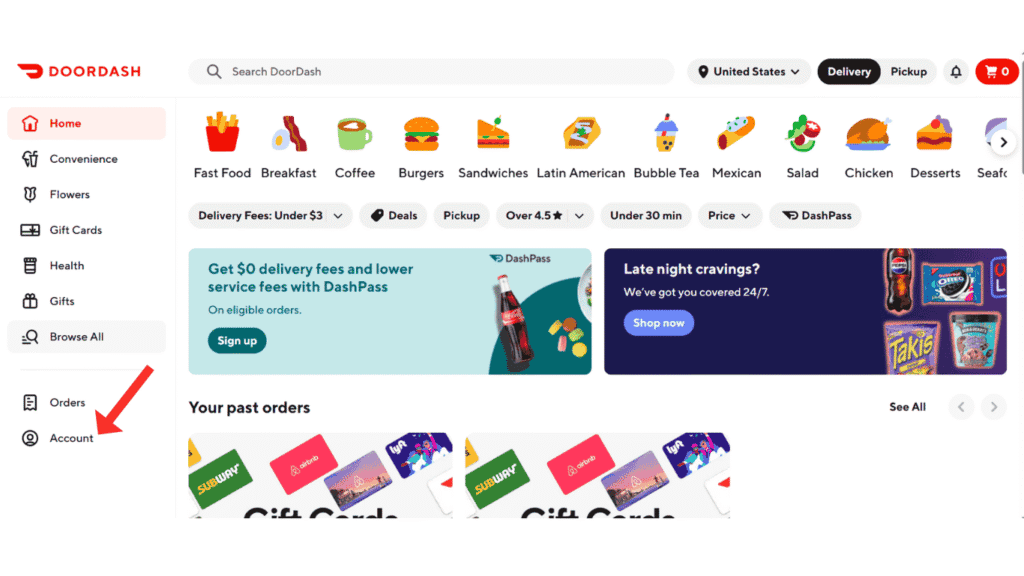
- In the first step,log in to your DoorDash account and click on account.
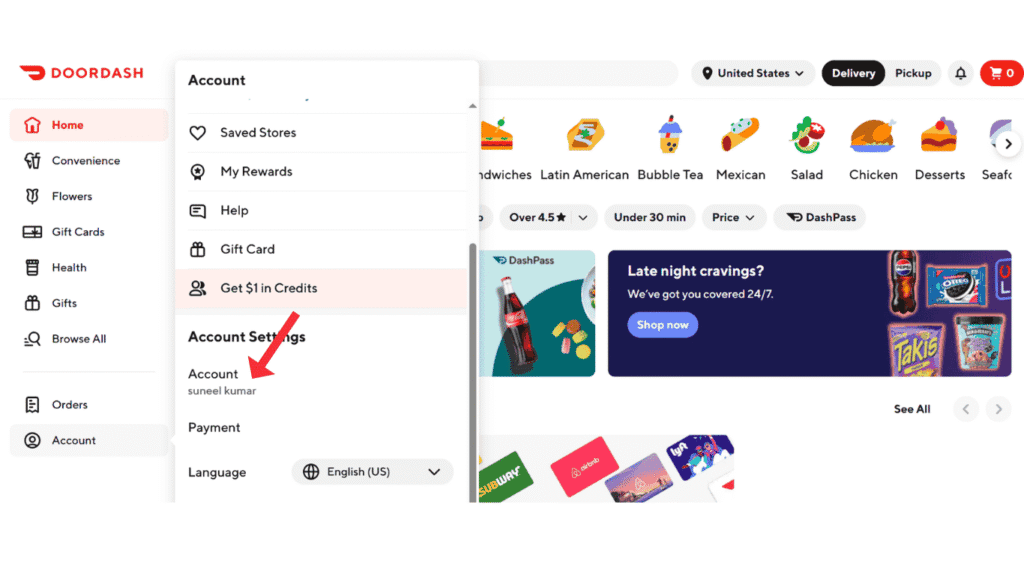
- Now, click on account settings.
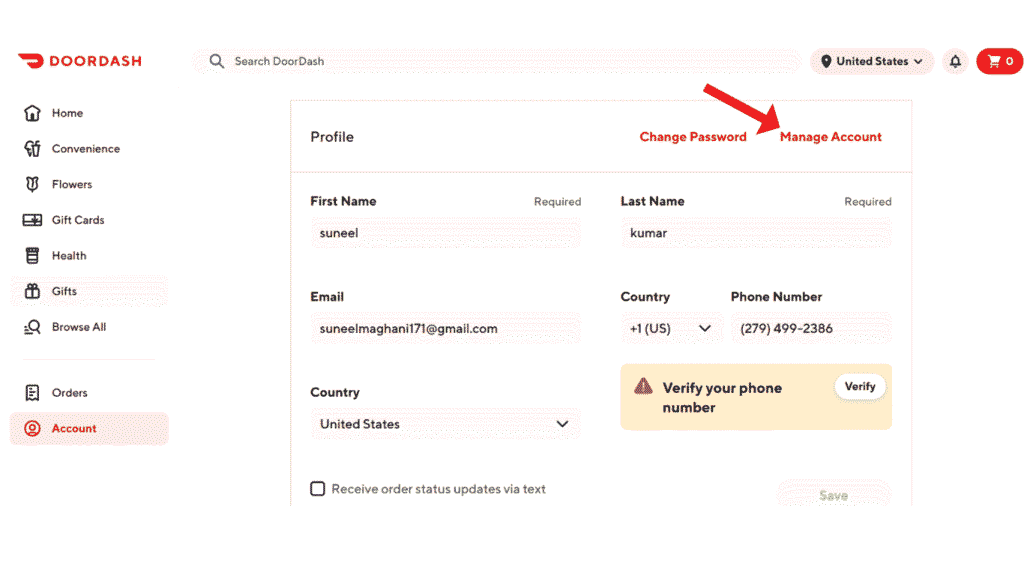
- Click on Manage Account.
- Now, click on Delete Account.
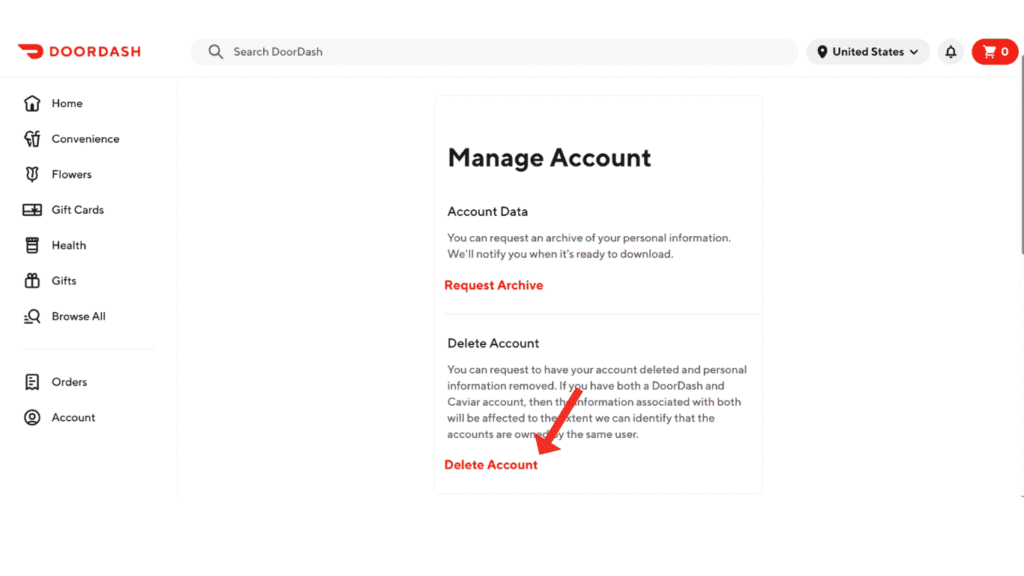
- In the last step, verify your account and click on Delete Account.
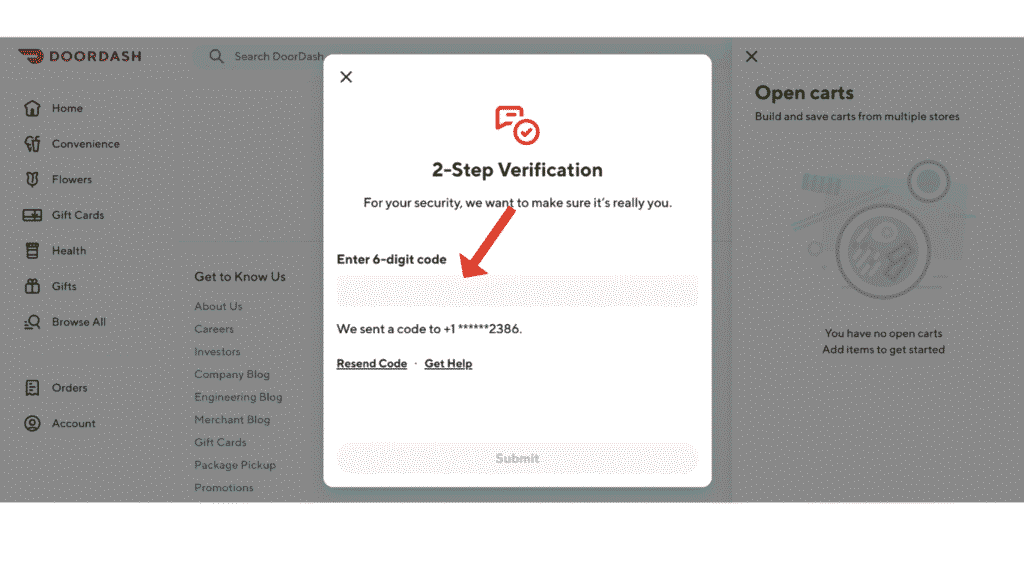
Now, you have successfully deleted your DoorDash account.
Also Read: How To Delete Uber Account Permanently
Conclusion:
I hope you have successfully learned how to delete DoorDash account permanently on a phone and PC. If so, do you have any questions about DoorDash? You can contact us at the email address.
