
Are you searching to delete your Notion AI account on your phone? If so, then I shall explain to you in detail how to delete a Notion AI account in a simple way.
How To Delete Notion AI Account
Notion AI is free AI technology for creating text content and also modifying and making it amazing. You can use Notion AI on both your phone and the website.
If you are already using Notion AI and now want to delete your Notion AI account, then here are the steps given below to delete your Notion AI account on your phone.
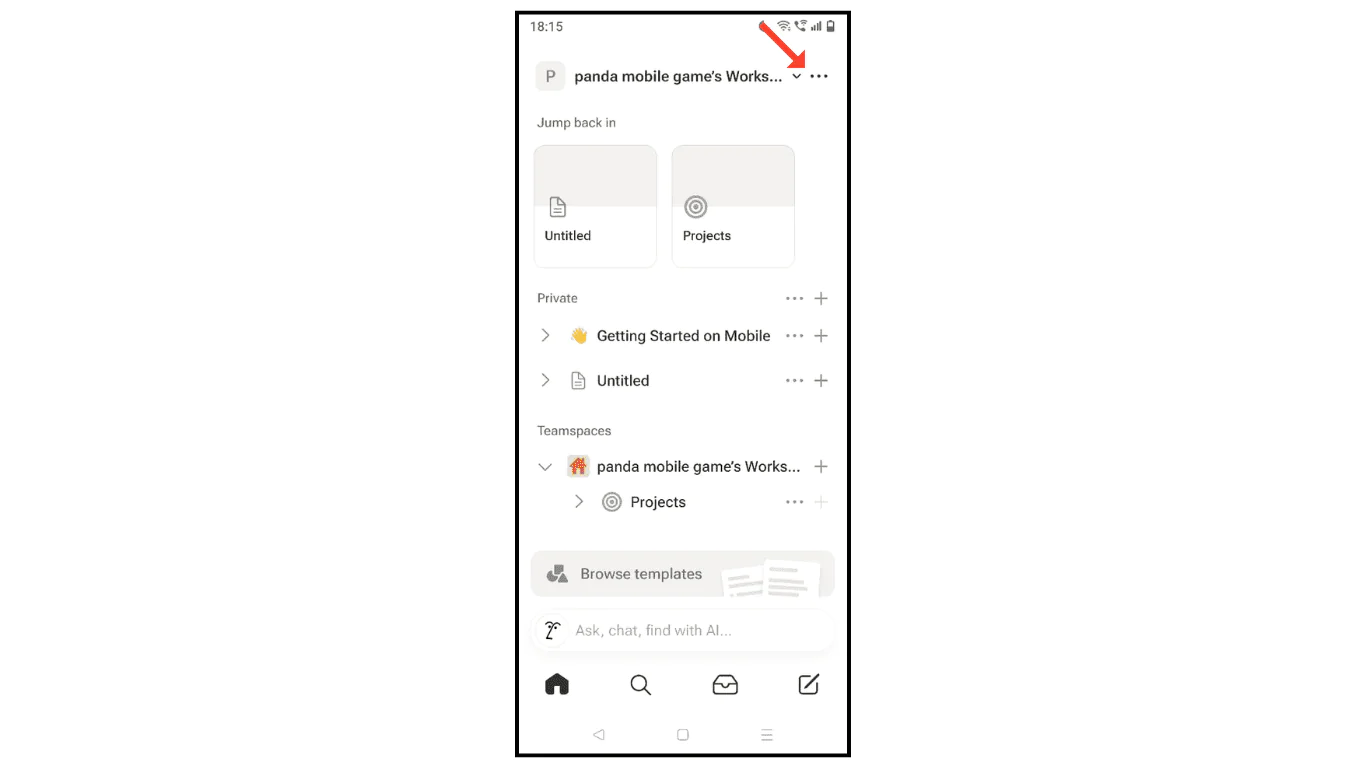
- Open the Notion AI account and click on three dots.
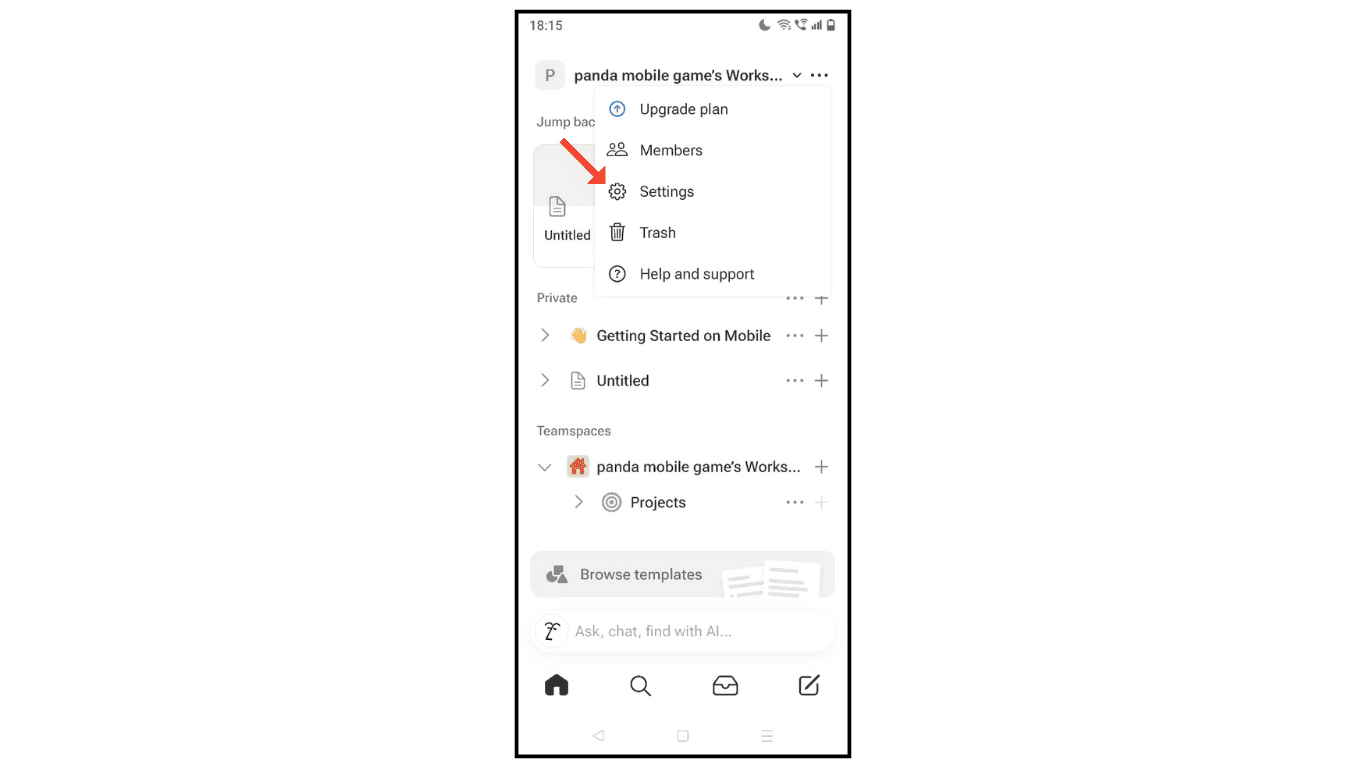
- Now, click on the settings menu.
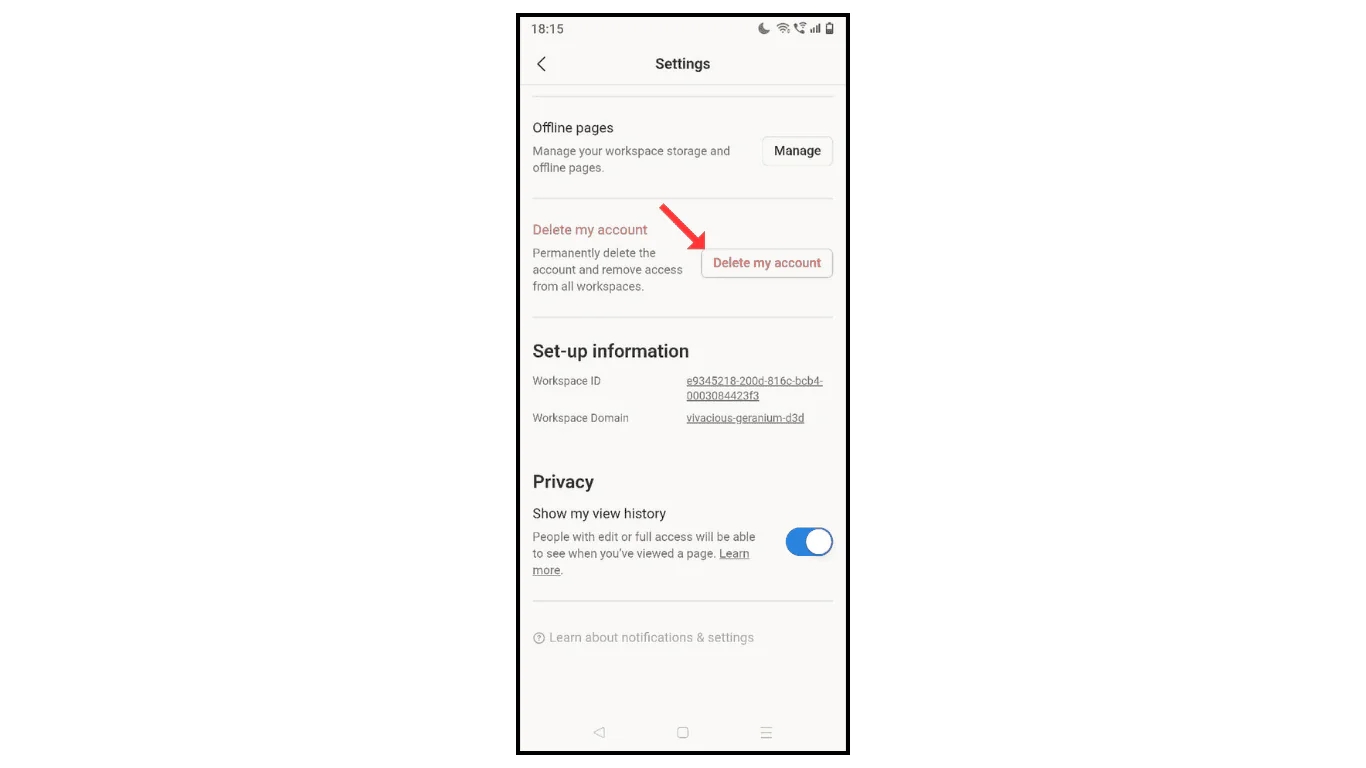
- Scroll down and click on “Delete My Account.”
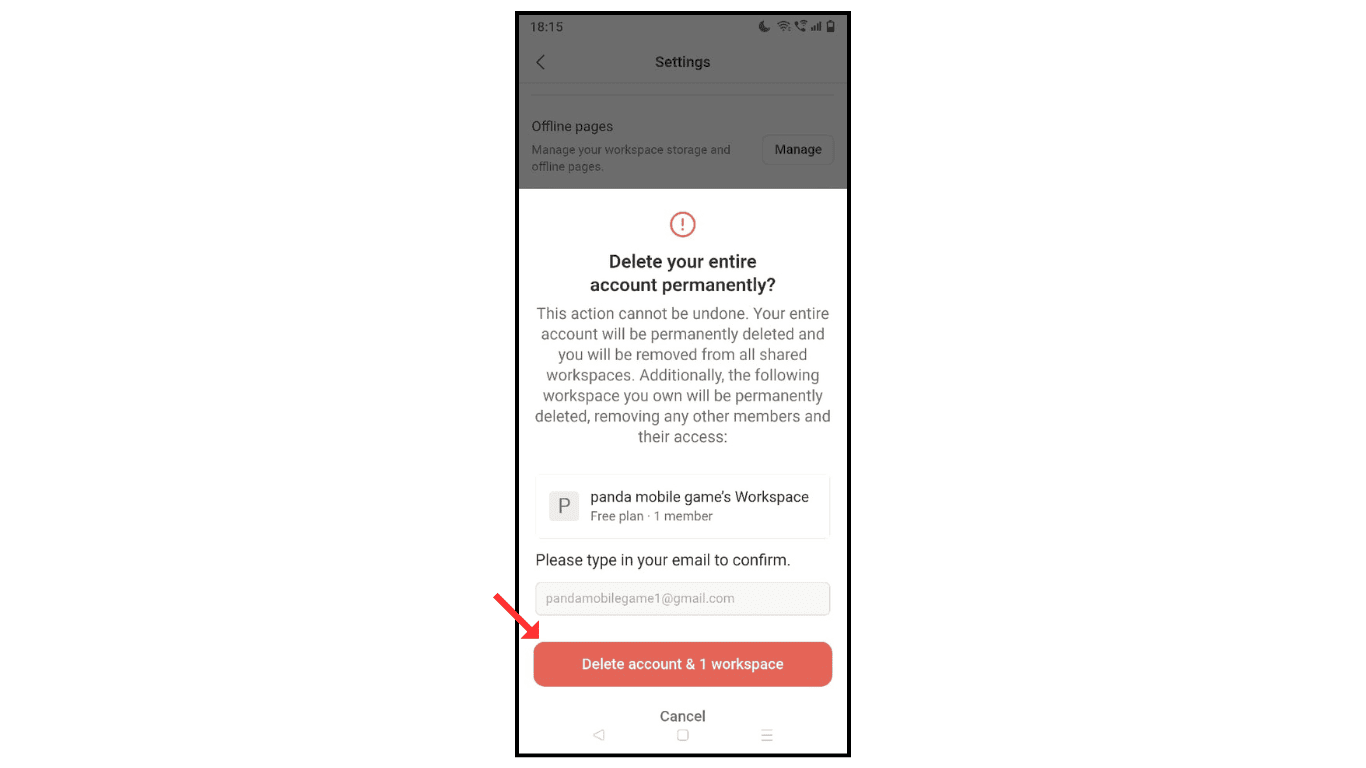
- Confirm by typing email and click on “Delete Account.”
Also Read: How To Create Notion AI Account On Phone
Conclusion:
Deleting or closing your Notion account is a simple process; you just have to follow the above steps to delete your Notion AI account on your phone.
