
Are you searching for a solution on how to turn on two-factor authentication on your Snapchat account? If so, then I shall guide you on how to enable two-factor verification on your Snapchat account.
How To Turn On Two Factor Authentication On Snapchat
Snapchat accounts have settings where you can secure your Snapchat account. If you want to enable two-factor authentication, then
Here are the steps on how to enable two-factor verification on a Snapchat account:
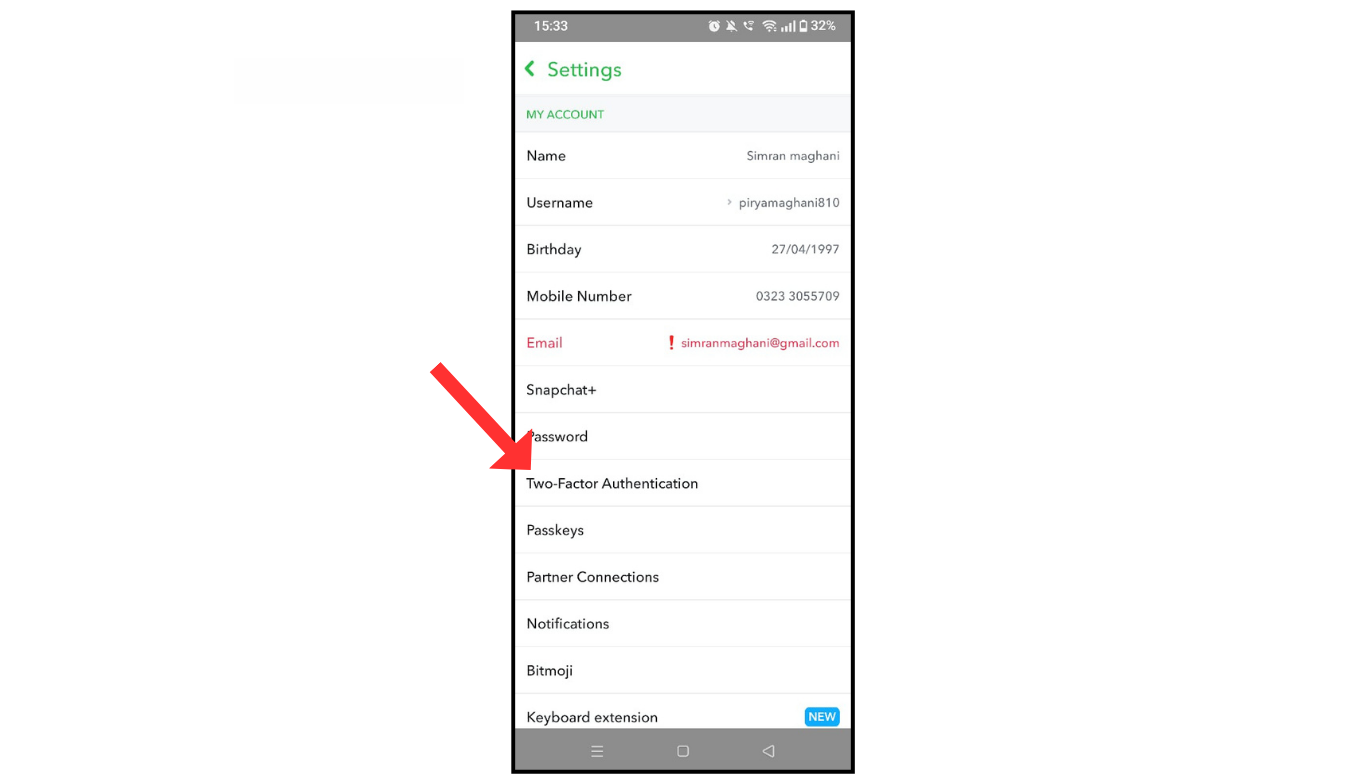
- Log in to your Snapchat account and tap on the settings menu.
- Now, click on two-factor authentication.
- After that, select the text or application.
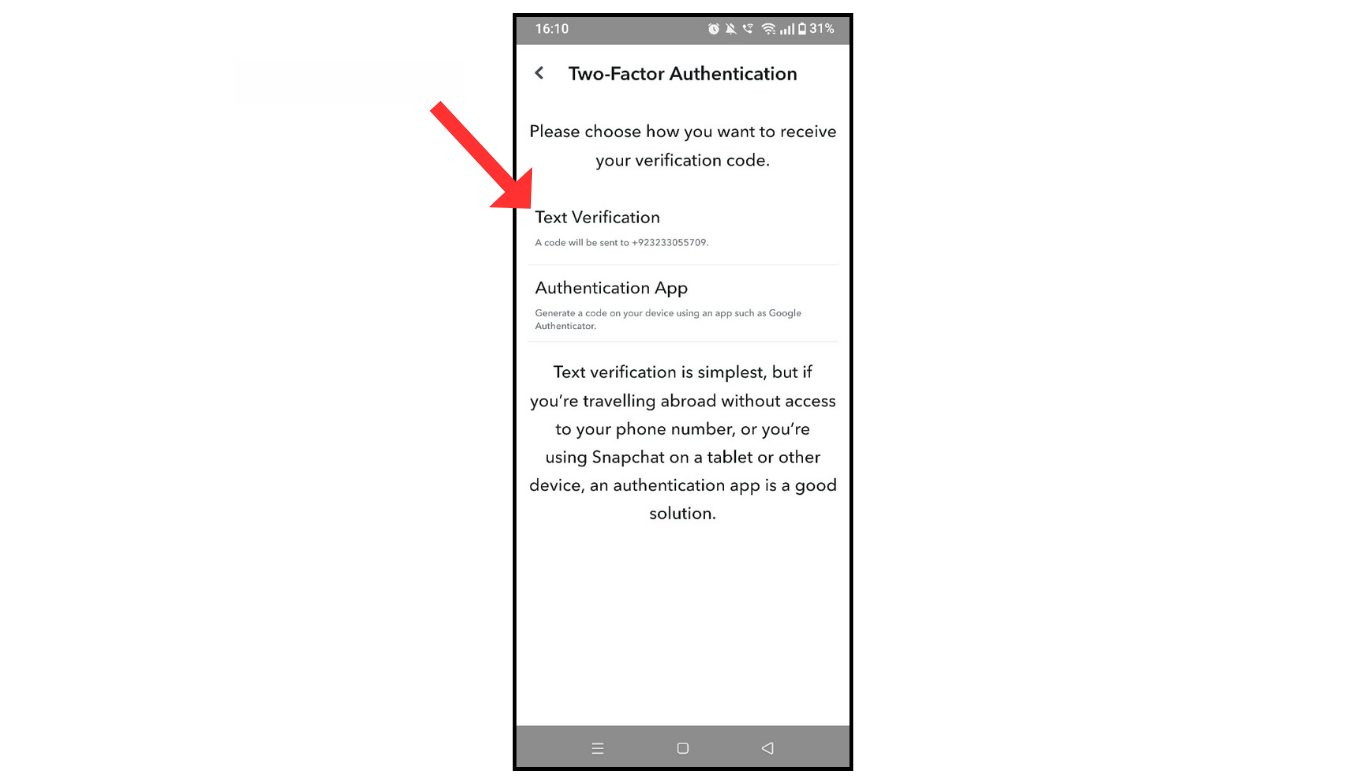
By applying the above step, you can enable two-factor authentication on your Snapchat account.
Also Read: How To Change Snapchat Password
Conclusion:
I am sure now you have learned how to turn on two-factor authentication on your Snapchat account. If you have any doubt about two-factor verification on your Snapchat account, you can contact me.
