
Are you looking for instructions on how to upload an unlisted video to your YouTube channel using an Android phone? If so, then I shall guide you on how to upload an unlisted video on a YouTube channel in simple steps.
How To Upload Unlisted Video on YouTube
YouTube is platforms for creators to upload their videos and short videos. Through YouTube, they can earn money through its creator program and also through affiliate programs, shopping, and super chats.
If you are using a YouTube channel and don’t know how to upload an unlisted video, then here are the steps on how to upload an unlisted video on YouTube.
- Open the YouTube channel and click on the plus icon.

- Now, select the video you want to upload.

- After that, click on visibility.
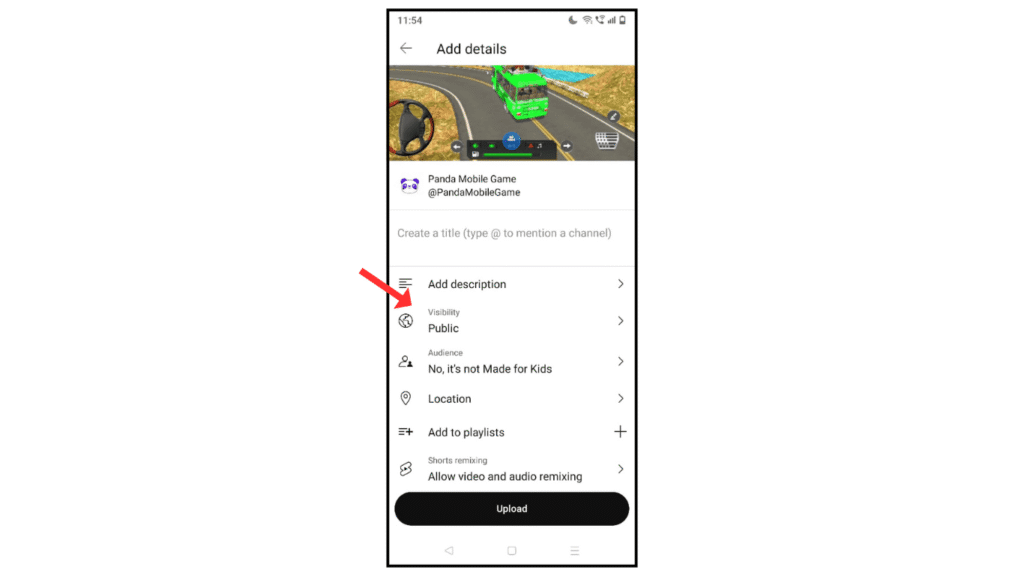
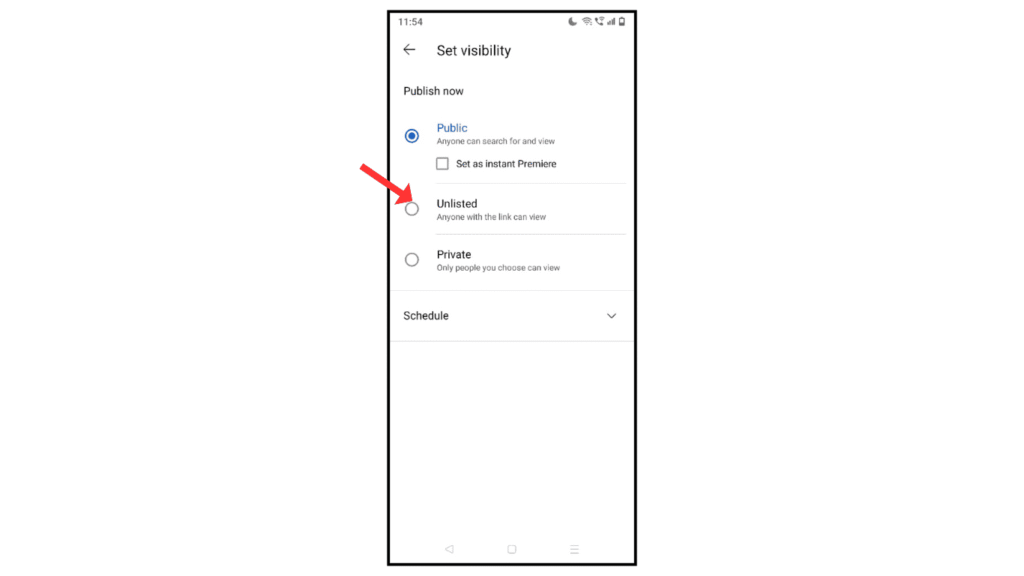
- Then, select the unlisted.
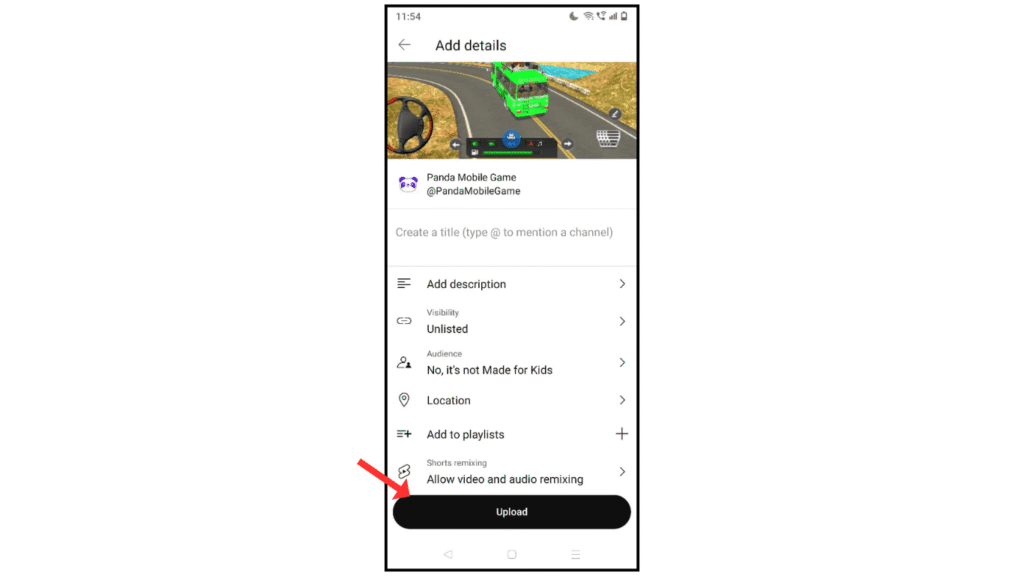
- Now, click on the upload icon.
Also Read: How to Change Ringtone on Android
Conclusion:
I am sure now you have understood how to upload an unlisted video to a YouTube channel on your Android phone. If you have any problems while uploading the video, you can contact me by email.
