
Are you searching for a solution on how to Private liked videos on TikTok on an Android phone? If so, then I shall explain to you how to make liked videos private on TikTok.
How To Private Liked Videos on TikTok
In TikTok, you can easily make your liked videos public or private and hide them from your audience. If you want to hide them, then here are the steps on how to hide TikTok liked videos.
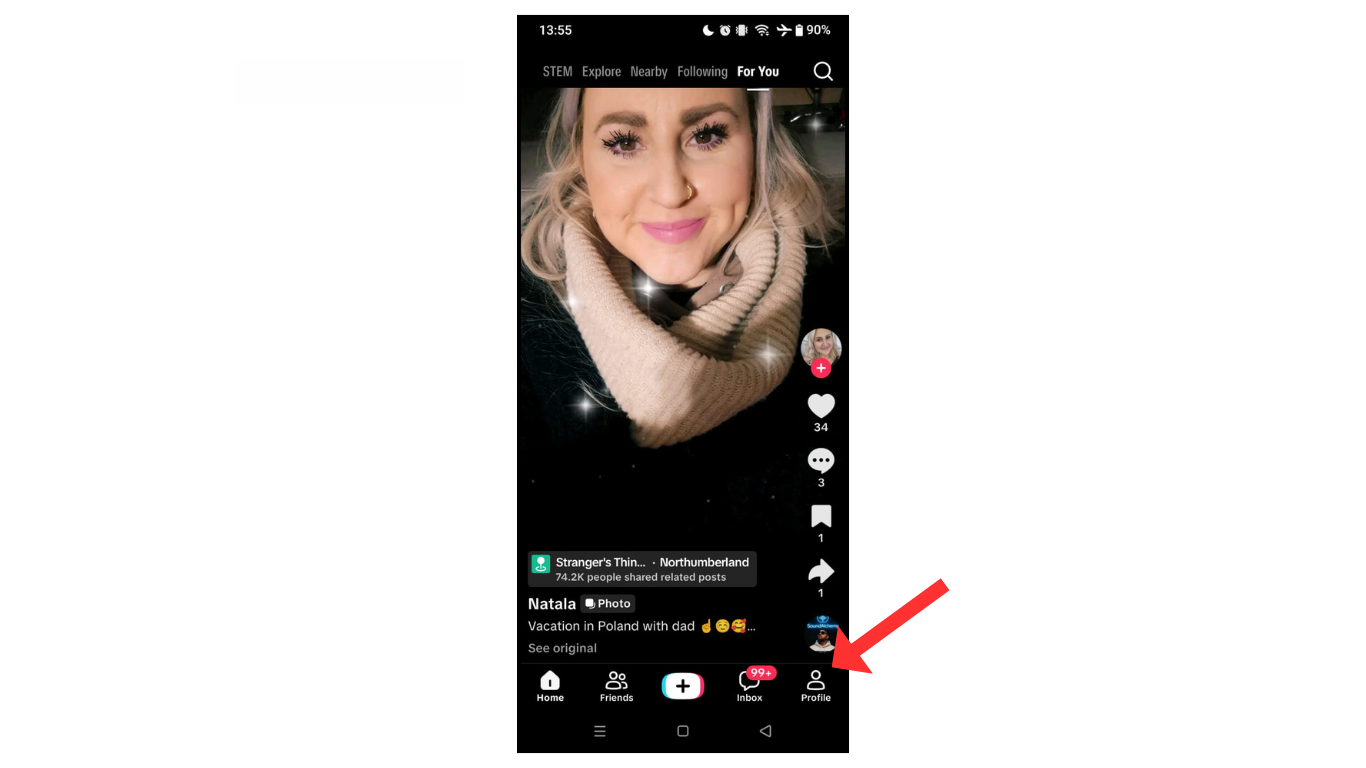
- Open the TikTok account and click on profile.
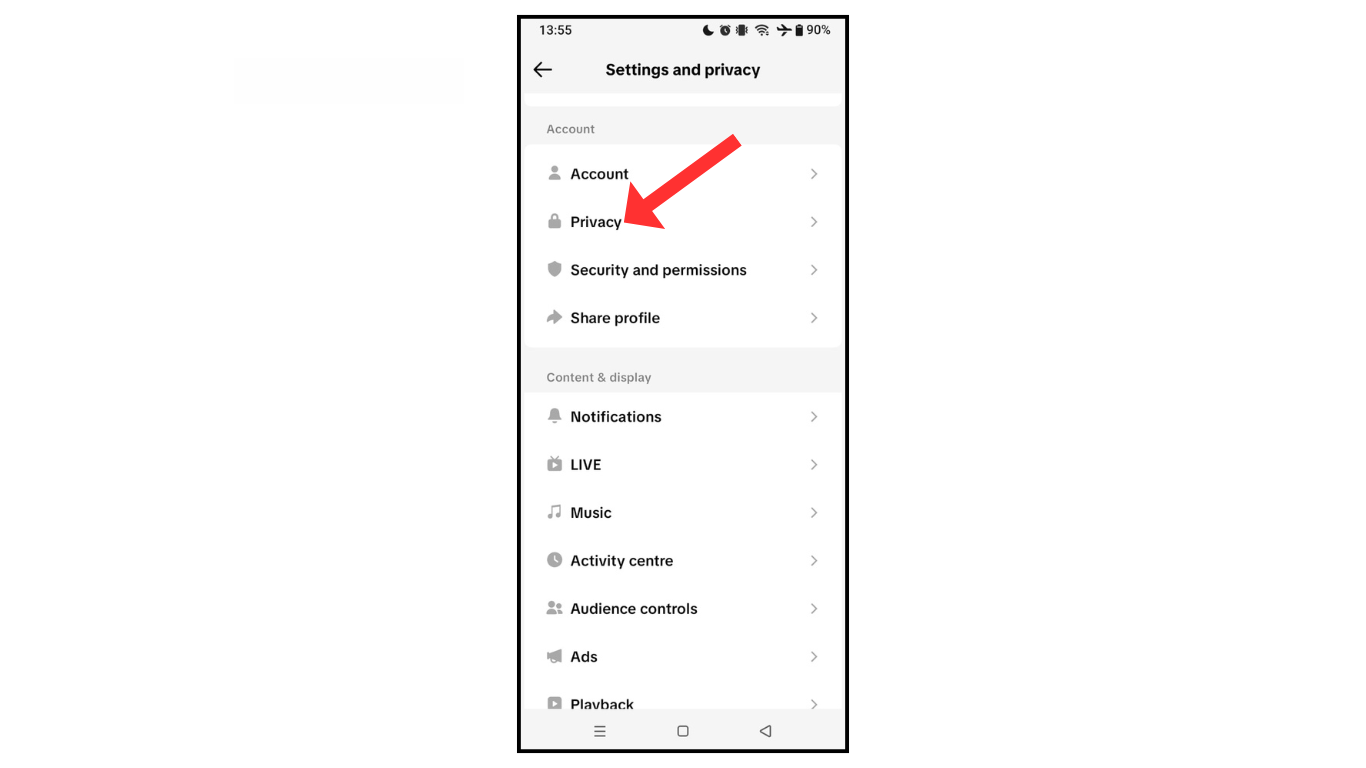
- Now, go to the settings and click on privacy.
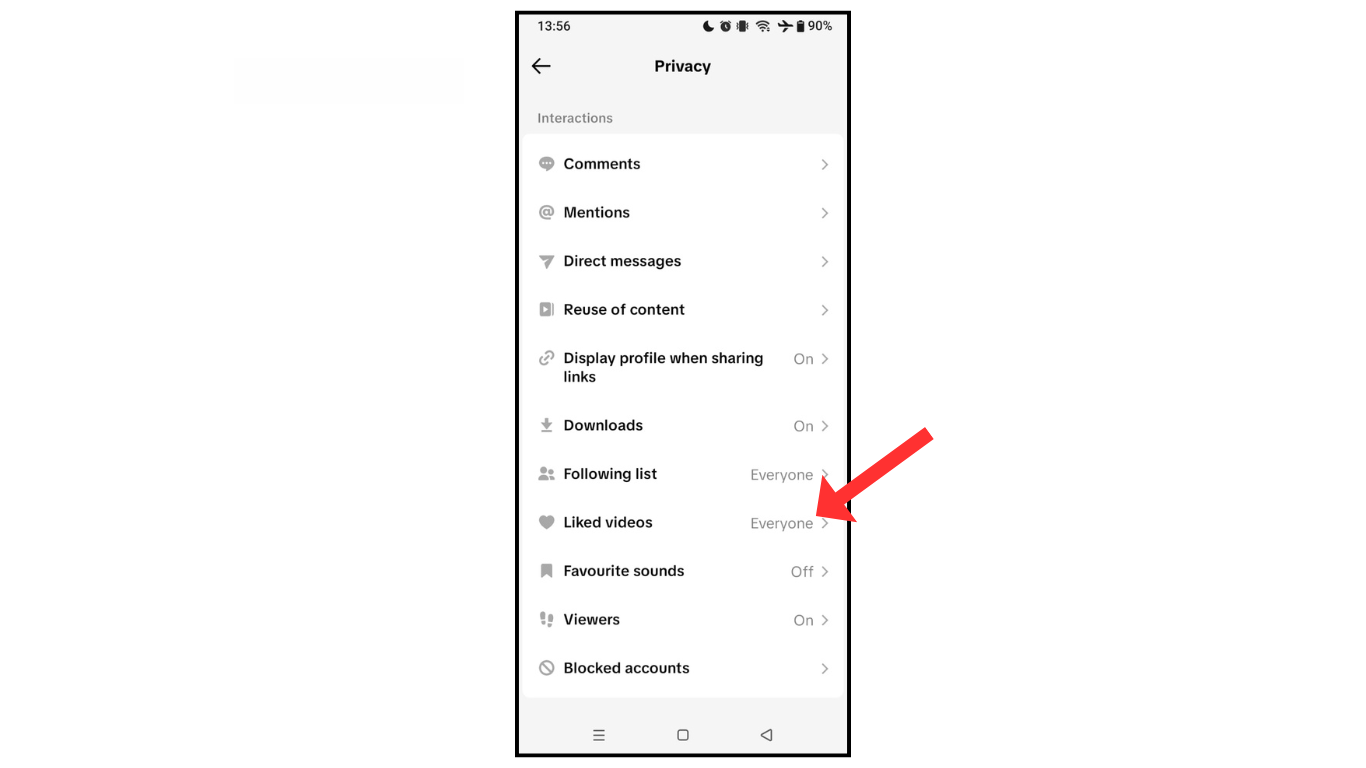
- In the privacy section, click on liked videos.
- In the last click on “only you,”
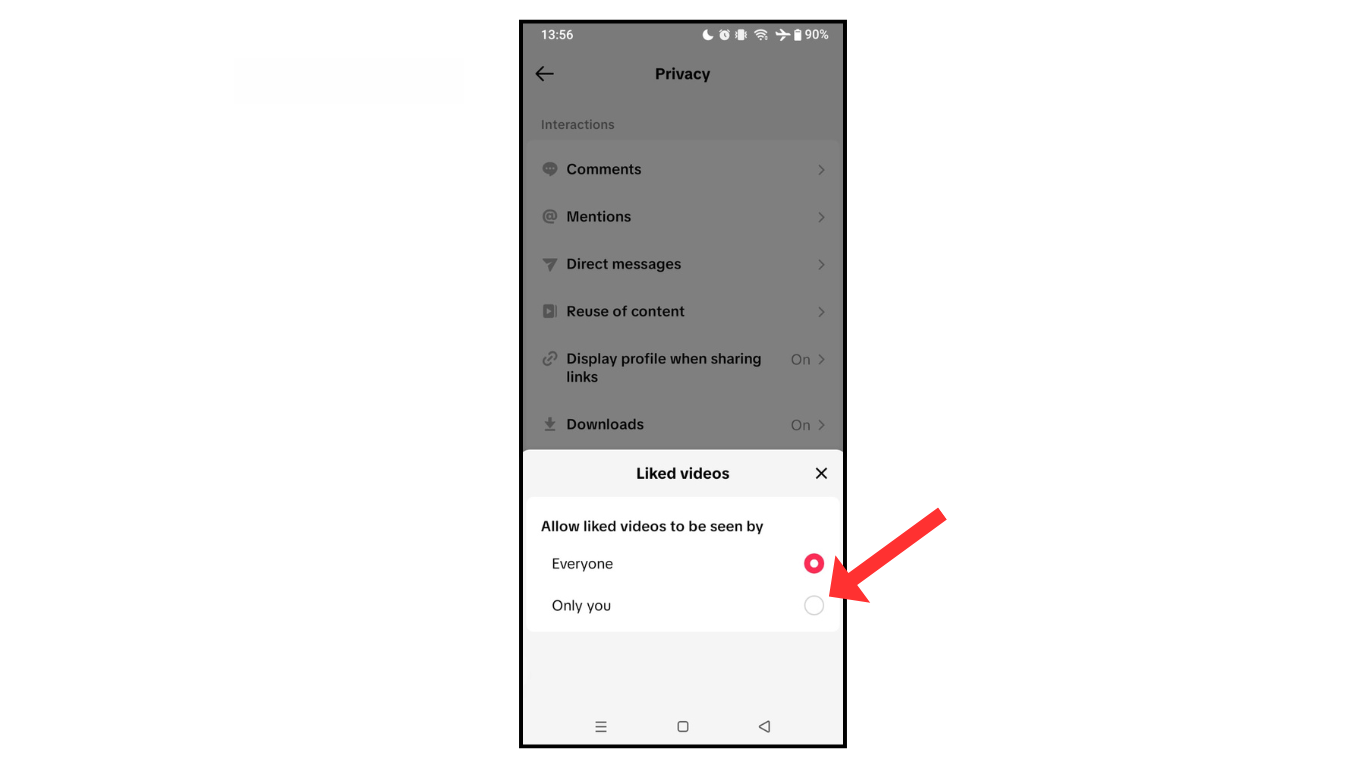
Now, you have successfully allowed liked videos to be seen by you, not the public.
Also Read: How To Change TikTok Password
Conclusion:
I hope you have learned how to Private liked videos on TikTok. If you have any questions about private or hide liked videos on TikTok, then you can contact me on Telegram.
