
Are you looking for a solution on how to enable Facebook suggestions? On TikTok on an Android phone, if so, then I shall explain to you how to enable Facebook suggestions on TikTok in simple steps.
How Enable Facebook Suggestion On TikTok
TikTok has a setting where you can suggest your TikTok content to your Facebook account. If you want to make a Facebook suggestion, then
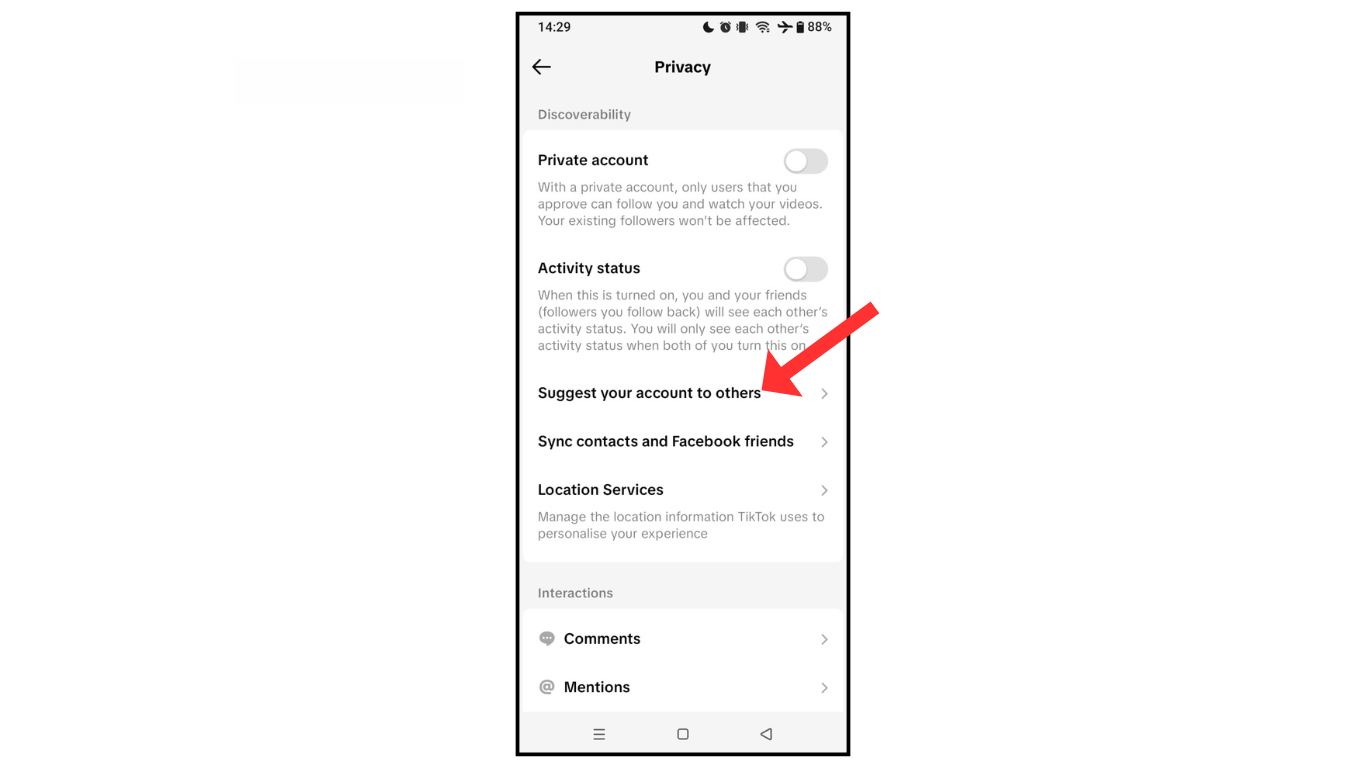
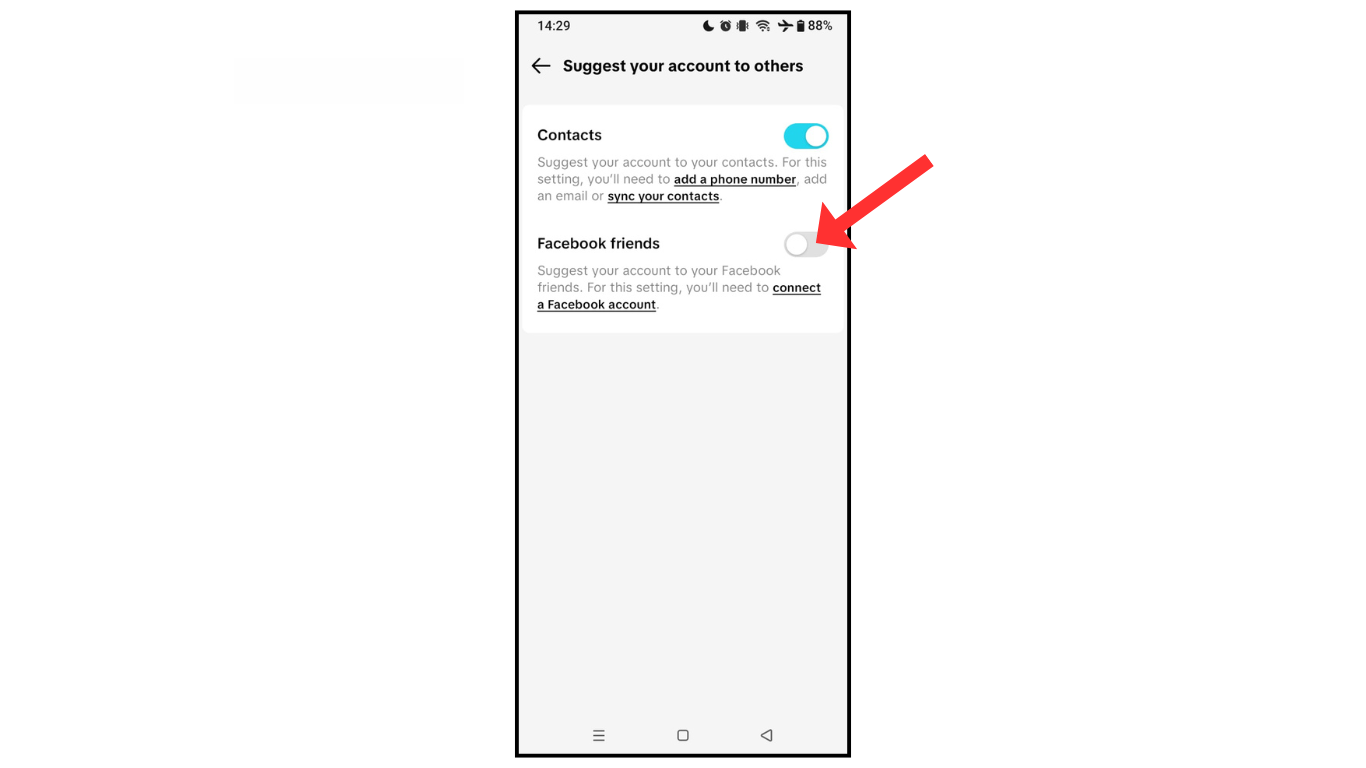
Here are the steps on how to turn on Facebook suggestions on TikTok.
- Open TikTok accounts and go to settings.
- Now, in privacy, click on the suggested account.
- Lastly, turn on Facebook friends.
Also Read: How To Add Payment Method in TikTok
Conclusion:
I hope you have learned how to turn on Facebook suggestions on TikTok. If you have any questions about Facebook suggestions, then you can contact me on Telegram.
