Are you searching for a method on how to add a contact email on a YouTube channel on a PC or laptop? If so, then I shall guide you on how to add a contact email on a YouTube channel in simple steps.
How To Add Contact Email on YouTube Channel
YouTube is site to upload videos and short videos. On YouTube, creators earn money in many different ways, like content monetization, affiliate marketing, and sponsorship.
On YouTube there is setting to add contact email for contact, so sponsors can get in touch.
Here are the steps on how to add contact email on YouTube channel.
- Go to YouTube Studio in a browser on a PC or laptop.
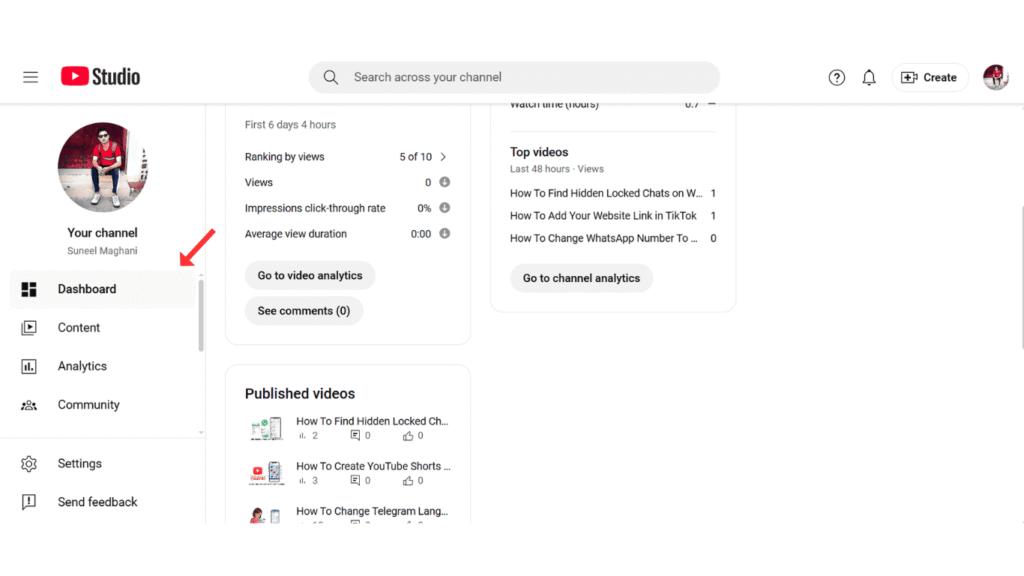
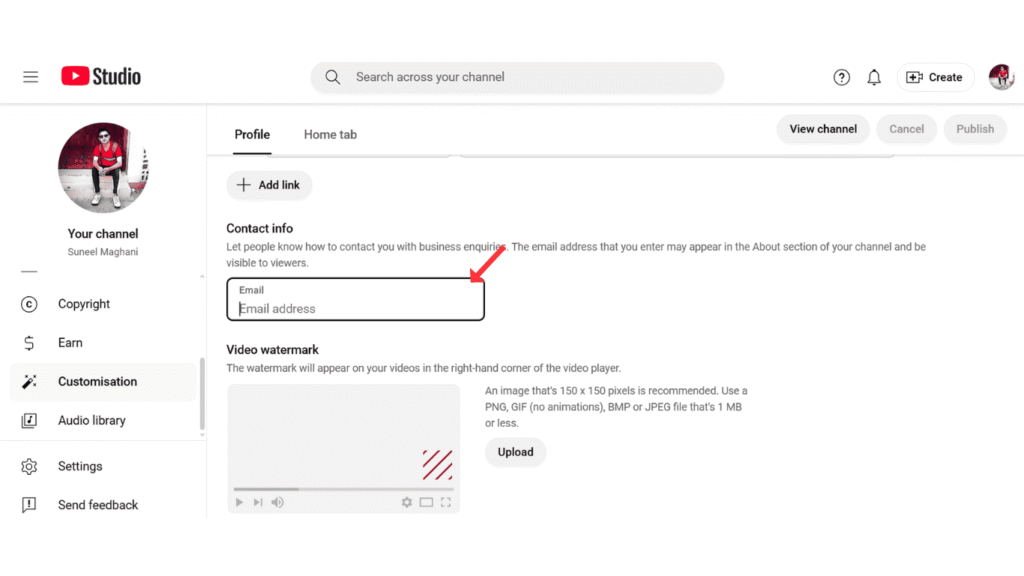
- Now, go to the customization option, then contact info.
- After that, enter the contact email and publish it.
Also Read: Change Thumbnail on YouTube Studio
Conclusion:
Adding a business contact email on a YouTube channel is a simple process; you just have to follow the steps for adding a contact email on a YouTube channel. If you have any questions, you can contact us by email.
