
Are you looking for a way to use the Invite a Collaborator option on YouTube? If so, then I shall explain to you how to use the Invite a Collaborator option on YouTube.
How To Use YouTube Invite a Collaborator
I hope you have successfully learned how to use the invite a collaborator option on YouTube. If you have any questions about the YouTube invite collaborator option, you can contact me by email.
Here are the steps on how to invite a collaborator on YouTube.
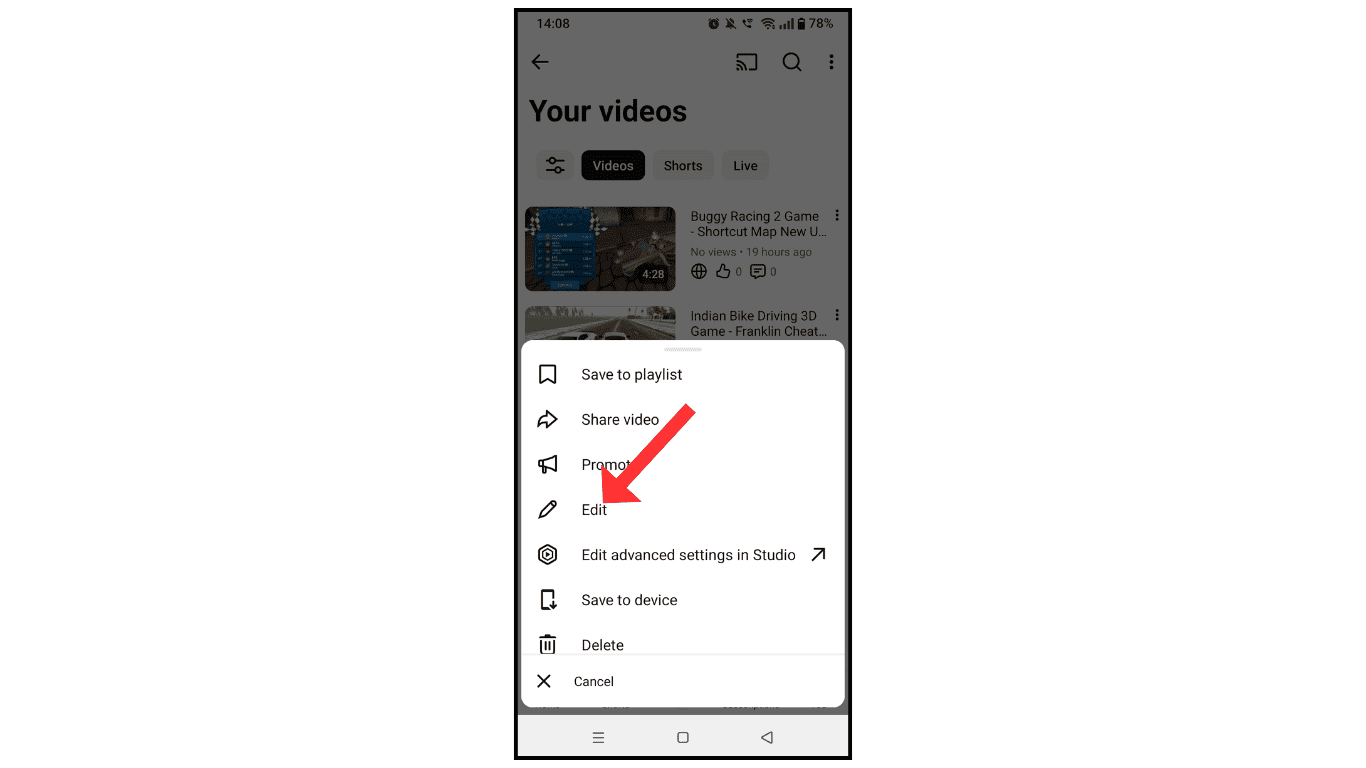
- Open your YouTube channel and select a video or short video.

- Now, click on the edit icon.
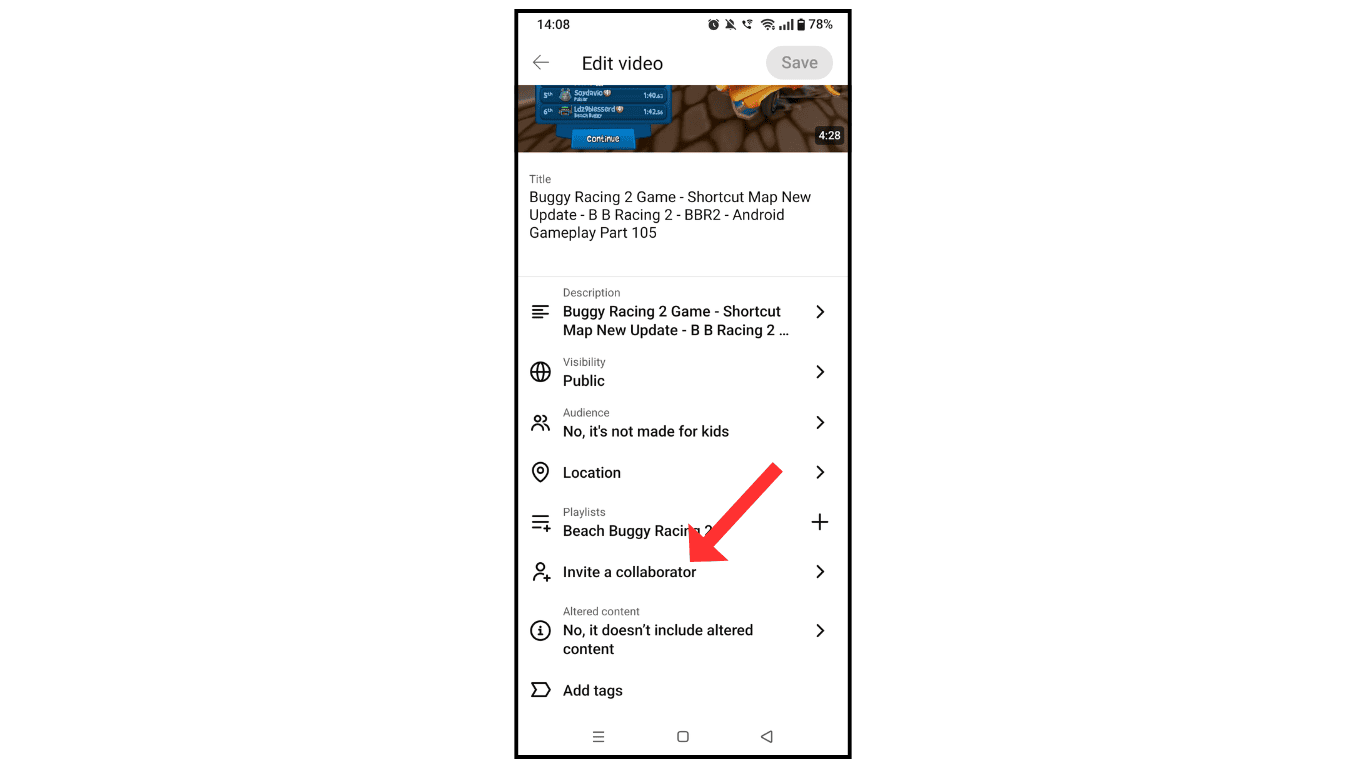
- After that, click Invite a Collaborator
- In the last share, the invite link with anyone whom you want to collaborate with.
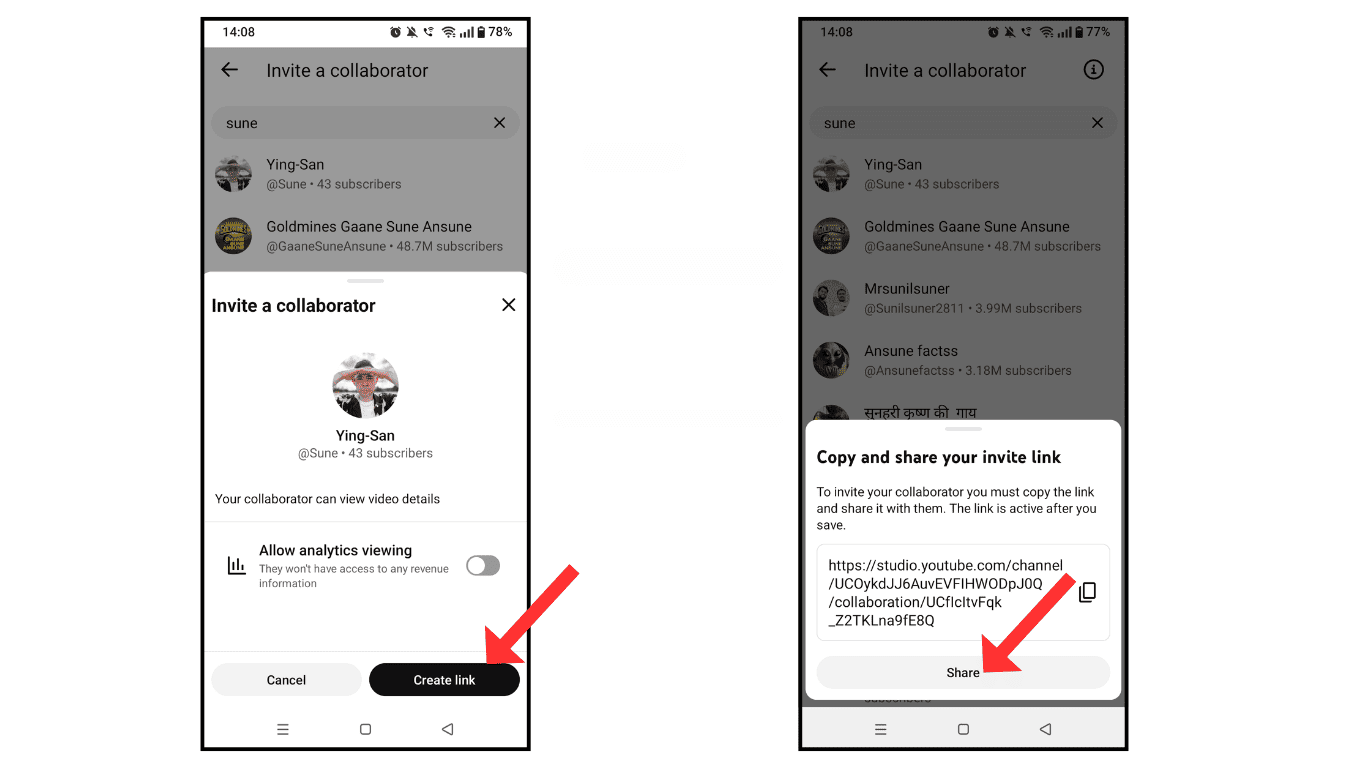
- Once the other person accepts your link, your video will be available on their channel, like Instagram Reels.
Also Read: How To Add Manager To Your YouTube Channel
Conclusion:
I hope you have successfully learned how to use the invite a collaborator option on YouTube. If you have any questions about the YouTube invite collaborator option, you can contact me by email.
