
Are you looking for a solution on how to change your TikTok email on your phone (Android and iPhone)? If so, then in this article i shall guide you on how to change TikTok email.
What is TikTok Email
TikTok email is your email address for your TikTok account. TikTok email address to use to sign up, sign in, or maybe to reset your password.
Through TikTok email, you can send updates, your account information, and, most importantly, more security messages for your account.
How To Change TikTok Email
Here are the steps on how to change TikTok email on your phone.
- Open a TikTok account and click on the profile icon.
- Click the three lines on top.
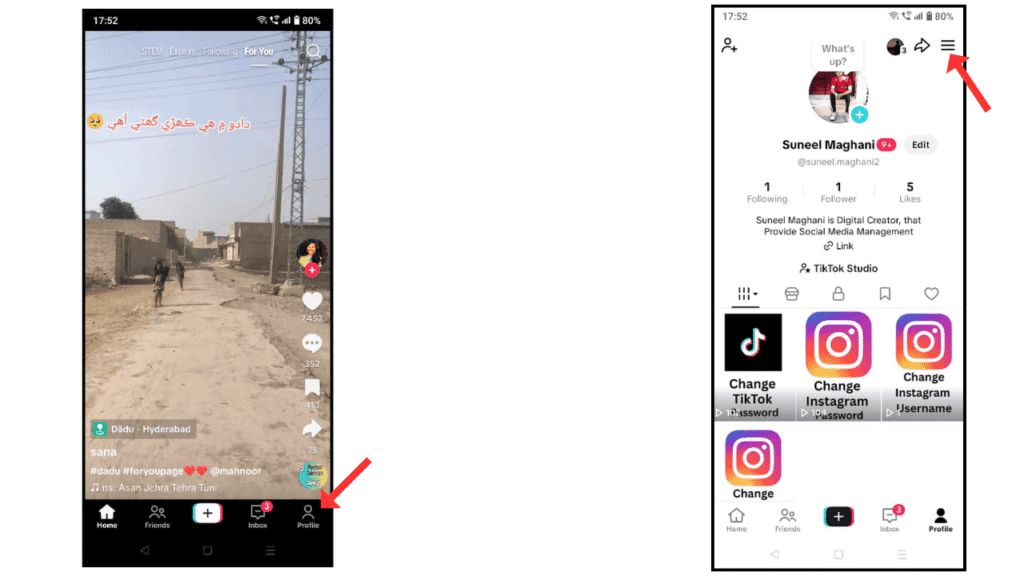
- Click on the settings and privacy option.
- Now, click on the account option.
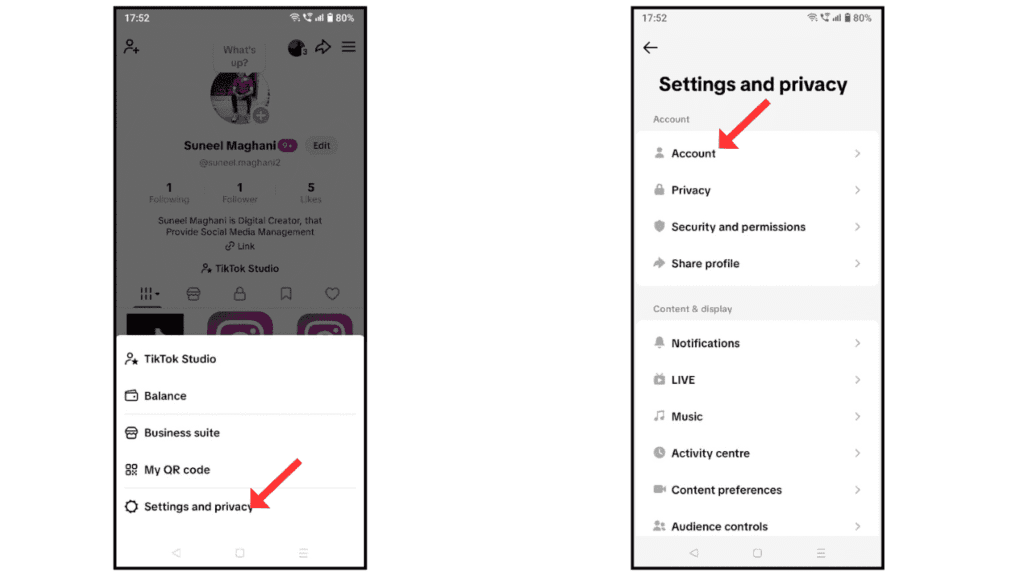
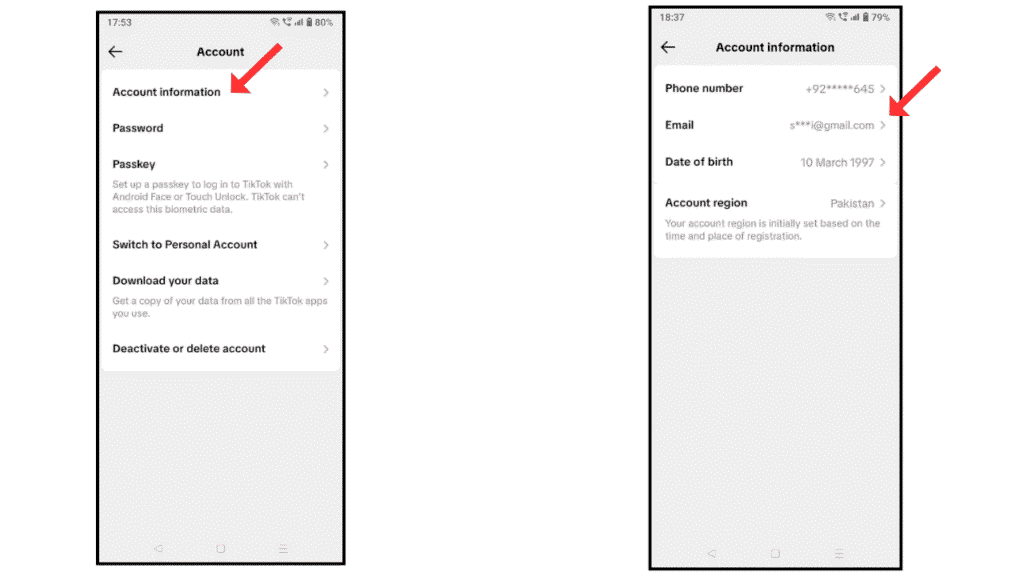
- Go to the account information.
- Click on email.
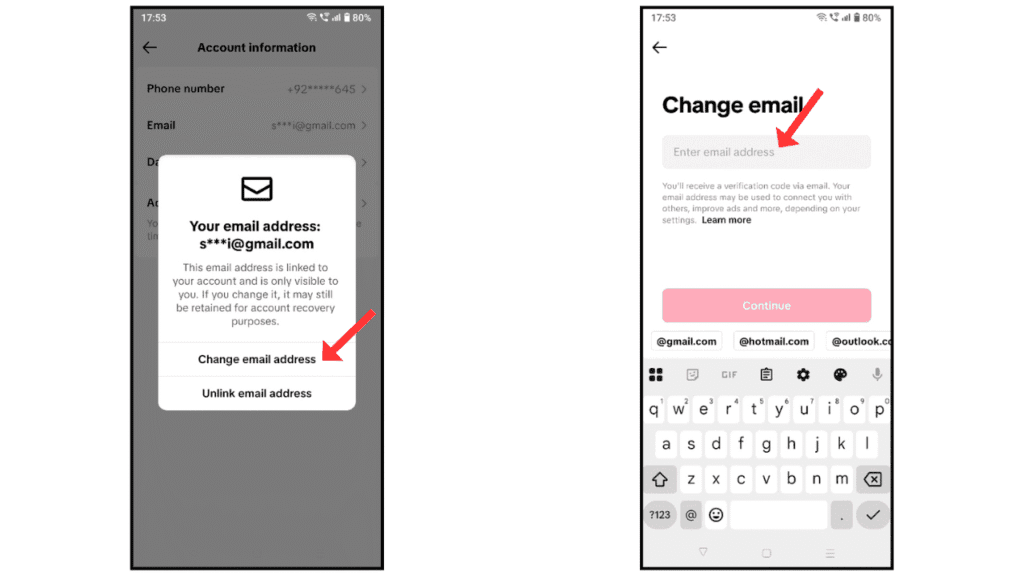
- Tap on Change Email Address.
- In the last, change email and continue.
Also Read: How to Change TikTok Password and Profile Picture
Conclusion:
I hope you have successfully understand on how to change TikTok email on your Android and iPhone. If you have any questions about TikTok, you can contact us by email.
